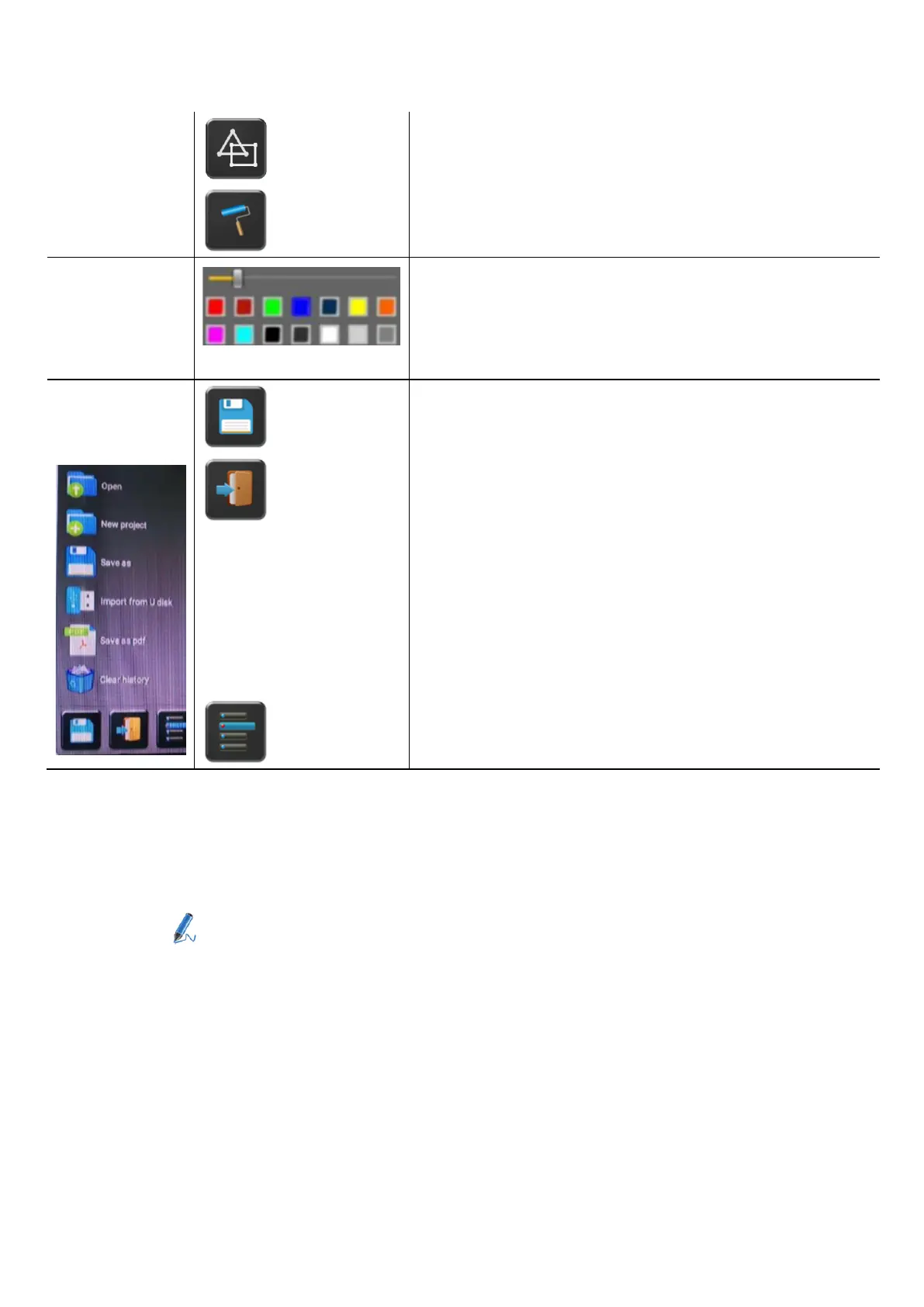
Draw basic geometric shapes
Select color of board, the drawing will be kept
will pop up, when “Pen” or “Draw shape” or “Select color of board” is
selected, for individual change of size of Pen, Shape or color.
Save the current screenshot on local storage (PNG+WMN)
Close Whiteboard to go back to Home screen,
actual project can be saved on local storage (WMN)
File options:
⚫ Open WMN-file from local storage and continue/edit an older
project
⚫ New project
⚫ Save as WMN on local storage in unit, it will be
erased after POWER-OFF
⚫ Import from U disk stored project (WMN)
⚫ All pages are saved as PDF on local storage
⚫ Clear history – delete all whiteboard & annotation
files on local storage


 To Next Page