75 / 108
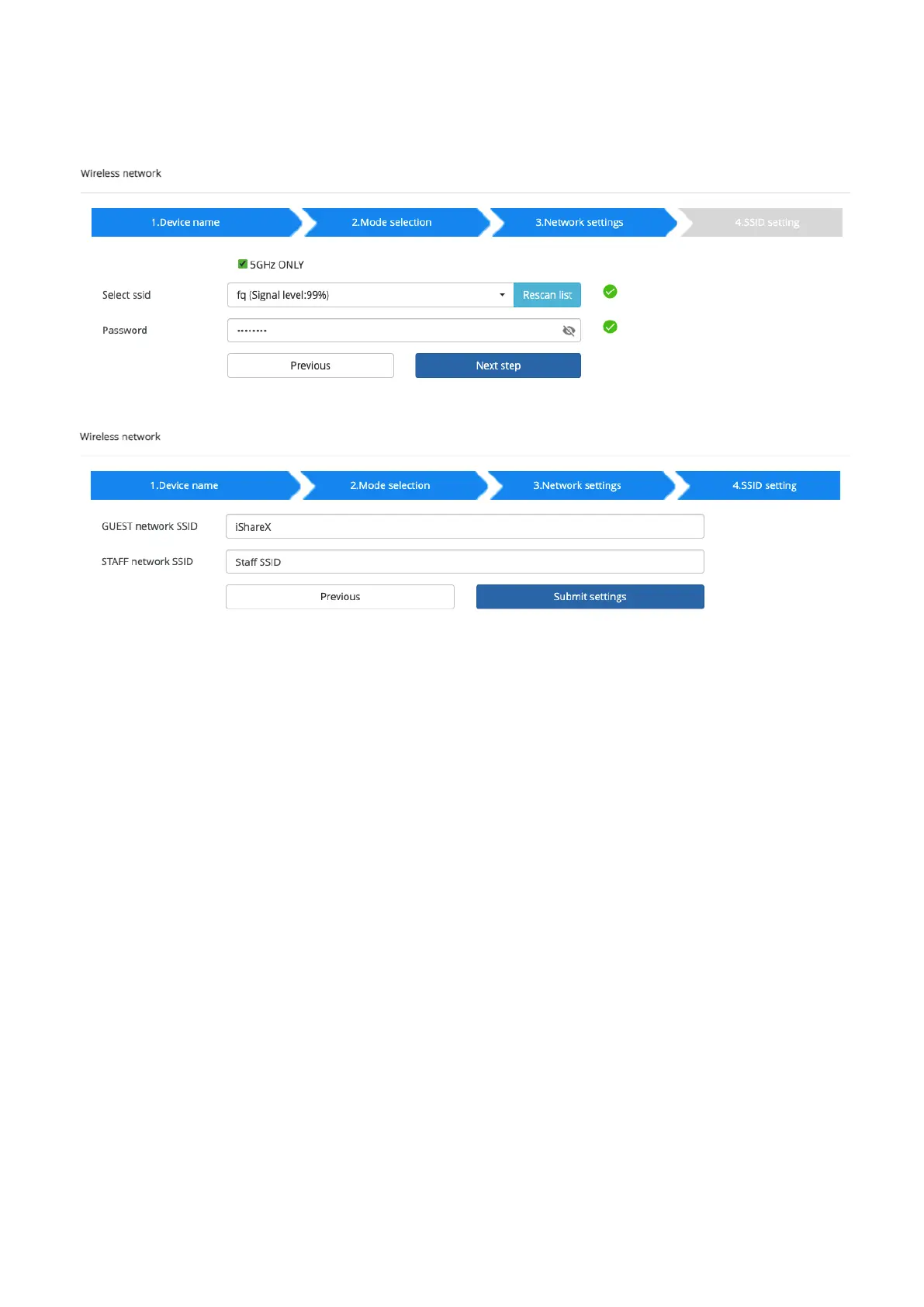
Click “Next step” to choose a LAN network which is used for the company staff users and pair the dongle into this network.
Click “Next step” to edit or change Guest network SSID and Staff network SSID.
Wifi name of guest and staff will be shown on home screen after “Submit settings”
After submitting successfully, please re-pair dongle with base unit.
7.1.2 Ethernet
Configure the Ethernet settings. iShare X400 has 2 Lan port, if the base unit relates to 2 LAN cable, you can configure from
below tab.


 To Next Page