45 / 108
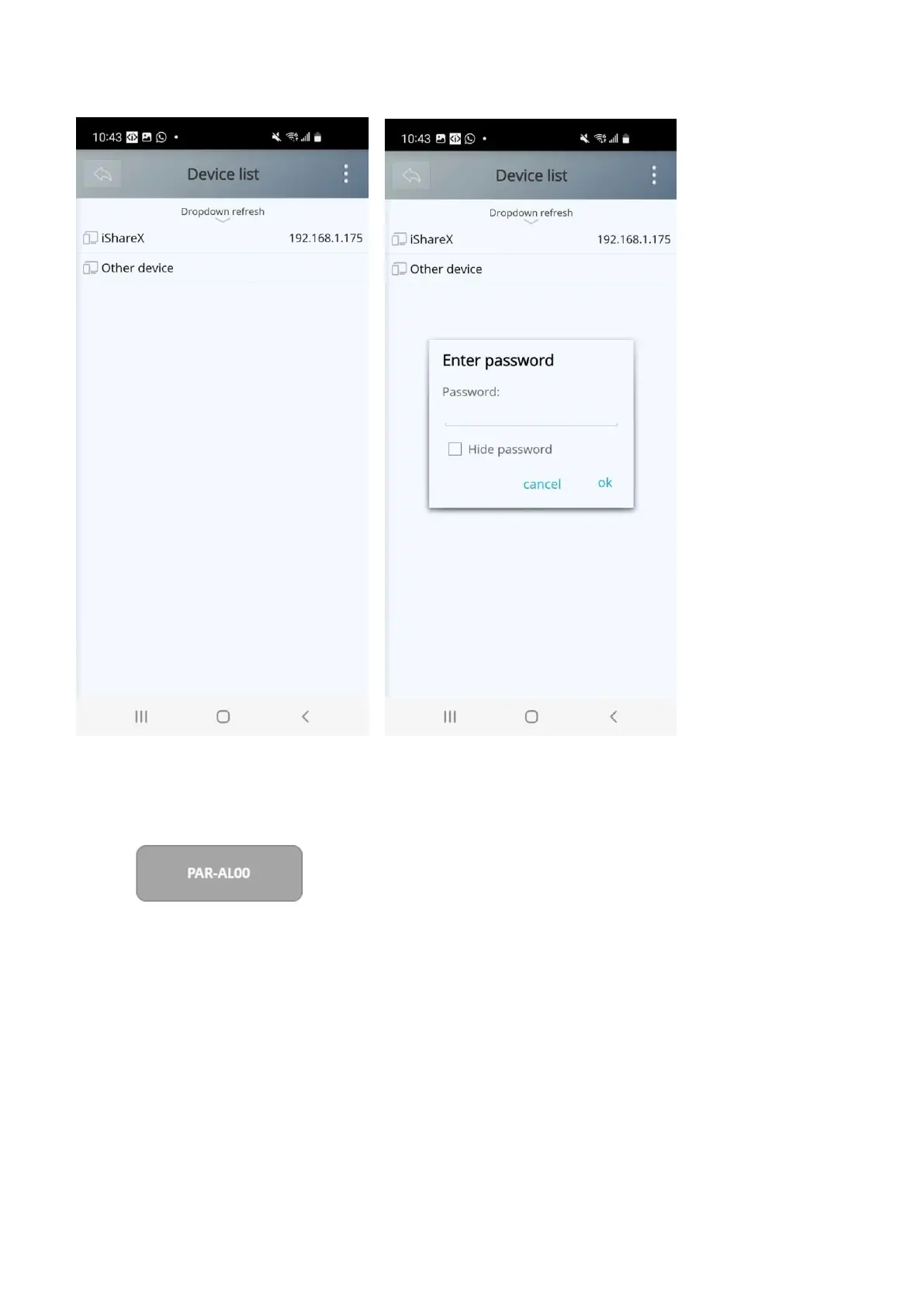
4. Select the base unit you want to connect, enter password and mirror.
5. After completing the pairing, it shows OSD “Welcome ***” on the home page. For example, if we connect it by a
HUAWEI-PAR-AL00, it shows a “HUAWEI-PAR-AL00” on screen, as shown below.
6. Now you can mirror your mobile.
7. Click again the button “Share Screen” to stop mirroring.
Click “Fullscreen” to be full screen in the main screen when more than one signal is connected and shared.


 To Next Page