72 / 108
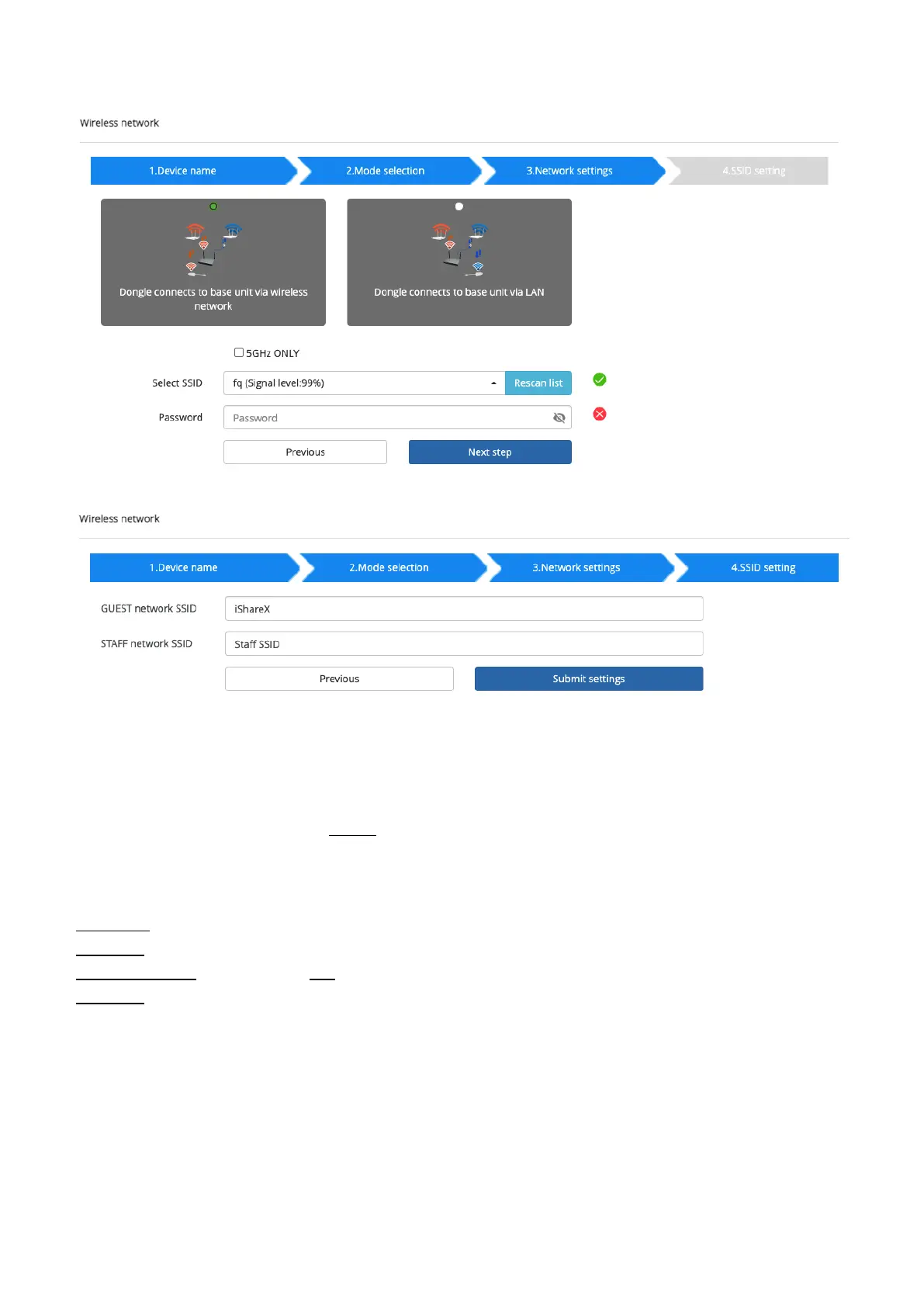
Click “Next step” to edit or change Guest network SSID and Staff network SSID.
Wi-Fi name of guest and staff will be shown on home screen after “Submit settings”.
After submitting successfully, please re-pair dongle with base unit.
“Dongle connects to base unit via LAN.”
Choose a LAN network which is used for the company staff users.
Note: usually in this mode, dongle paired for internal staff usage.
Select SSID: Choose a wireless network to connect to base unit for guest.
Password: enter password to connect the base unit to the guest network.
Select dongle SSID: choose the same LAN network which base unit connects, to pair the dongle.
Password: enter password of the LAN network.
See picture as below:


 To Next Page