40
Wireless LAN connection
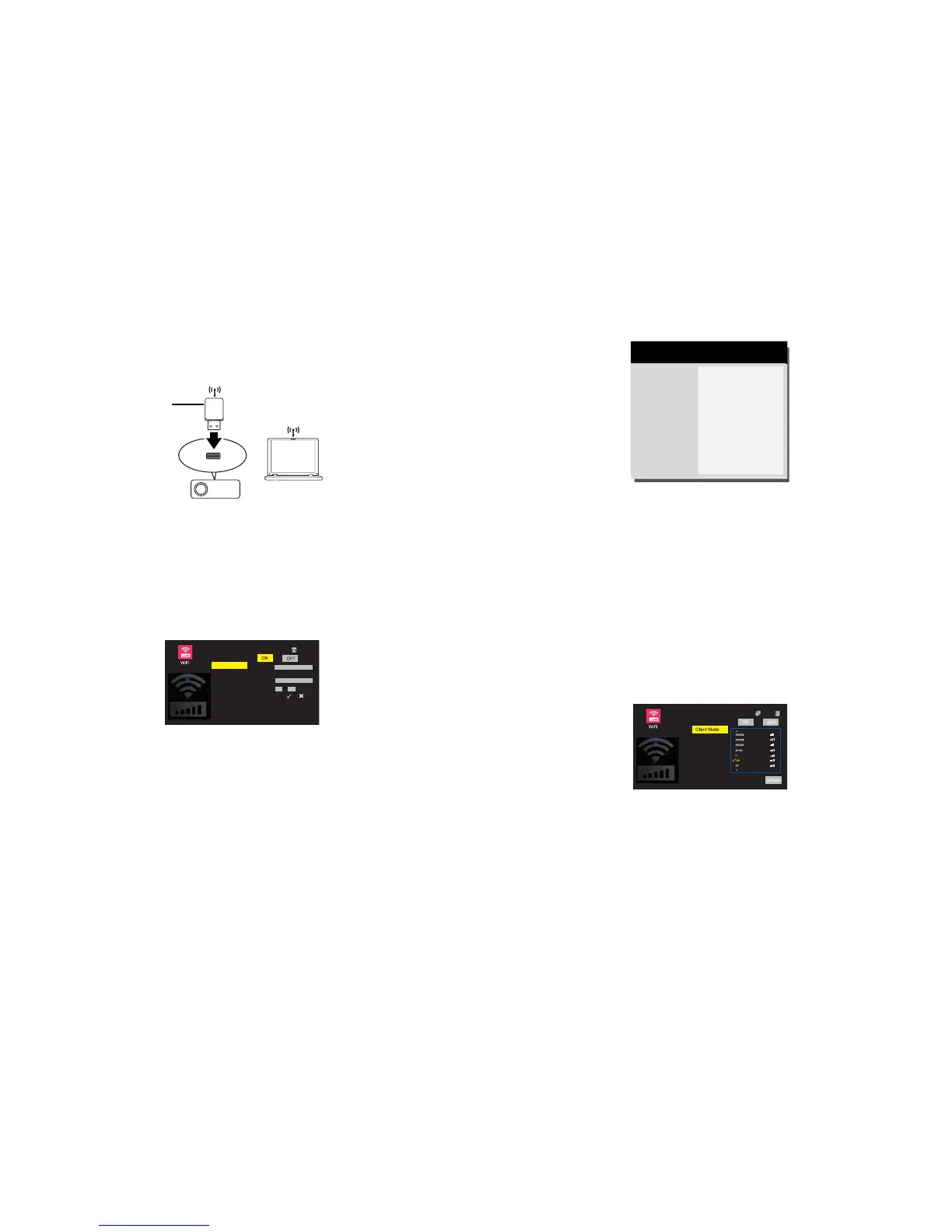
To connect to the projector wirelessly, you need to plug an optional InFocus
wireless dongle (p/n SP-WIFIUSB-2) to the USB Type A connector on the
projector.
InFocus wireless dongle
(p/n SP-WIFIUSB-2)
How to setup AP mode:
1 Make sure the projector is turned on.
2 Select Multimedia from source list.
3 Go to Settings > WiFi, select AP Mode and set it to ON. See page 42. AP
mode is set to ON by default.
AP Mode
SSID
Security
PSK
Channel
Open
IN2128HDa-606326
11
Auto
4 Press Source then press Menu to display OSD menu. Go to Advanced Menu >
Setup > Network > Wirless LAN menu.
SSID
IP Address
Subnet Mask
Previous
IN2128HDa-606326
192. 168. 111. 1
255. 255. 255. 0
( Wireless LAN )
MDL: IN2128HDa
FW: X.XX
5 Write down the IP address for network connection.
How to setup client mode:
1 Select Multimedia from source list.
2 Go to Settings > WiFi, select Client Mode and set it to ON. See page 42.
3 Choose the Wi-Fi network which the projector connect to from the Wi-Fi
network list, and press Select/Enter.
4 Press Select/Enter to display on-screen keyboard, enter the password from
the on-screen keyboard, then press Menu to close the keyboard.
5 Highlight OK and press Select/Enter to connect.
6 Press Source then press Menu to display OSD menu. Go to Advanced Menu >



 To Next Page