View & Share File Management Page 25
Uploading via a wireless connection (in network):
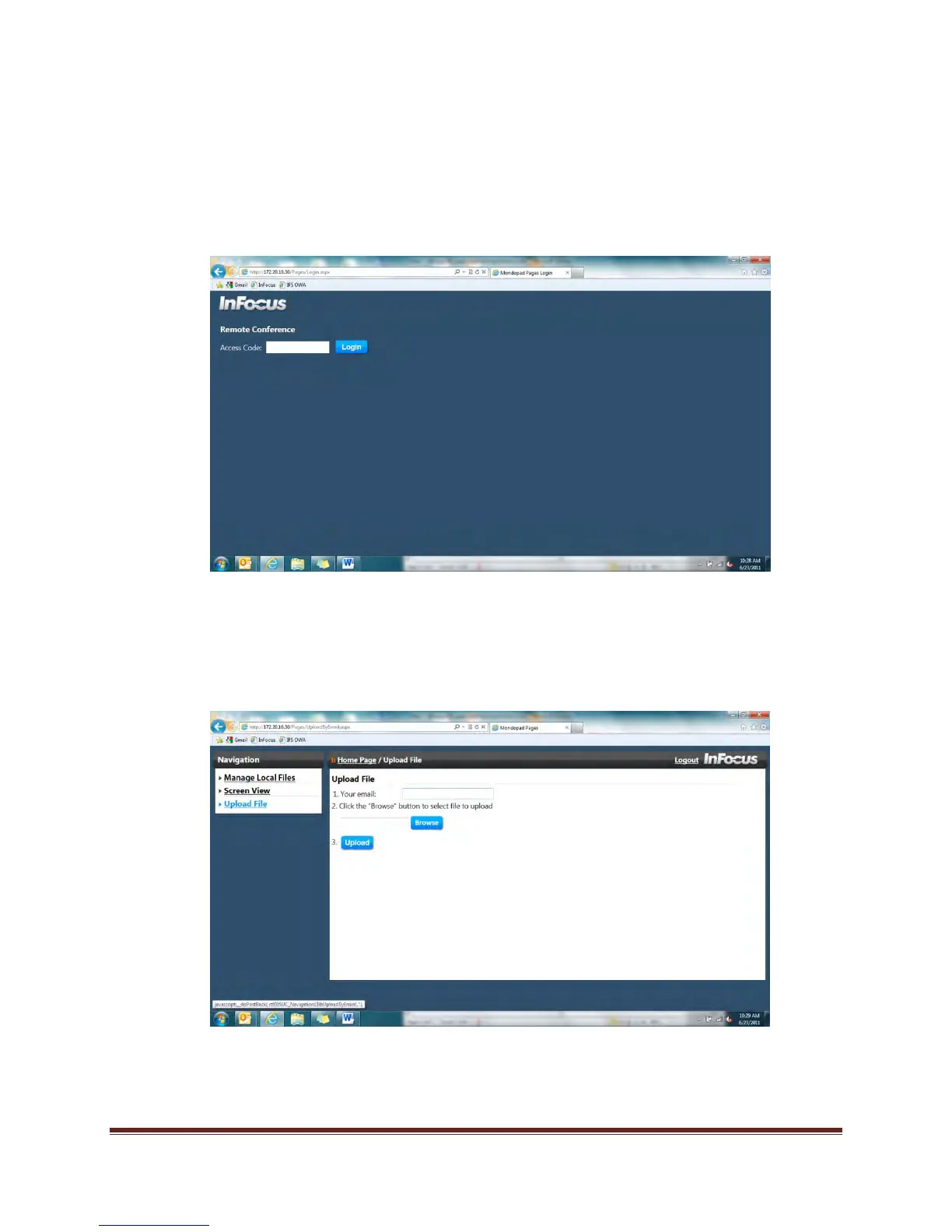
1. Using your computer or smart device (not Mondopad), open a web browser.
2. Enter the IP address located on the top of the Mondopad collaboration software (for
example, 172.20.30.82) into the address bar and click the Enter button.
3. The Mondopad Remote Conference interface displays.
4. Enter the Meeting Access Code from the Mondopad™ display (for example, 7023) and
click the Login button.
5. To email:
a. Click Upload File in the left-hand navigation menu.
b. Enter your email address.
c. Click Browse.


 To Next Page