OSD (On-Screen Display) Menu System Page 41
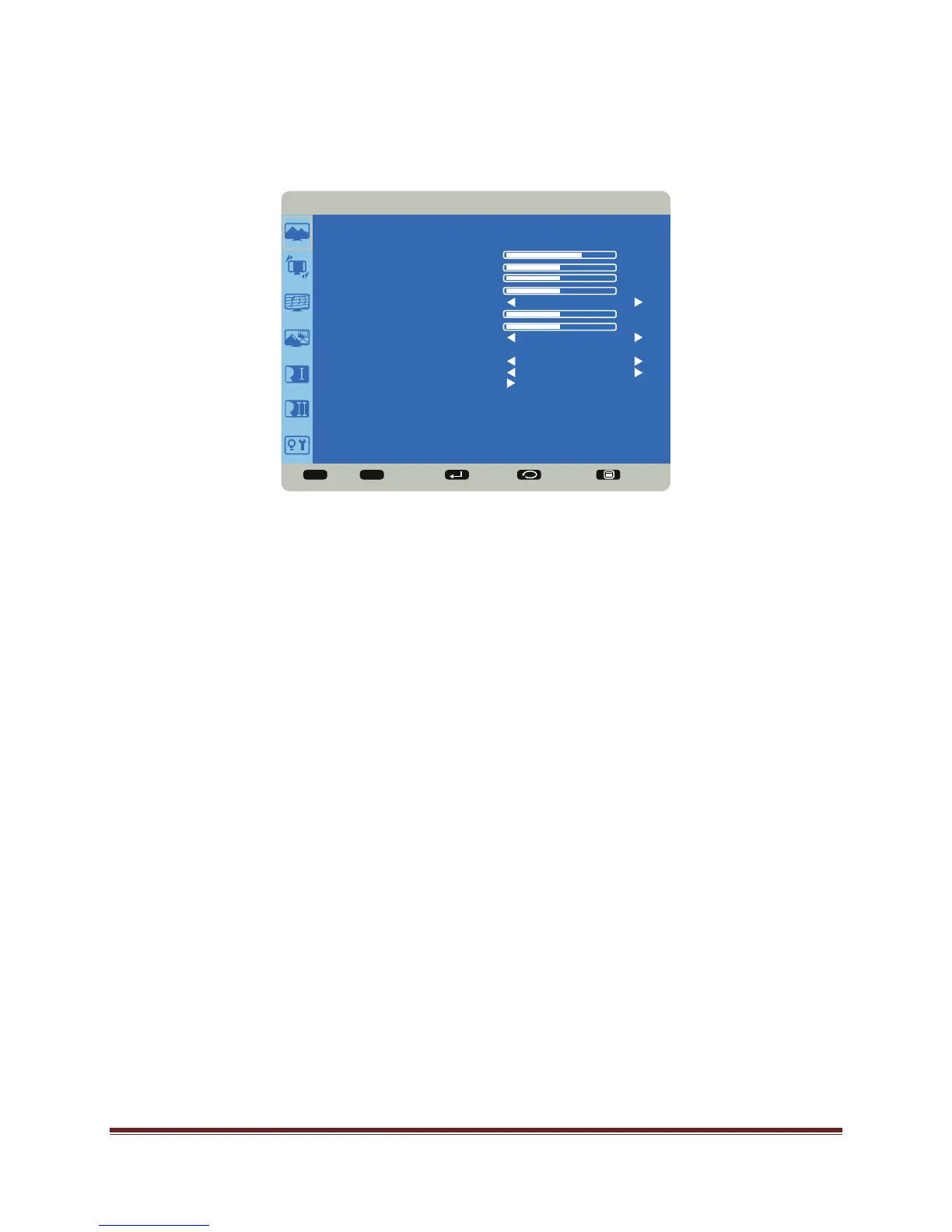
Picture Menu
Brightness: changes the intensity of the image. Range: 0-100. (Default 70.)
Contrast: controls the degree of difference between the lightest and darkest parts of the
picture and changes the amount of black and white in the image. Range: 0-100. (Default
50.)
Sharpness: changes the clarity of the edges of a video image. Range: 0-100. (Default 50.)
Black Level: changes the level of brightness at the darkest (black) part of the image.
Range: 0-100. (Default 50.)
Noise Reduction: reduces temporal and/or spatial noise in the image. Options include: Off
(default), Low, Middle and High.
Tint: adjusts the red-green color balance in the image of NTSC video images. The tint
setting applies to NTSC video sources only. Range: 0-100. (Default 50.)
Color: adjusts the image from black and white to fully saturated color. Range: 0-100.
(Default 50.)
Color Temperature: changes the intensity of the colors. Options include: Native, User,
5000K, 6500K, 7500K, 9300K and 10000K (default).
Color Control: allows the user to finely adjust individual red, green and blue colors. Color
Temperature must be set to User to access this feature. Range: 0-255 for each color.
Adaptive Contrast: When set to On, this feature helps enhance image contrast when
displaying dark scenes. Options: Off (default) and On.
Sel Adjust Enter Back Quit
< >
<
<
PICTURE
BRIGHTNESS
CONTRAST
SHARPNESS
BLACK LEVEL
NOISE REDUCTION
TINT
COLOR
COLOR TEMPERATURE
COLOR CONTROL
ADAPTIVE CONTRAST
PICTURE MODE
PICTURE RESET
OFF
10000K
OFF
STANDARD
70
50
50
50
50
50


 To Next Page