Page 42 OSD (On-Screen Display) Menu System
Picture Mode: provides different preset picture modes to choose from. Options include:
Standard (default), HighBright, Soft and sRGB (for VGA only).
Picture Reset: resets all Picture menu items to factory default settings. Options: Yes and
No.
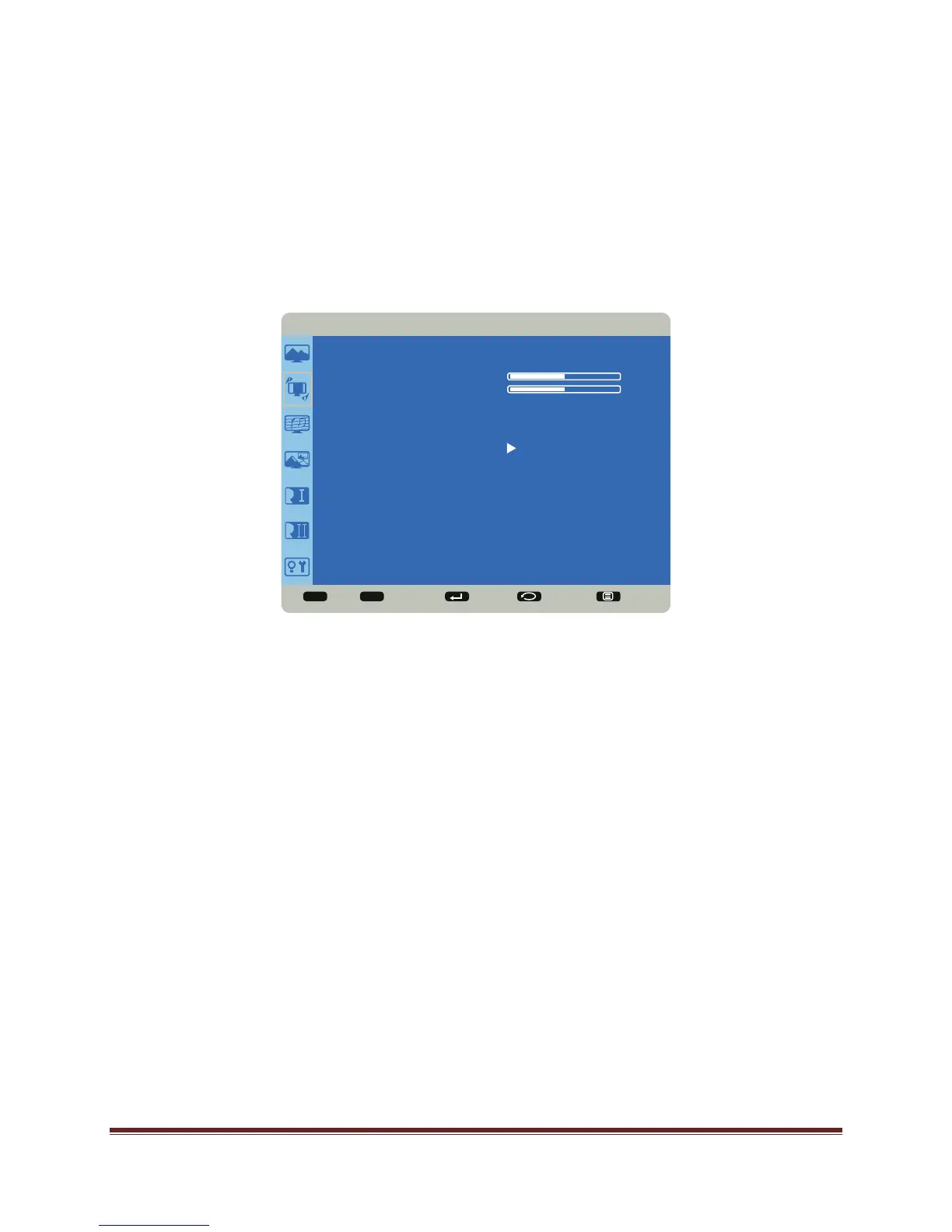
Screen Menu
H Position: adjusts the horizontal position of the image. Range: 0-100. (Default 50.)
V Position: adjusts the vertical position of the image. Range: 0-100. (Default 50.)
Clock: adjusts the width of the image (For VGA input only). Range: 0-100.
Clock Phase: adjusts the focus, clarity and stability of the image (For VGA input only).
Range: 0-100.
Aspect Ratio: adjusts the ratio of the image width to image height. Options: Auto, Native,
4:3, and Custom.
Custom Zoom: allows the user to adjust zoom, horizontal zoom, vertical zoom, horizontal
position and vertical position of the image. Aspect Ratio must be set to Custom to access
this feature. Range: 0-100 for each item.
Screen Reset: resets all Screen menu items to factory default settings. Options: Yes and
No.
Sel Adjust Enter Back Quit
< >
<
<
SCREEN
H POSITION
V POSITION
CLOCK
CLOCK PHASE
ASPECT RATIO
CUSTOM ZOOM
SCREEN RESET
50
50


 To Next Page