Page 10
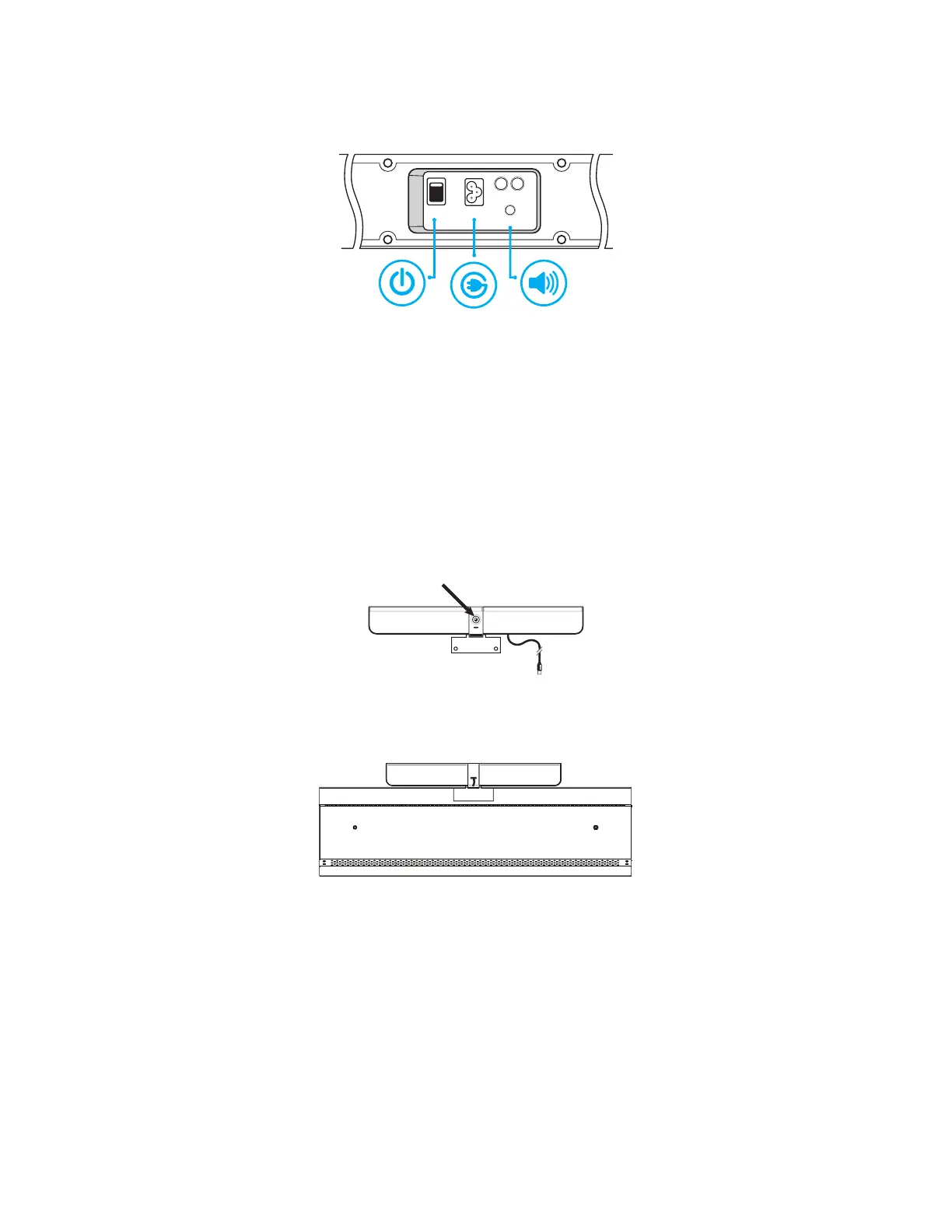
4) Connect one end of the AC power cord to the AC In jack on the back of the speakers.
5) Connect the other end of the AC power cord to the AC Out jack on the bottom connector panel of the monitor.
ON/OFF
POWER
SUB L
INPUT
6) Plug the speakers’s audio cable into the Audio Out (RCA R/L) jack on the bottom connector panel located on the
back of the monitor.
7) Turn the power switch ON.
Attaching the HD video conferencing camera
1) Remove the plastic film from the camera lens.
2) Align the camera bracket with the screw holes on the top edge of the backside of the monitor and then secure the
camera to the monitor with the two provided thumb screws.
3) Plug the USB cable into the USB slot immediately below the camera on the back of the monitor.
4) Manually tilt and pan the camera (+/- 40°) as desired.


 To Next Page