16
Computer-specific troubleshooting
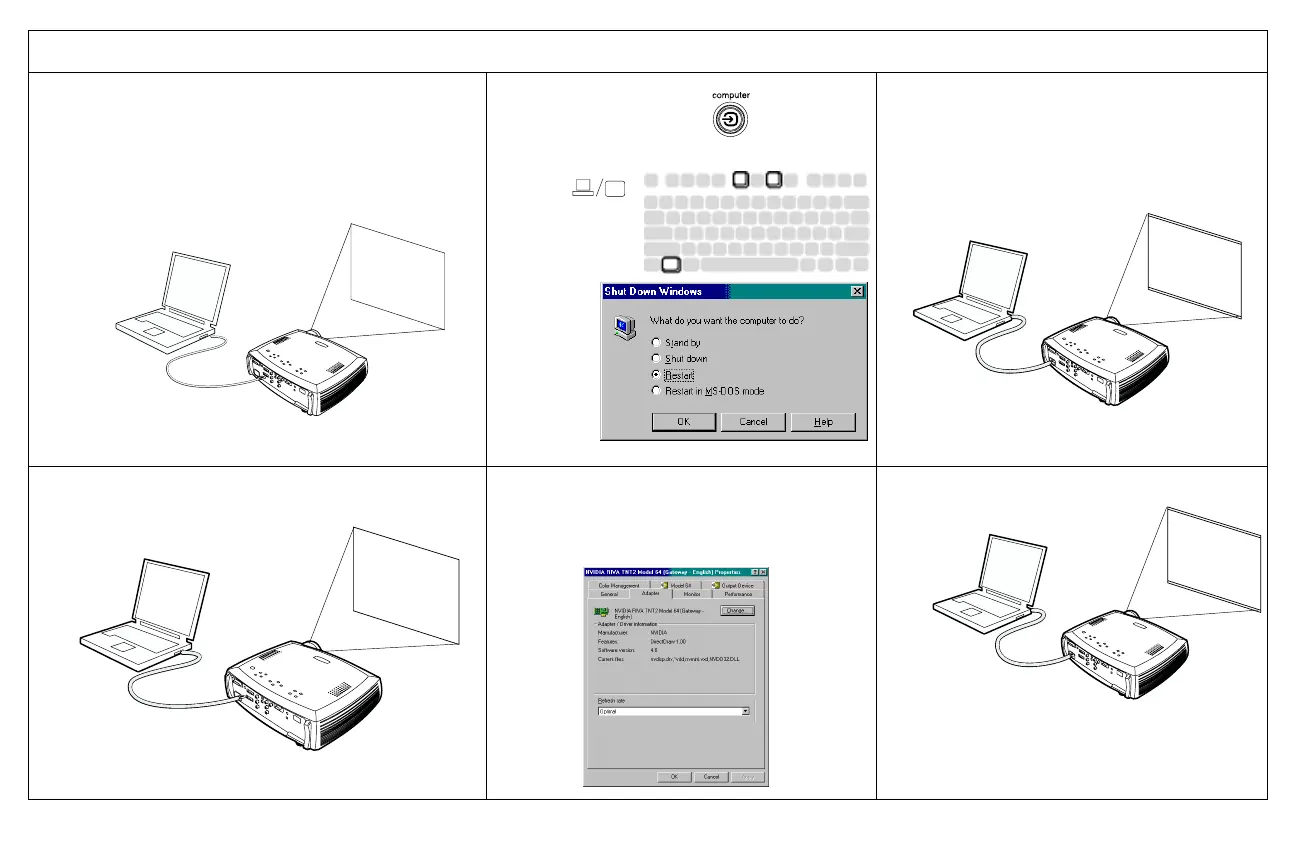
Only startup screen appears
Press the Source button
Activate laptop’s external port
Computer image projected
No computer image, just the words “Signal out of
range”
Adjust computer refresh rate in Control
Panel>Display>Settings>Advanced>
Adapter (location varies by operating
system)
Computer image projected
A
ScreenPlay
or restart
laptop
A
A
A
Signal out of
range
A
A









 To Next Page