34
Red LED behavior and projector errors
/2#!0/0*&31!#+
!Ta b l e 2 0'1! ./0
1/1!#! 9 www.infocushome.com/support
'0!/0*&30
Projected image size
NOTE91www.infocushome.com/support+
'#F!!
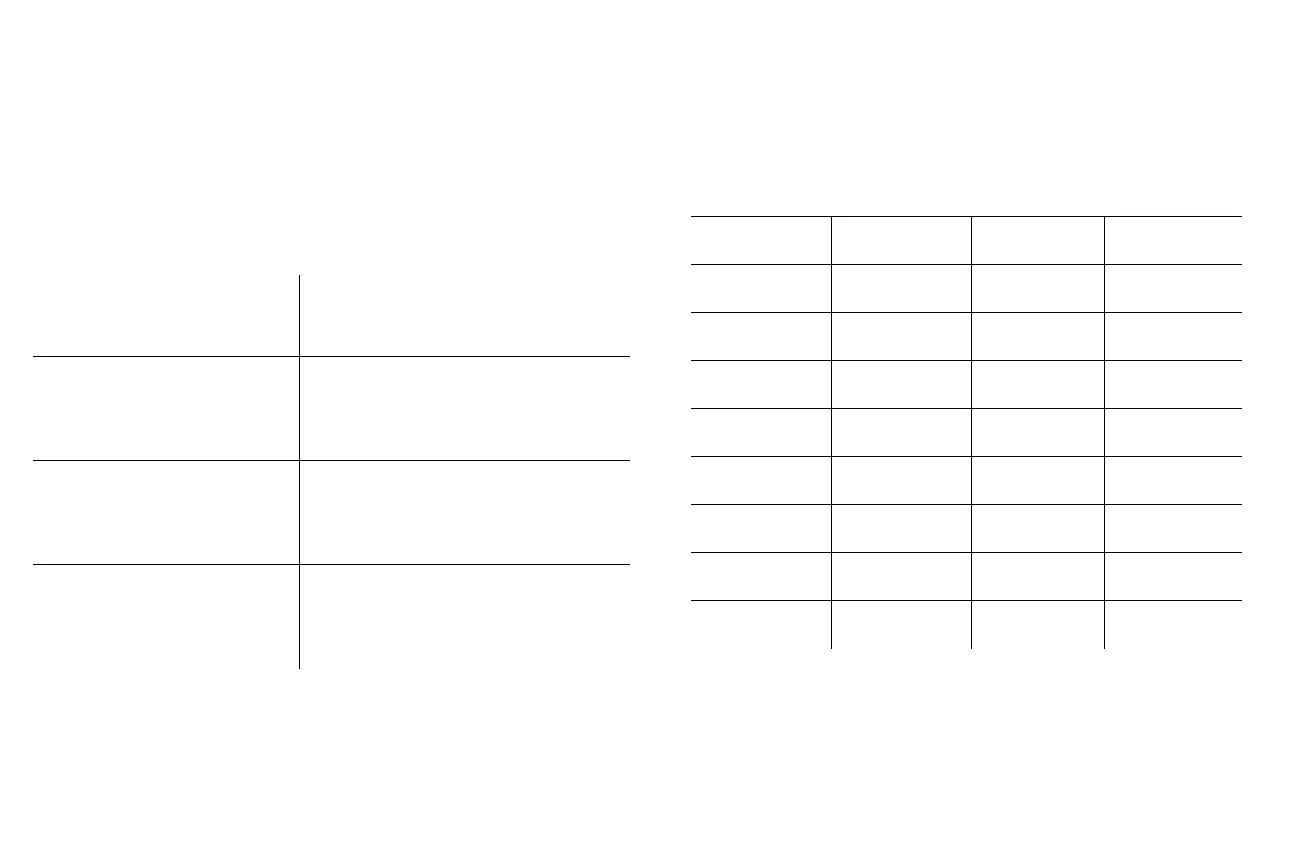
Table 3: Red LEDs
Red LED Behavior Explanation
One (1) blink The lamp won't strike after five (5)
attempts. Check the lamp and lamp door
installations for loose connections.
Three (3) blinks The projector has shut down the lamp.
Replace the lamp. Contact Technical Sup-
port for repair if replacing the lamp does
not solve the problem..
Four (4) blinks The fan has failed. Replace the lamp (the
lamp module contains a fan). Contact
Technical Support for repair if replacing
the fan does not solve the problem.
Five (5) blinks The projector is overheating. Check for a
blocked air vent. Contact Technical Sup-
port for repair if clearing the air vents
does not solve the problem.
Table 4:
Range of projection distances for a given screen size
16:9 Screen
dimensions
(inches/m)
Projection Distance
Screen
diagonal
(inches/m)
Maximum
zoom
(feet/m)
Minimum
zoom
(feet/m)
27x48
.69x1.22
55.1/1.4 6.0/1.82 8.3/2.54
34x60
.9x1.5
68.8/1.75 7.5/2.3 10.4/3.2
40.5x72
1.0/1.8
82.6/2.1 9.0/2.7 12.5/3.8
45x80
1.1x2.0
91.8/2.3 10.0/3.0 13.9/4.2
49x87
1.2/2.2
99.8/2.5 10.8/3.3 15.1/4.6
52X92
1.3X2.3
105.6/2.7 11.4/3.5 16.0/4.9
54X96
1.4X2.4
110.1/2.8 11.9/3.6 16.7/5.1
58X104
1.5X2.6
119.3/3.0 12.9/3.9 18.1/5.5
65X116
1.7X3
133.1/3.4 14.4/4.4 20.1/6.1









 To Next Page