40
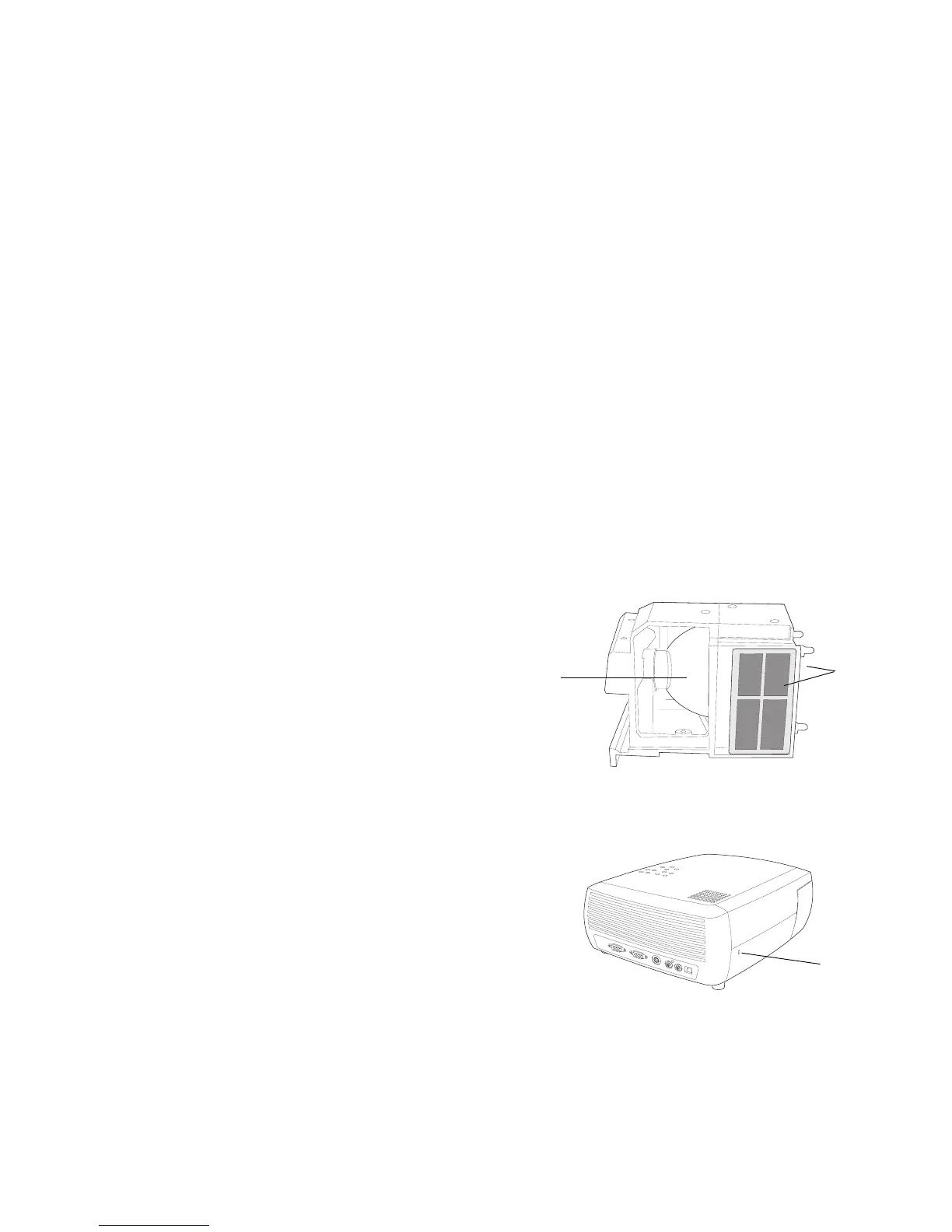
Cleaning the Lamp Housing Screens
In dirty or dusty environments, the two dust filter screens in the lamp hous-
ing can become clogged, causing high temperatures and premature lamp
failure. Routine maintenance to remove dust from the screens lowers the
lamp operating temperature and prolongs lamp life. To maximize lamp life
you should clean the screen every 250 hours.
1 Remove the lamp housing.
2 Examine the dust filter screens on the lamp housing. If necessary, use a
vacuum cleaner set on low power to clean the screens. Be careful not to
disturb any internal components when cleaning the screens.
3 Replace the lamp housing and lamp door.
Using the security lock
The projector has a security lock for use with a PC Guardian Cable Lock
System. See “Optional Accessories” on page 42 for ordering information.
Refer to the information that came with the lock for instructions on how to
use it.
lamp housing
lamp
two screens
(one on each
side of the
lamp housing)
security
lock



 To Next Page