EasyManua.ls Logo

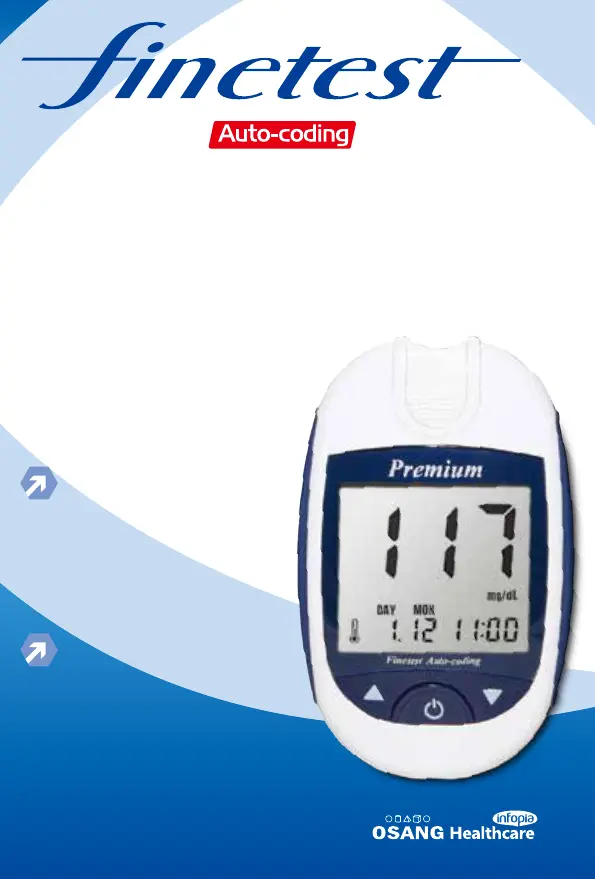
Infopia Finetest Auto-coding Premium - User Manual

Default Icon
80 pages
Go to English
Print Icon
To Next Page IconTo Next Page
Loading...
Premium
Benutzer-
handbuch
Manual
Blutzucker-Mess-System
Blood Glucose Monitoring System

Table of Contents

Questions and Answers

  • S
    Seth RitterAug 8, 2025
    Why Infopia Finetest Auto-coding Premium does not power on?
    • R
      Russell SmithAug 8, 2025
      If your Infopia Blood Glucose Meter isn't powering on, it's likely due to a dead battery or an issue with the meter itself. Try replacing the battery. If the problem continues after replacing the battery, contact your local representative.
  • D
    Donna RodgersAug 12, 2025
    What to do if the test result is inconsistent with Infopia Blood Glucose Meter?
    • F
      feliciahowardAug 13, 2025
      If you're getting inconsistent results with your Infopia Blood Glucose Meter, it might be due to a problem with the Blood Glucose Test Strip. Try inserting a new Blood Glucose Test Strip and performing the test again.
  • N
    Nicole GoodwinAug 16, 2025
    What to do if Infopia Finetest Auto-coding Premium Blood Glucose Meter test does not start after applying sample?
    • J
      Jordan BeardAug 16, 2025
      If the test doesn't start after applying your sample to the Infopia Blood Glucose Meter, it could be due to a poor blood sample. Please insert a new Blood Glucose Test Strip and perform your test again.
  • L
    Lindsay NixonAug 21, 2025
    What to do if Infopia Finetest Auto-coding Premium shows test result higher than 600mg/dl?
    • D
      Drew DickersonAug 21, 2025
      If your Infopia Blood Glucose Meter displays a test result higher than 600mg/dl, verify the accuracy of your Blood Glucose Test Strip by performing a Control Solution test. If the test results in a normal reading, re-test your blood sample two or three times. If “Hi” persists, consult your doctor immediately.
  • J
    Jesse GonzalezAug 26, 2025
    What to do if Infopia Finetest Auto-coding Premium shows test result lower than 10mg/dl?
    • D
      daughertyjulieAug 26, 2025
      If the test result on your Infopia Blood Glucose Meter is lower than 10mg/dl, place the Blood Glucose Test Meter within the operating temperature range for 10 minutes or more and retest. Also, check the accuracy of your Blood Glucose Test Strip by performing a Control Solution test. If the test results in a normal reading, retest your blood sample two or three times. If “LO” persists, consult your doctor.
  • C
    Christopher LeeAug 29, 2025
    What to do if ambient temperature is too low for Infopia Finetest Auto-coding Premium?
    • J
      Jeffrey TaylorAug 29, 2025
      If the ambient temperature is too low for your Infopia Blood Glucose Meter, place the Blood Glucose Test Meter within the operating temperature range for 10 minutes or more and retest.
  • M
    Michael JohnsonSep 2, 2025
    What to do if blood sample was applied before LCD display was blinking on Infopia Blood Glucose Meter?
    • V
      Veronica WilliamsSep 3, 2025
      Please wait for the LCD to display icon blinking before applying your blood sample to the Infopia Blood Glucose Meter.

Infopia Finetest Auto-coding Premium Specifications

General IconGeneral
BrandInfopia
ModelFinetest Auto-coding Premium
CategoryBlood Glucose Meter
LanguageEnglish

Related product manuals