65
ENGLISH
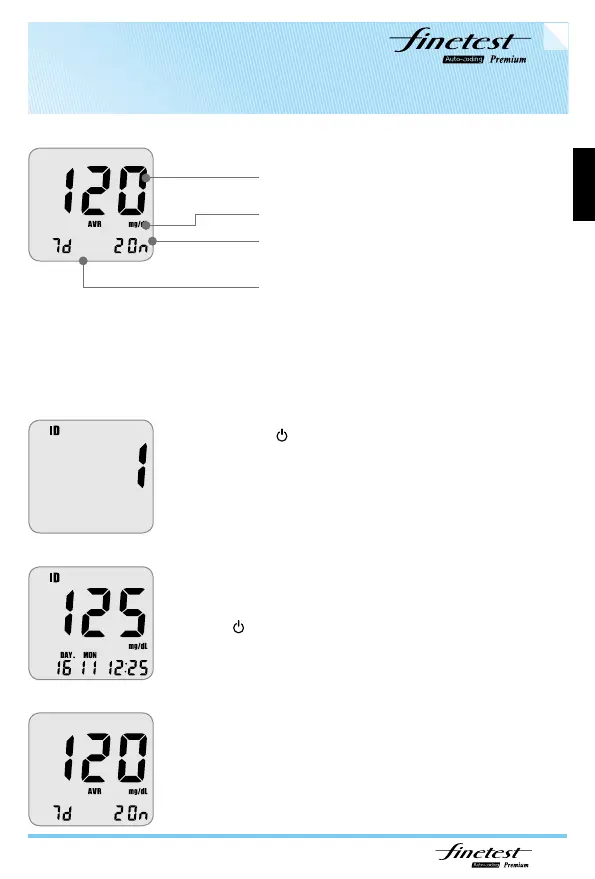
Average test result
Test unit
Number of test results
Average test result days
Pressing the button once and the User ID option will
appear in the LCD screen.
* If you choose the User ID to check the stored results,
only the results of the selected user are displayed.
After entering the user ID mode, use
▲
and
▼
button
to scroll and choose the correct user ID, then press
the
button.
Press down button: displaying the previous result.
Press up button: displaying the 7d
→
14d
→
21d average test result.
Reviewing your results with activated user ID



 To Next Page