71
ENGLISH
Troubleshooting
Generelles
Geräteproblem
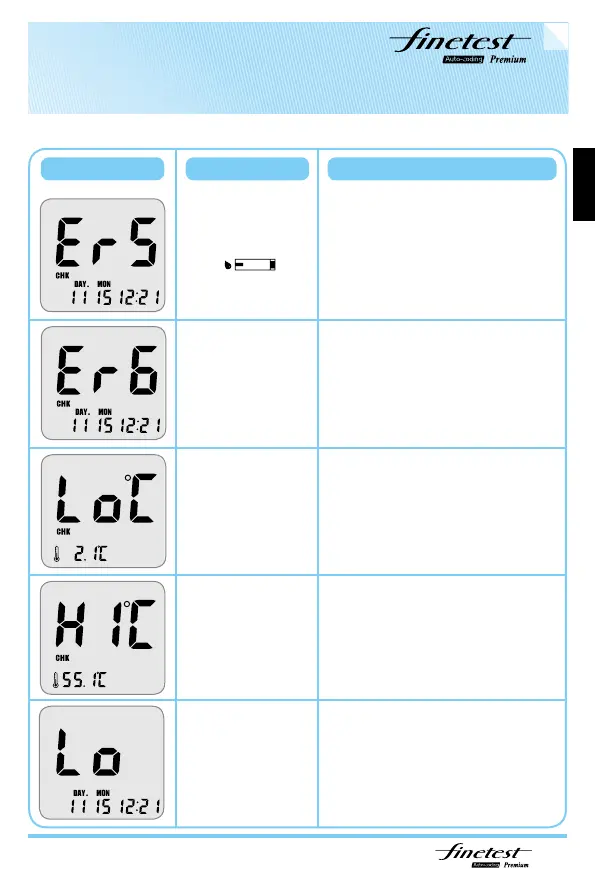
Message Problem Action Required
User applied the
blood sample
before the LCD
display was
blinking
Please wait for the LCD to
display icon blinking before applying
your blood sample
Place the Blood Glucose Test Meter
within the operating temperature
range for 10 minutes or more and
retest.
Place the Blood Glucose Test Meter
within the operating temperature
range for 10 minutes or more and
retest.
Check the accuracy of your Blood Glucose
Test Strip by perfroming a Control Solution
test. If the test results in a normal reading,
retest your blood sample two or three times.
If “LO” persists, consult your doctor
immediately.
Please insert a new Blood Glucose Test
Strip and perform your test again. If Er6
message persists, please contact your local
representative. If blink with “Sun”, avoid to
the direct sunlight and retest.
Problem with the
Auto-coding label
The ambient
temperature is too
low
The ambient
temperature is too
high
The test result is
lower than 10mg/dl



 To Next Page