INFOSEC UPS SYSTEM - 4, rue de la Rigotière - 44700 Orvault - FRANCE - www.infosec-ups.com
Hot Line – Tel + 33 (0)2 40 76 15 82 - Fax + 33 (0)2 40 94 29 51 - hotline@infosec.fr – 11 17 AA 59 204 18
frequency could be from 46Hz to 64Hz.
NCF: Setting UPS to normal mode (non-CVCF
mode). If selected, the output frequency will
synchronize with the input frequency within
46~54 Hz at 50Hz or within 56~64 Hz at 60Hz
according to setting in parameter 2. If 50 Hz
selected in parameter 2, UPS will transfer to
battery mode when input frequency is not within
46~54 Hz. If 60Hz selected in parameter 2, UPS
will transfer to battery mode when input frequency
is not within 56~64 Hz.
*If Parameter 2 is ATO, the Parameter 3 will show
the current frequency.
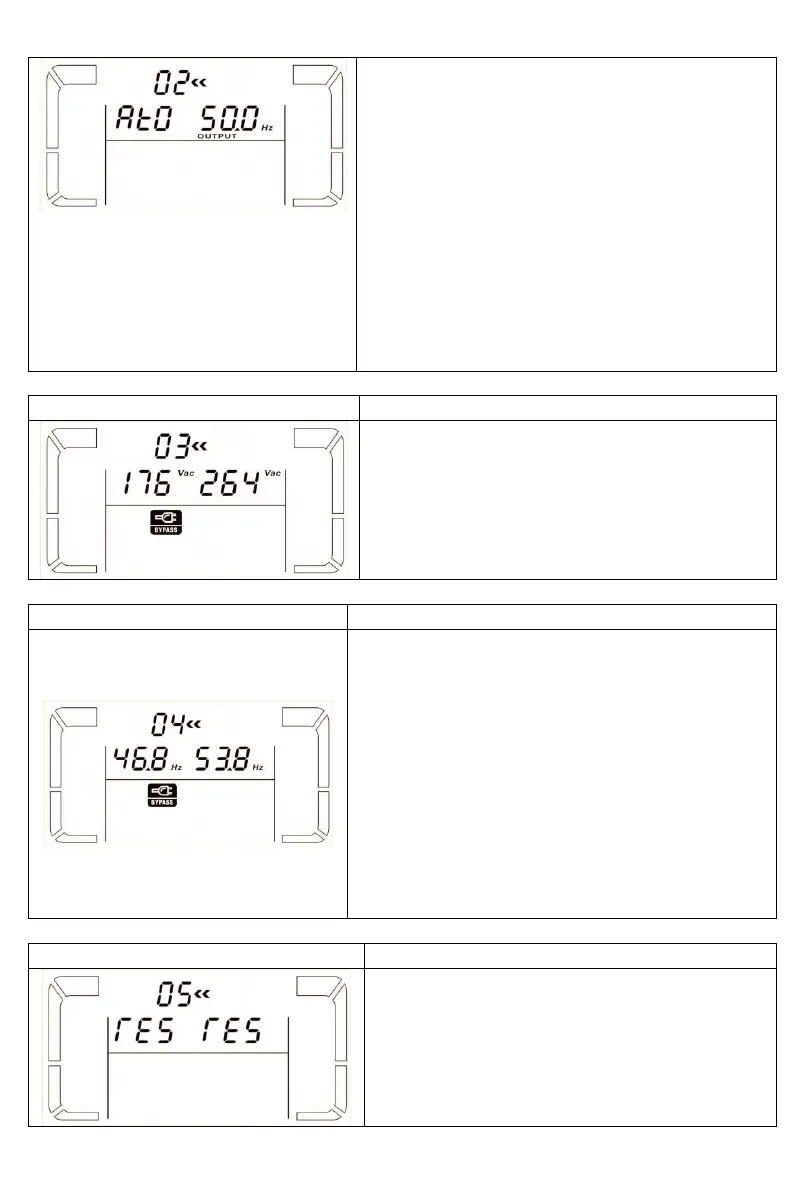
03: Voltage range for bypass
Parameter 2: Set the acceptable low voltage for
bypass. Setting range is from 110V to 209V and
the default value is 110V.
Parameter 3: Set the acceptable high voltage for
bypass. Setting range is from 231V to 276V and
the default value is 264V.
04: Frequency range for bypass
Parameter 2: Set the acceptable low frequency for
bypass.
50 Hz system: Setting range is from 46.0Hz to
49.0Hz.
60 Hz system: Setting range is from 56.0Hz to
59.0Hz.
The default value is 46.0Hz/56.0Hz.
Parameter 3: Set the acceptable high frequency
for bypass.
50 Hz: Setting range is from 51.0Hz to 54.0 Hz.
60 Hz: Setting range is from 61.0Hz to 64.0Hz.
The default value is 54.0Hz/64.0Hz.
05: reserved















 To Next Page