Refund
1. Press the F3 and swipe the merchant card you have obtained
from Worldline/Paymark
2. Type in the Merchant pin and press ENTER
3. Type in the refund amount and press ENTER
4. Customer swipes/inserts card, enters their
account and pin number
Log On
1. Press the F4 button located at the bottom
right corner of the touch screen
Reboot
1. Sit the terminal on the base, hold down the CLEAR and the
FUNC keys at the same time until the screen reads ‘Reboot in
progress’
Settlement
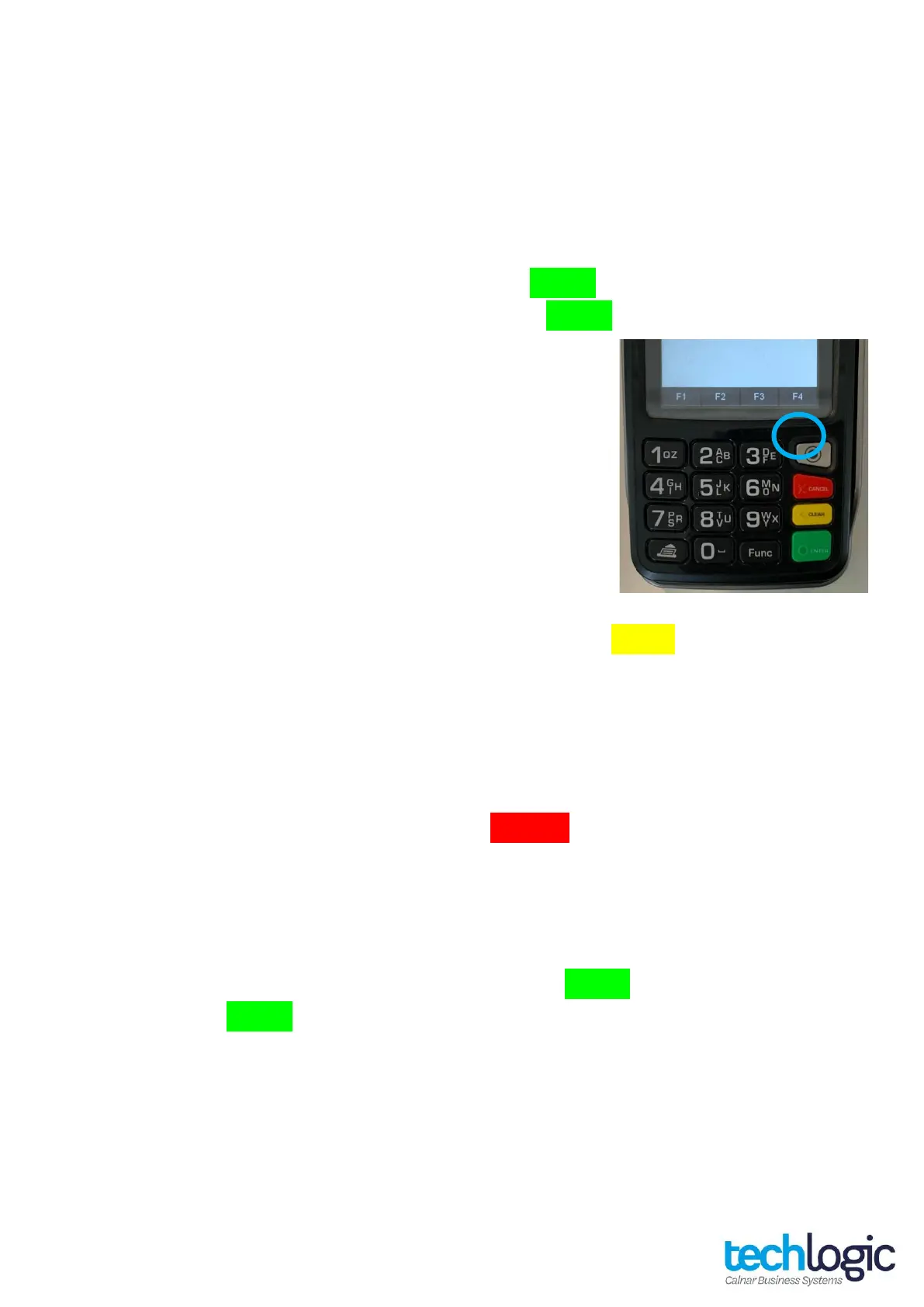
1. Press the silver menu button located at the top right-hand
corner of the keypad above the CANCEL key
2. Select option 2 for the Admin Menu
3. Select option 2 for Inquiry or Option 3 for a Cutover
Customer receipt options
1. Press FUNC followed by 7415 and then ENTER
2. Press ENTER until you reach “PRINT CUST COPY” and use the
down arrow key at the top of the keypad to turn this ON/OFF
3. If turning ON, the next question will ask if you want to PROMPT
CUST COPY which you can use the downward arrow to turn
ON/OFF












 To Next Page