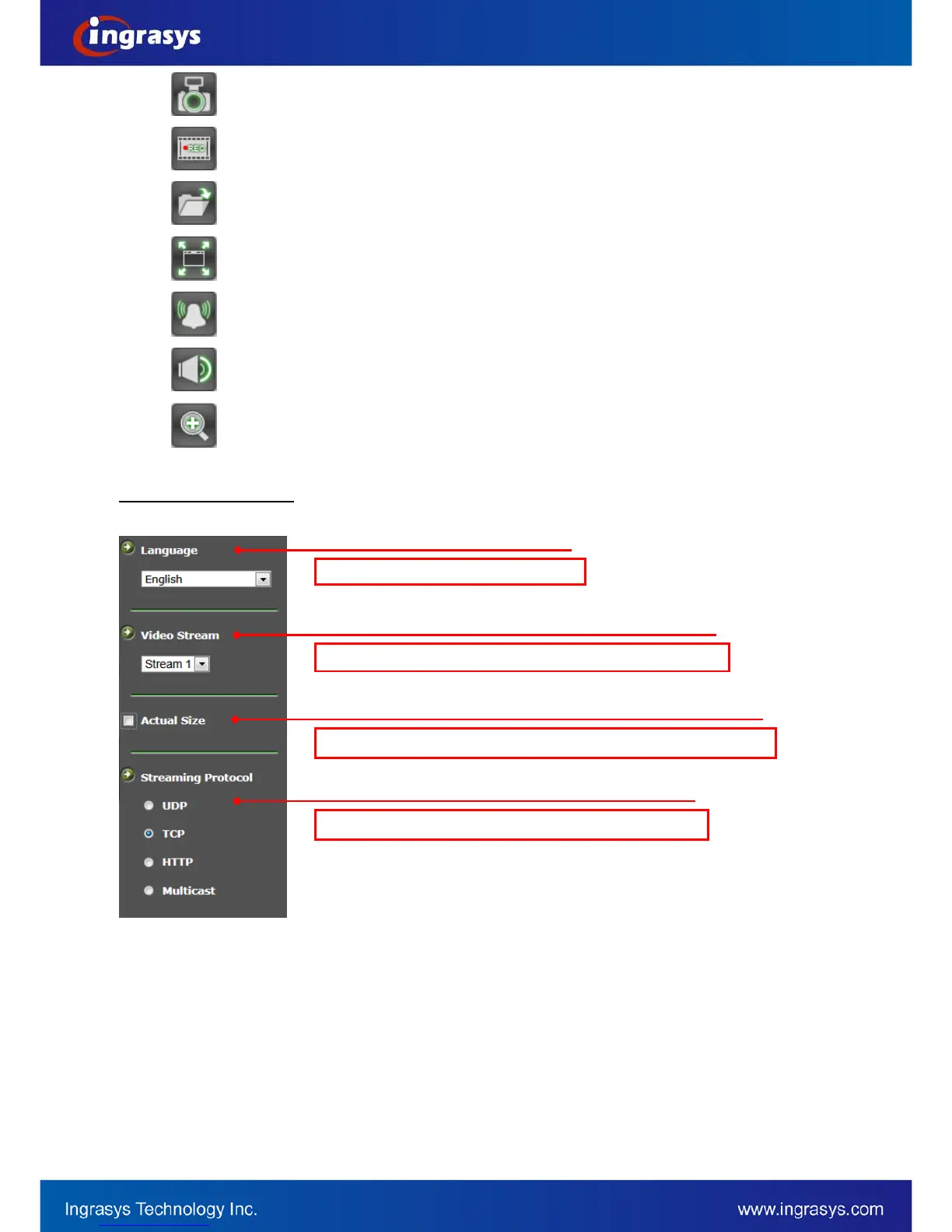
Snapshot: Press the button to capture an image photo
Record: Press the button to start recording. Press again to stop it.
Record Path: set up a file path that video clips and snapshots can be stored.
Full screen: Press the button to enter the full screen mode. Press ESC key to return.
Manual trigger: Press the button as triggering an event. See Event Management for detail.
Listen: Enable / Disable to receive video from camera
Digital Zoom: toggle the digital zoom function.
Video Stream Operations


 To Next Page