Examples of Event Handling
The following cases are provided as the examples of Event Handling.
Scenario
While viewing live video, user can manually trigger an event anytime simply by pressing the button,
on the web page. It will send email to the specified email accounts with the captured pictures.
The configurations are illustrated as below:
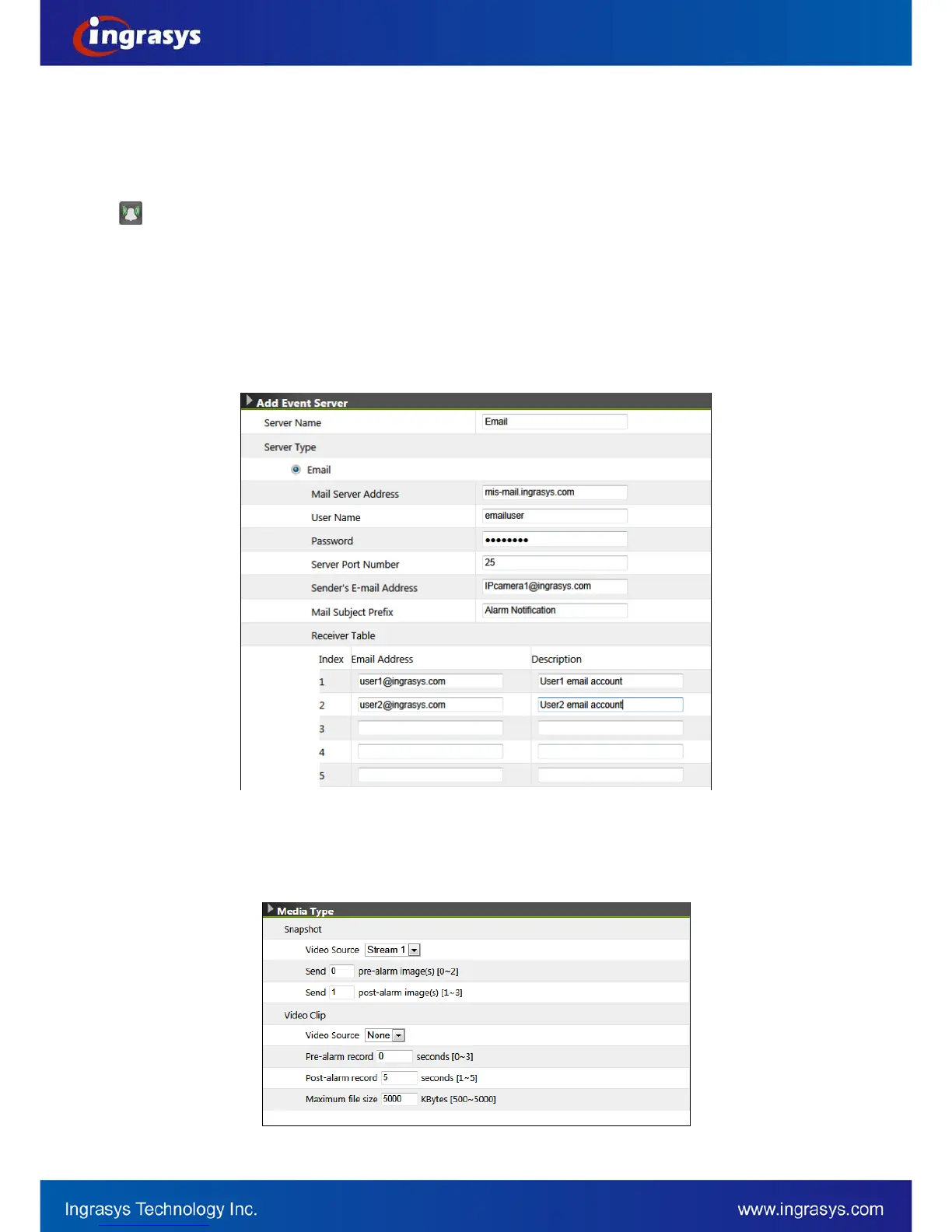
Step 1: Add Event Server
• Go to Event
Event Server & Media
Event Server List
• Click on “Add New” button
• Choose “Email” and fill in the email server and recipients’ information.
Step 2: Configure Media Type
• On the same web page, configure the Media Type. For the following example, the system is
configured to capture 1 picture before (pre-alarm) the event and 2 pictures for the event and
after (post-alarm).
• Click on “Apply” button to save the email server and media settings.


 To Next Page