Step 3: Configure Event List
• On Event List page, click on “Add New” button.
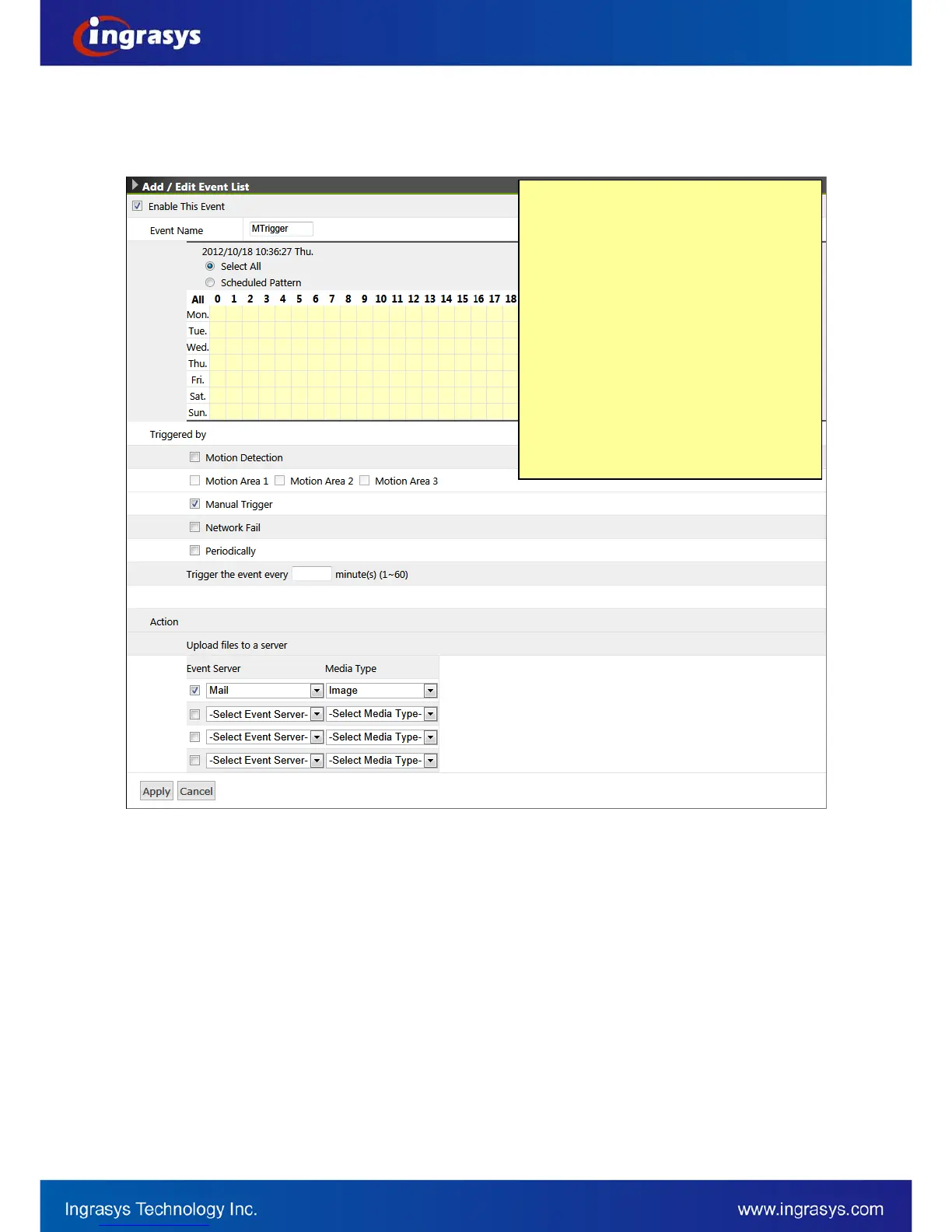
• Enable and configure this event
• Click on “Apply” button to save the settings of this page.
a. Check the box to enable this event. It can be
deselected later with all the following settings
remained.
b. Give a name of this event setting; e.g. MTrigger
(stands for Manual Trigger). This is an identity of
an object of event handling.
c. Choose “Select All” for 24/7, as this event is
required for that it can be triggered anytime.
d. Select “Manual Trigger” for this event’s trigger
source. This will activate the manual trigger
button in the live view that user can manually
trigger an alarm anytime.
e. Check the box to enable and select “Mail” for
Event Server and “Image” for the media type


 To Next Page