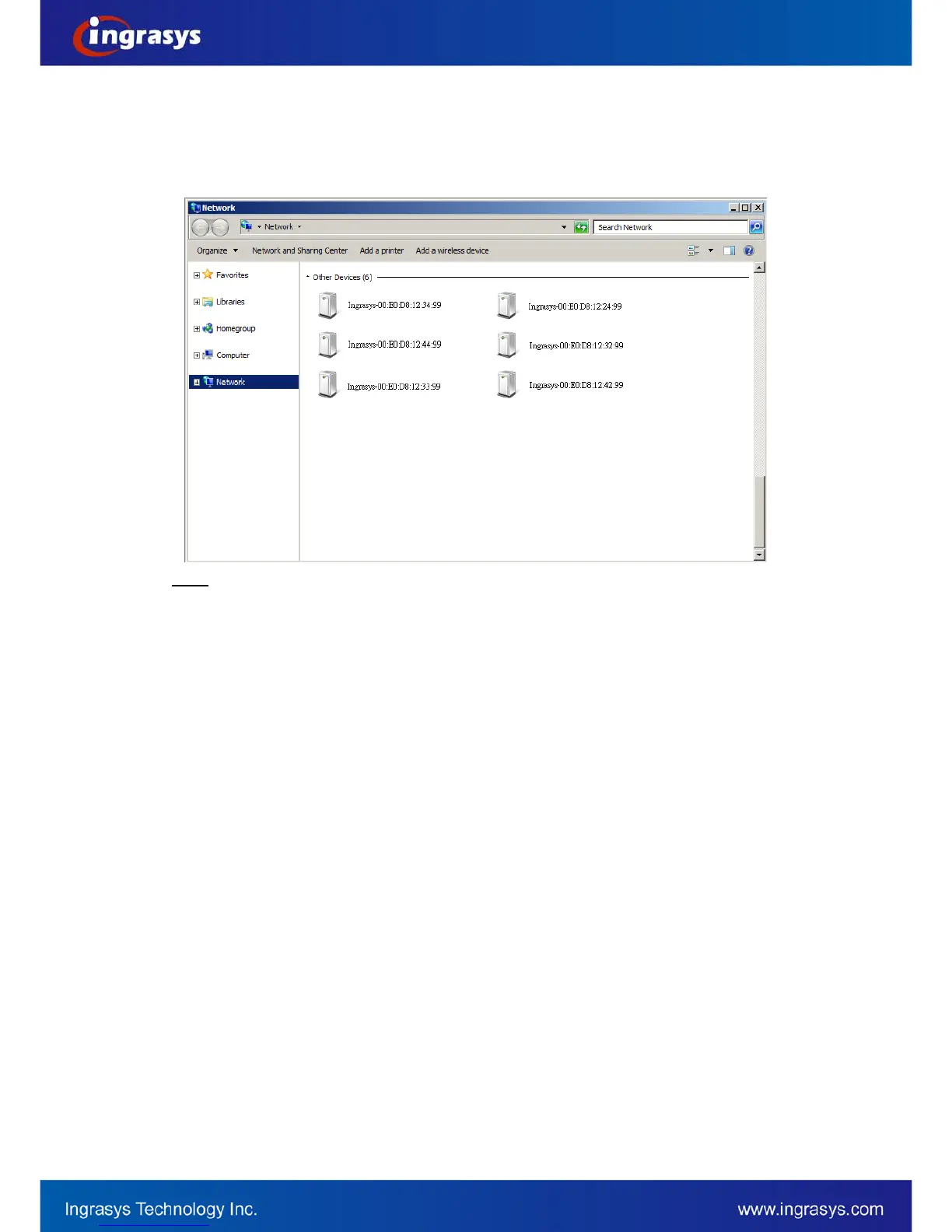
Discovering devices in Windows Network
If the IP camera is installed in a network with DHCP and UPnP services, after obtaining an IP address from
DHCP server, it can then be discovered in “Windows Network” of a client PC, see figure below. The reason for
being automatically discovered is that the IP camera’s UPnP is default enabled (see Network
Network
Connectivity).
The term “Windows Network” in given figure above is used in Windows Vista / 7. It can be referred to Windows XP “My
Network Places” which possesses the same capability of discovering UPnP devices.
NOTE
Right-click on the device and select “Properties”, the pop-up window shows all the information related to the
device, including the web access info. Use the web address to connect to the IP camera. Or simply double-
click on the selected device, which gets immediately access to the camera webpage.
To identify the camera from the listed devices in “Network”, utilize the UPnP name and the device’s MAC
address. This MAC address can be found on the label.


 To Next Page