Installation
Hardware Installation
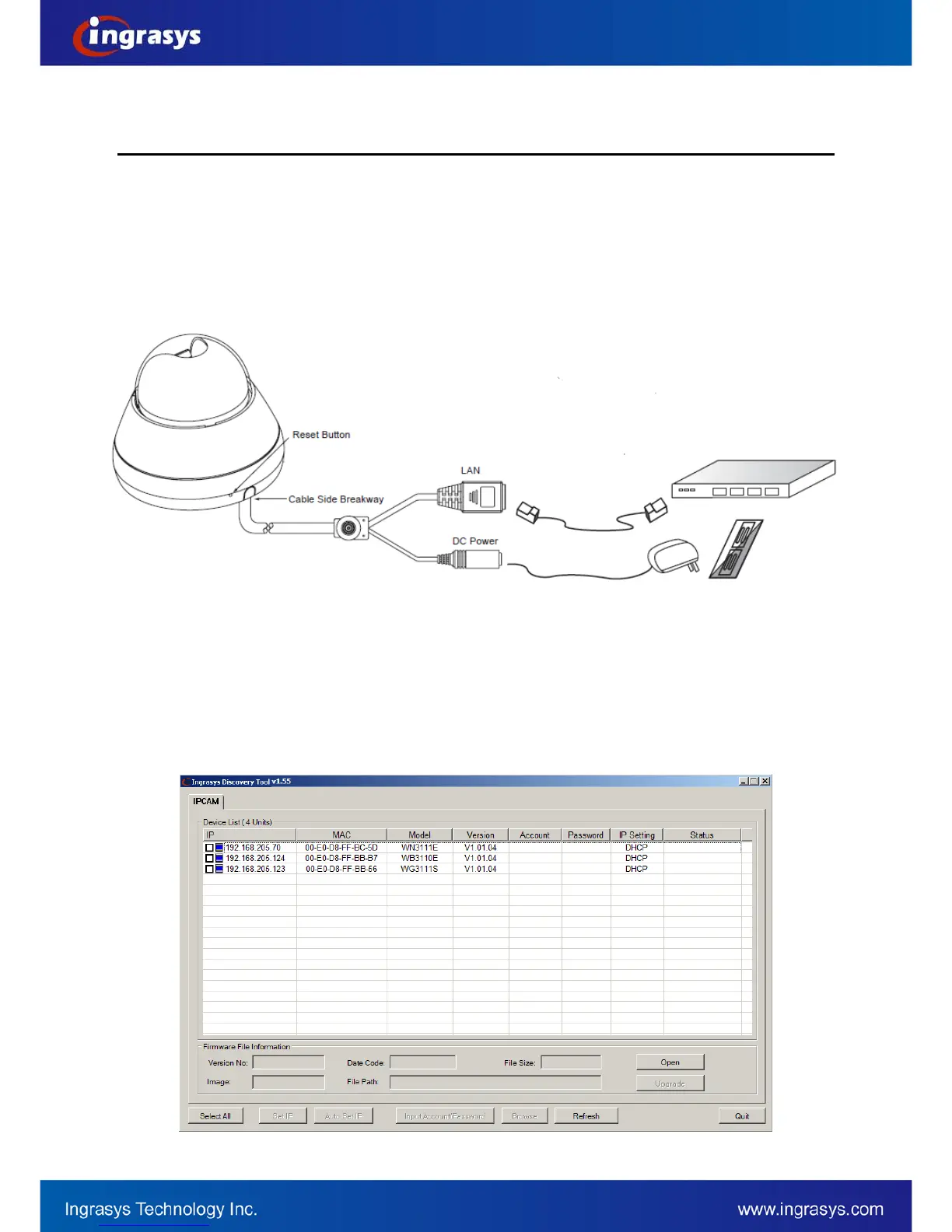
1. Define the type of network device.
2. If the network device supports PoE (Power over Ethernet) function, simply connect the camera to it via
Ethernet cable.
3. If not, the connections to the network device (via Ethernet cable), and DC 12V adapter are required.
Software Installation
Discover IP Cameras
Discovery Tool is a utility provided for not only searching and displaying the available IP cameras information
in a network but also managing the multiple networking settings such as static IP address assignment. The
steps of applying this search tool are described as below.
After completing the hardware installation, run ingrasysDiscovery.exe to search for the IP camera installed.


 To Next Page