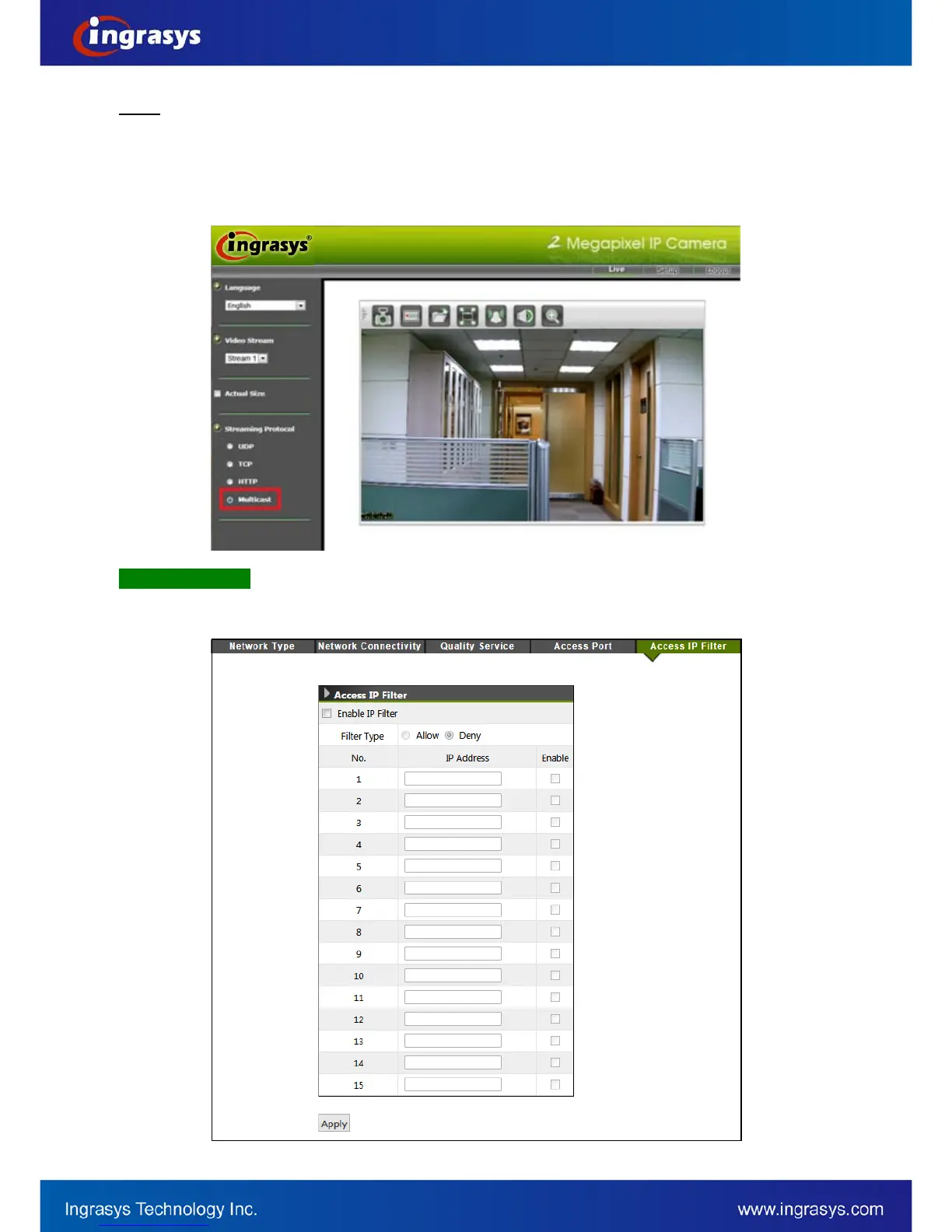
The multicast stream can be triggered by a network client (e.g. choosing “Multicast” from the live view page)
whereas “Always Multicast” option is not enabled. This mechanism is known as “Multicast On Demand”. In this
mode, multicast stream starts when one or more clients request. It stops automatically when the last client
leaves the multicast group. “Always Multicast”, on the other hand, starts or stops multicast stream by
enabling/disabling this function. It doesn’t matter whether there is client request or not.
NOTE
Access IP Filter
This setting also provides a basic security by filtering the accesses from other hosts. Enable this function and
choose “Allow / Deny” of the listed IP addresses. Up to 15 IP addrss can be added in the list.



 To Next Page