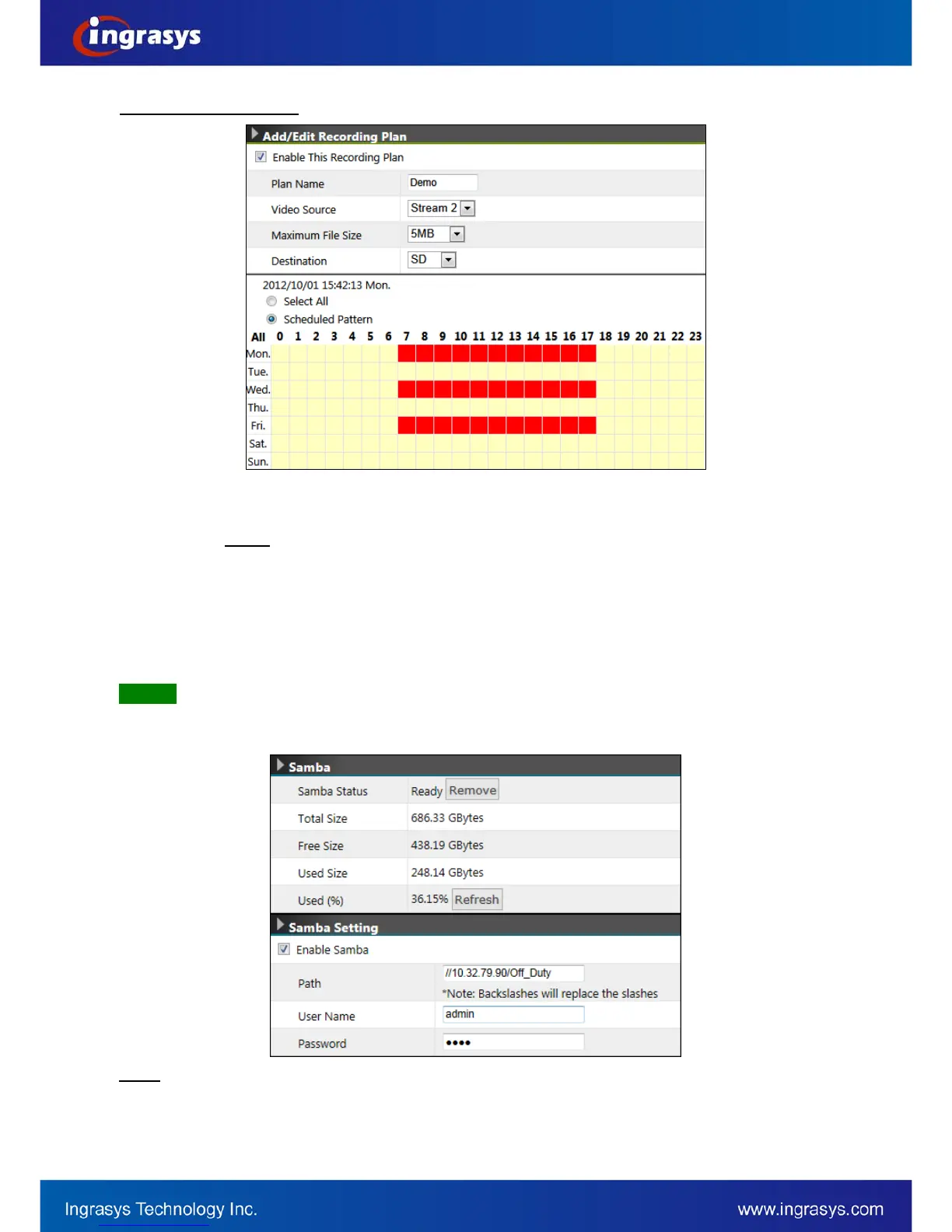
Add / Edit Recording Plan
Plan Name: Identifier of the recording plan
Video Source: The selection of the video source to be recorded. Options: None or Stream 2.
NOTE:
Maximum File Size: This option defines the maximum file size of each video clip.
Stream 2 should be enabled prior to recording plan.
Destination: The stored path for the recording file
Select All: 24/7 continuous recording
Scheduled Pattern: User-defined time frame
Samba
This page allows user to configure the file storage via Samba. To begin with it, click Enable Samba and then
input the related information.
Samba can only support mounting a shared folder located in the root directory. For example, to mount
a folder called “Shared” can be input the path as below.
NOTE


 To Next Page