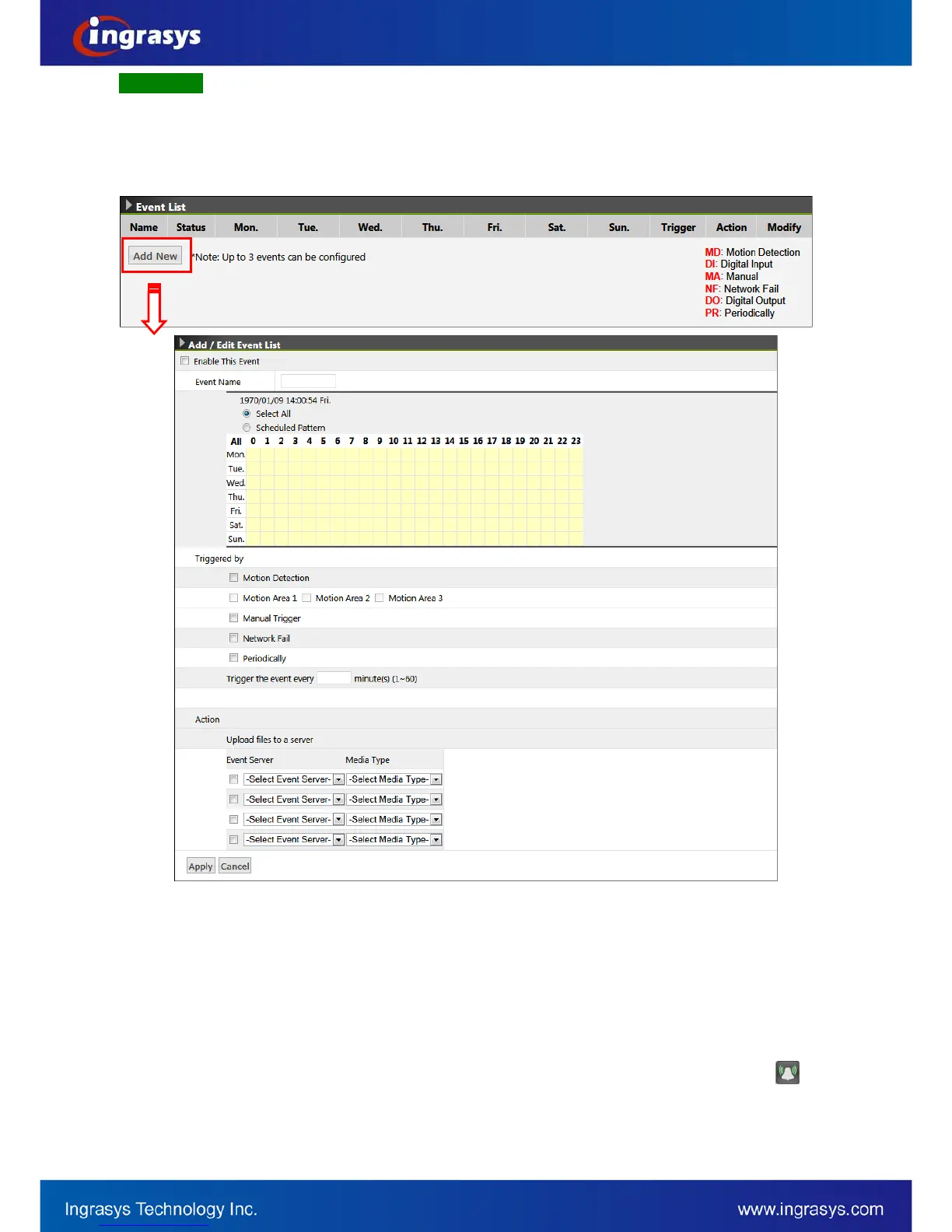
Event List
List a summary of configured events. That is the selection of trigger condition(s) and the corresponding
actions, as well as the scheduling. Up to 10 event objects can be configured.
To begin with it, click on “Add New” button to extend for the detailed configurations.
Event Name: Enter an event name, e.g. Motion Detection, to identify this configured event.
Select All: 24/7 continuous recording
Schedule Pattern: User-defined time frame
Triggered by: This describes the selection of trigger conditions which include:
• Motion Detection: Select the motion detection area(s) used for trigger condition. To enable and
configure the motion detection areas, go to Motion Configuration.
• Manual Trigger: Enable system to detect the user input action (press the alarm button,
on
the live view page).
• Network Fail: Enable system to detect the network connection status.


 To Next Page