User Management
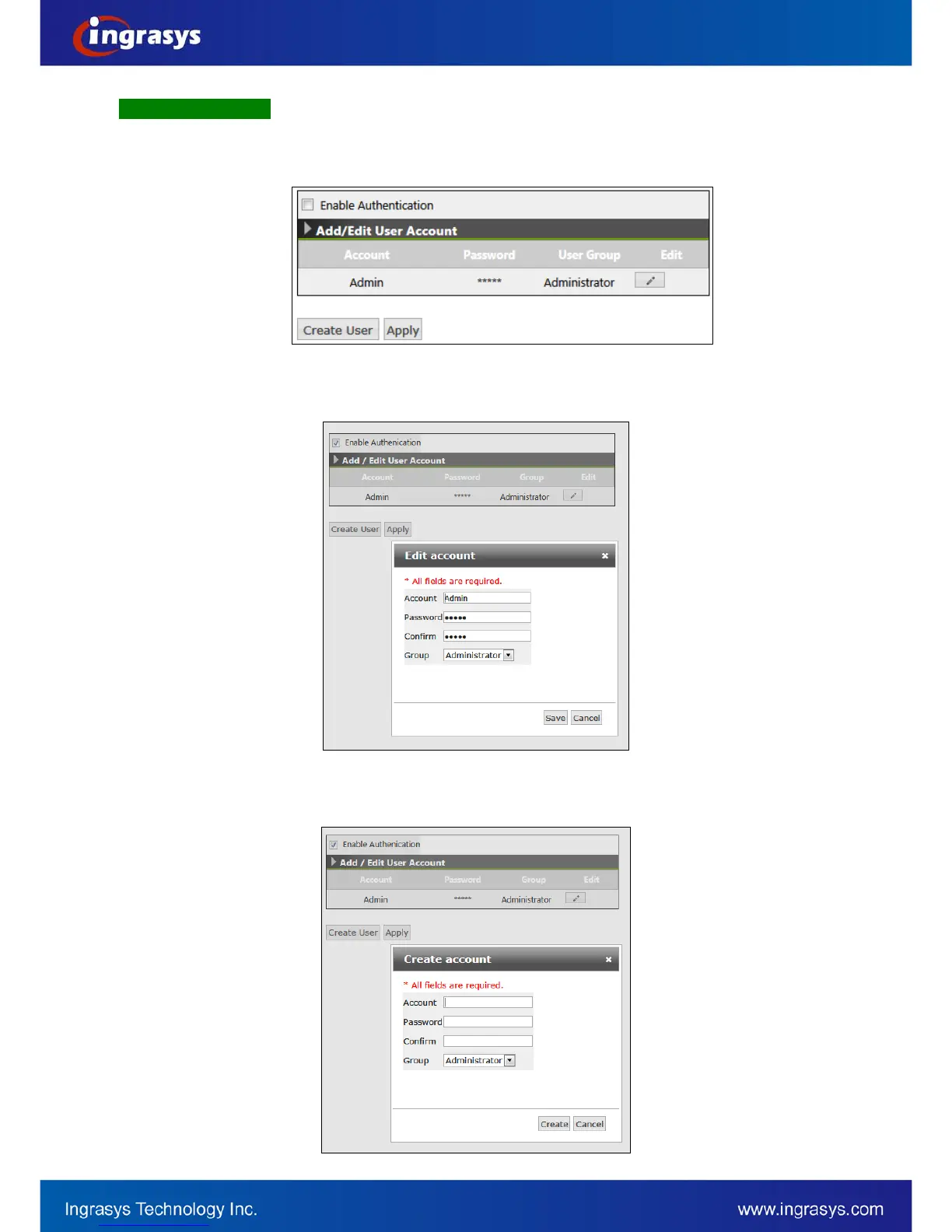
By default, the access to the camera is not user authenticated. For security, the IP camera should be
restricted to account only accesses. It is able to enable user accounts, as well as to manage the added users
in this page. The number of user accounts can be created is up to 8.
Initially, there is a default account, Admin in the “User List”. To enable this account, click on “Enable
Authentication” and then apply. To edit password for the default account, click “Edit” to enter the configuration
window.
To create a new account, click “Create User” button. Enter Account / Password for this account with the group
type on the “Create account” window.


 To Next Page