Promi SD™ User Manual ver 1.7
www.initium.co.kr
16
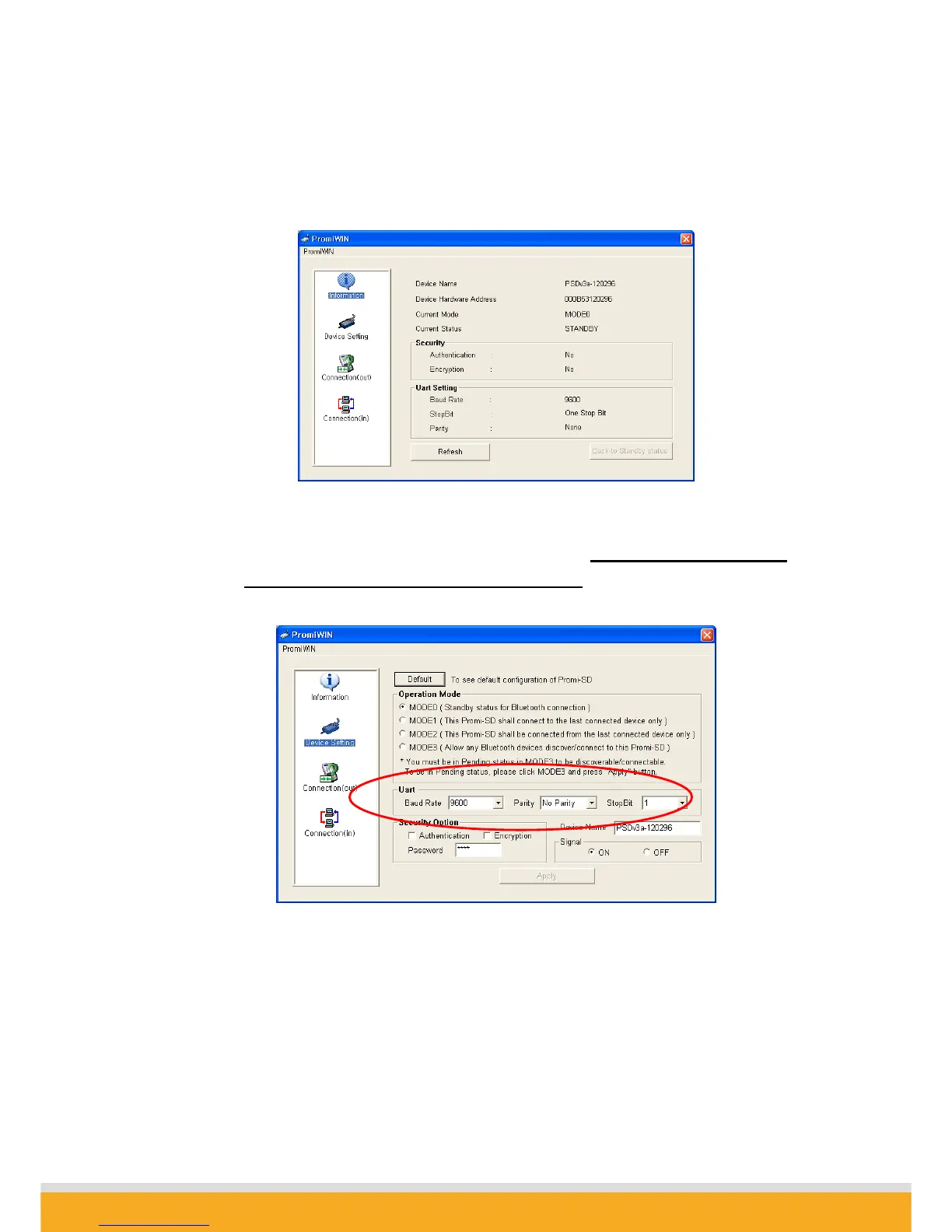
1-6. Open ‘Promi-WIN™->Start Configuration’ on the upper left menu.
Promi-WIN™ will bring the information on the attached SD01 as in Fig. 1.2
<Fig. 1.2>
1-7. Click the ‘Device Setting’ icon in the list control box. Users may change the Baud
rate/Parity/StopBit to meet their individual needs.
<Fig. 1.3>
1-8. Click the ‘Connection(in)’ icon in list control box. Check both options and then
click the START button as shown in Fig. 1.5.



 To Next Page