Promi SD™ User Manual ver 1.7
www.initium.co.kr
19
2.1.3 Let’s make Auto-Connection between SD01 and SD02.
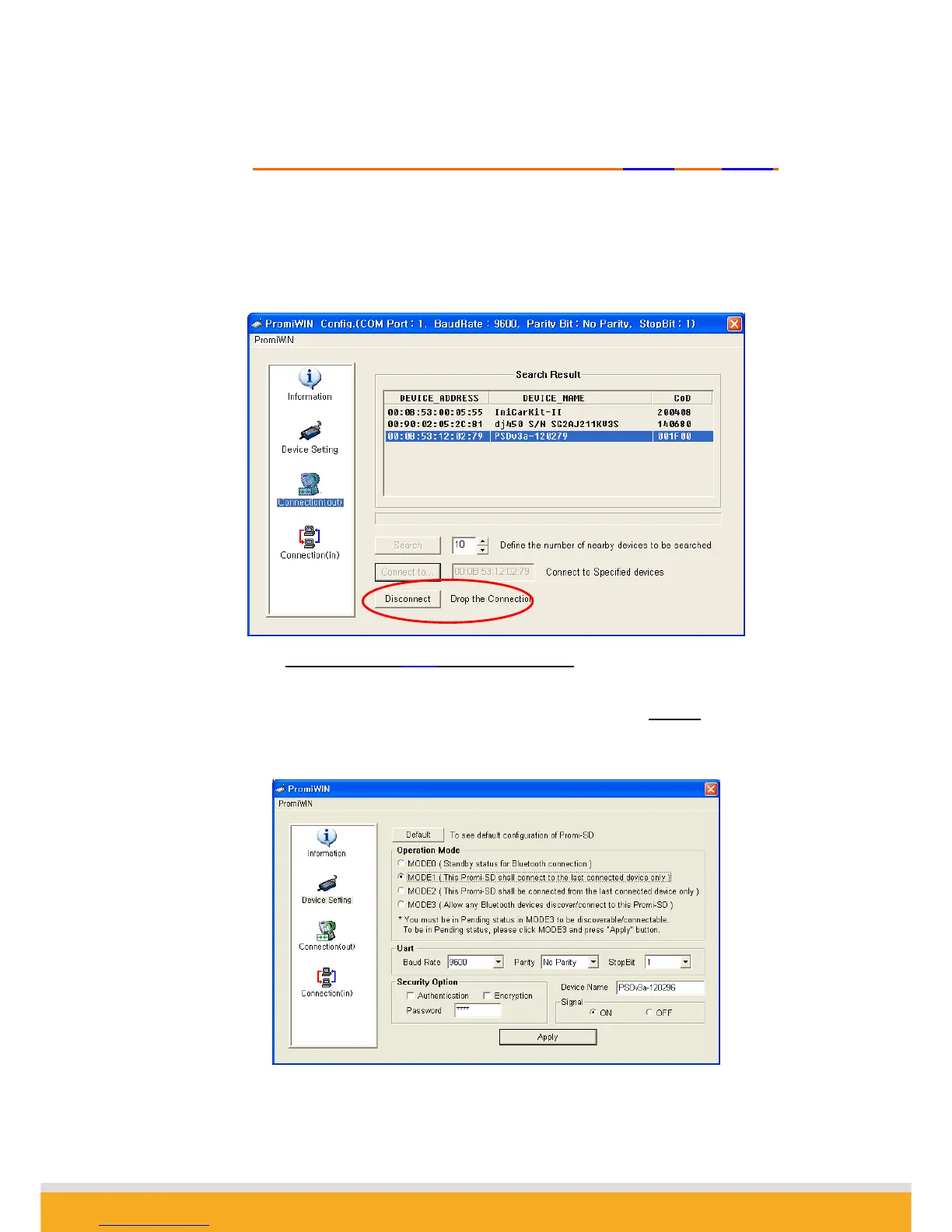
3-1. With SD02 which is still attached to your computer, in Connection(out) page,
press DISCONNECT button at the bottom to release the connection for a while.
SD02 remembers who was the last-connected device, even after Disconnected.
3-2. Now, Status LEDs of SD02 becomes ‘Orange’
, as well as SD01, as they are
disconnected.
3-3. Select Device Setting icon in the list control box, and select MODE1
in Operation
Mode and apply.



 To Next Page