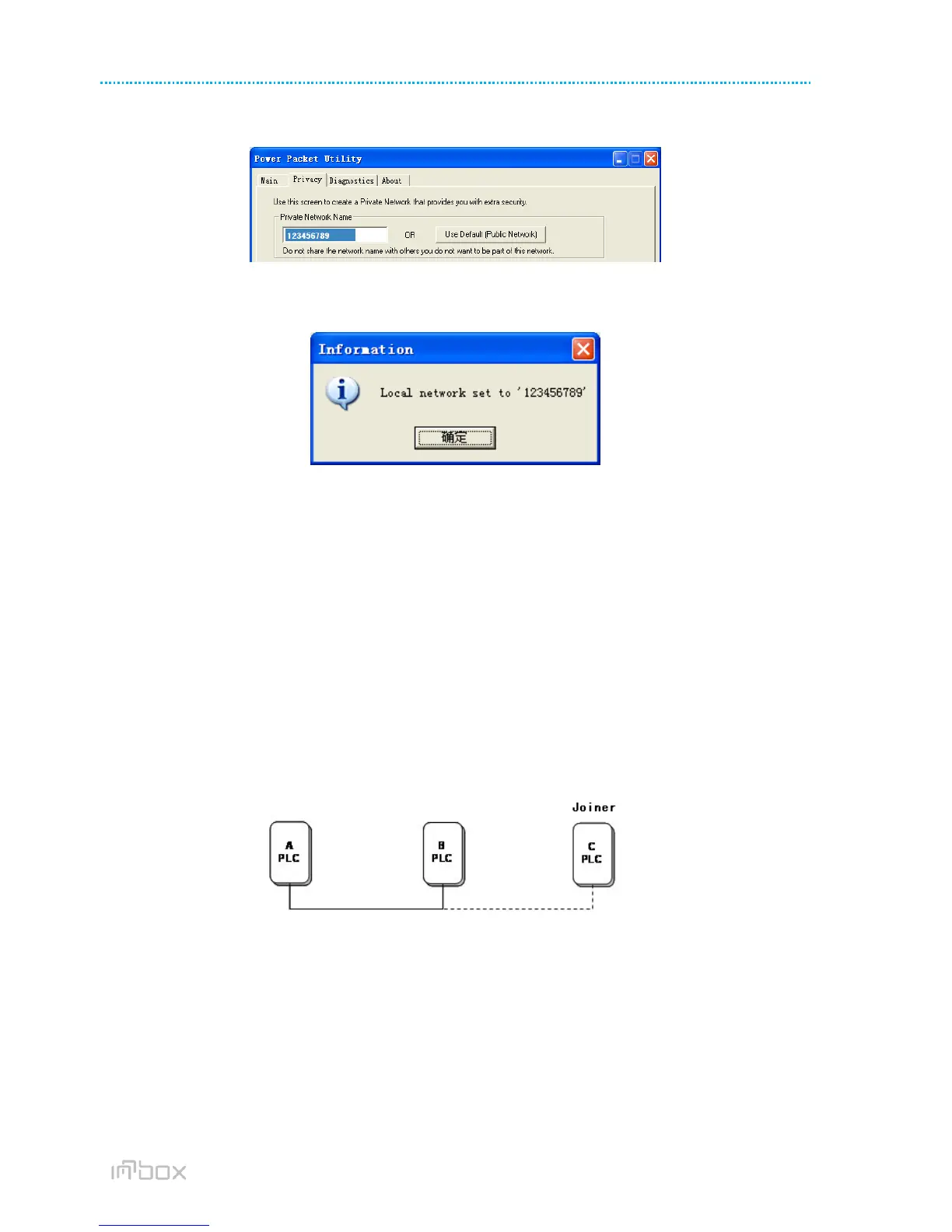
STEP 3: Click the Privacy tab page. Enter a name in the Private Network Name field.
Figure 18 Set the network name for your PLC
STEP 4: Click Set Local Device Only. When the following page is displayed, the setting succeeds. Now Device
A has been removed from its logical network.
Figure 19 Network name setting success
STEP 5: Repeat the procedures above to configure Device B. Configure Device B with the same Private
Network Name as Device A. After the operation succeeds, Devices A and B form a new logical network.
7 JOINING A NETWORK
This chapter describes how to add a device to an existing HomePlug AV logical network (AVLN) using the
Security/Reset pushbutton and using the Utility.
Operation progress and outcome can be monitored by observing the behavior of the power LED.
7.1 Using the Security\Reset Pushbutton
Scenario:
Devices A and B are located in network N. Device C (the joiner) that is not located in any networks attempts to join
Network N. Any devices on Network N can become the ‘adder’.
Figure 20 Joining a network
Do as follows to add Device C to Network N using the Security/Reset button:
STEP 1: Press the Security\Reset button on Device A (or Device B) for less than 3 seconds, making it the
‘adder’.
STEP 2: Within 2 minutes, press the Security\Reset button Device C (the ‘joiner’) for less than 3 seconds.
STEP 3: Wait for connection to complete.
The Power indicator on Device A (or Device B) and Device C will flash at 1 second intervals until the process succeeds
or fails. It will illuminate steadily on success. If an error occurs, the Power indicator on Device A (or Device B) and
Device C will flash unevenly for 2 minutes.



 To Next Page