19/24
19
7.2 Using the Utility
Scenario:
Devices A and B are located in Network N. Device C (the joiner) that is located in another network attempts to join
Network N. See
Do as follows to add Device C to Network N using the Utility:
Connect Device C to the network card of a PC.
Open the Utility. The Main tab page displays information about Device C after connection succeeds. See Figure
17.
Click the Privacy tab page. Enter a name in the Private Network Name field. See Figure 18.
Click Set Local Device Only. When the page as shown in Figure 19 is displayed, the setting succeeds. Now
Device C has been removed from its logical network.
Press the pushbutton on Device A or B for less than 3 seconds, making it the ‘adder’.
Within 2 minutes, press the pushbutton on Device C (the ‘joiner’) for less than 3 seconds.
Wait for connection to complete.
The Power indicator on Device A (or Device B) and Device C will flash at 1 second intervals until the process succeeds
or fails. It will illuminate steadily on success. If an error occurs, the Power indicator on Device A (or Device B) and
Device C will flash unevenly for 2 minutes.
8 HOW TO IMPROVE THE TRANSMISSION CAPACITY
It is important to use the PLC product complying with the following "correct rules", because it can significantly
improve the transmission capacity of the network.
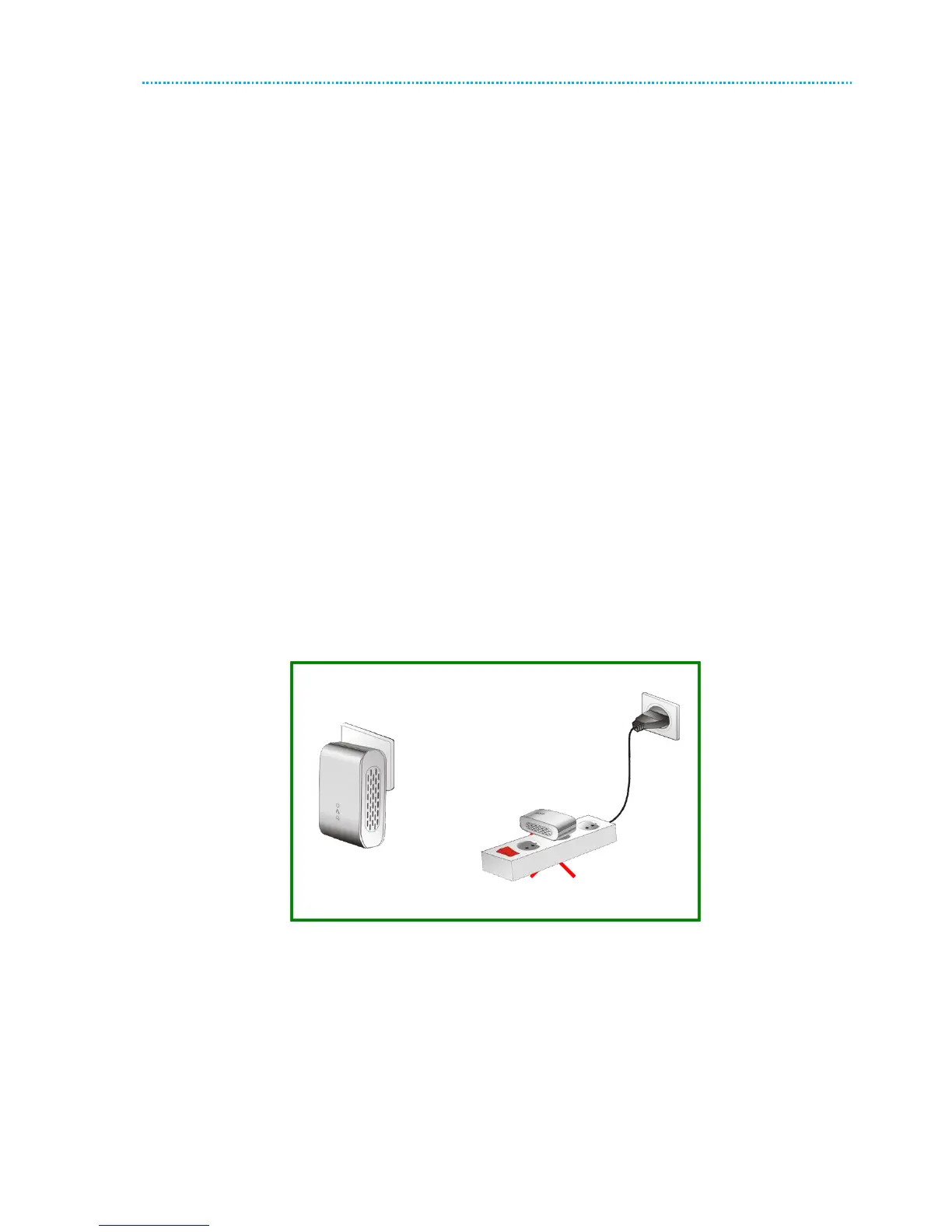
For the PLC device without female socket, it is recommended to plug the device directly into a wall socket, not to
power stripe.
Figure 21 Connecting the PLC device without the female socket



 To Next Page