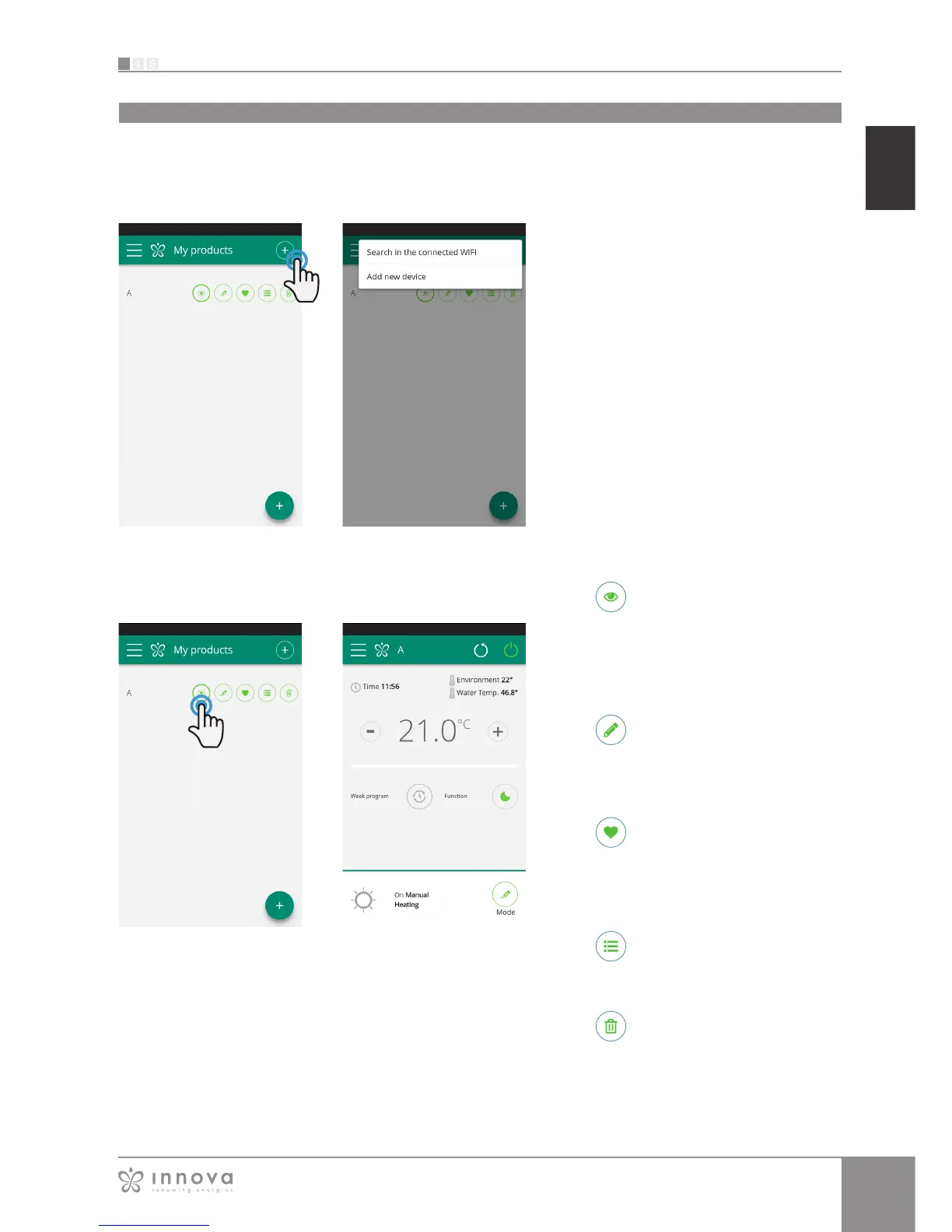
List of devices
Delete the device from the list of
configured devices
View the general control screen of the
device (if configured as standalone
it will automatically connect to your
network)
Change the device name (only if
connected to the WiFi network of the
same)
Set your device as a favorite (the
default device will be displayed when
the app starts)
MY PRODUCTS
list of the fancoils and groups configured in the App
By selecting the "My Products" item, you can
see the fancoils on the network. They can be
edited and/or scheduled as desired.
New devices can be added, searching for,
installing and configuring them tapping on the
+ symbol in the top right corner and/or at the
bottom right.
This will open the screen as illustrated in Figure
9-13.
When you select one of the configurated
products, appears the general fancoil control
screen, through which it can be controlled and
managed.
My Products
Figure 9-12
Figure 9-14
Figure 9-13
Figure 9-15









 To Next Page