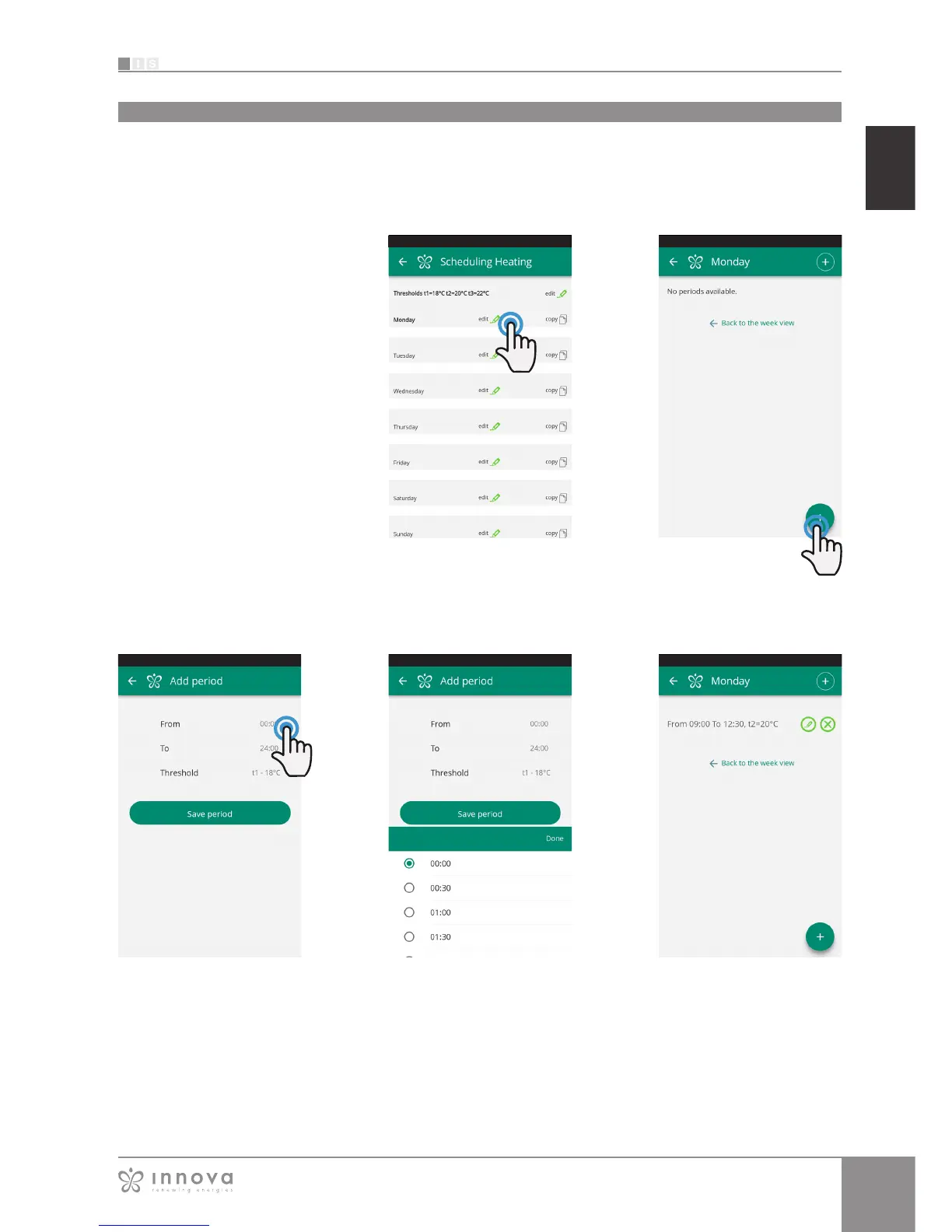
Figure 9-20
Figure 9-19
To change the switching on or off period, click on one of
the two times (Figur 9-21).
Figure 9-22 Figure 9-23Figure 9-21
Once scheduling of a day has been confirmed, you will be
returned to the screen with the list of the days of the week
Scheduling
SCHEDULING
section dedicated to the weekly scheduling of the fancoil
Note: this option is possible only if
remote control has been configured
(see section 9.9 on page 38 to enable
remote control).
By selecting the "Scheduling" item,
you access the fancoil calendar
scheduling feature. (Figure 9-19).
By clicking "edit" on a day of the week,
you can add and define one or more
start-up and shut-down periods for the
fancoil during that day, clicking on the
"+" symbol. (Figurae2-20).
Note: Schedule several start-up/shut-
down periods with a minimum duration
of half an hour on the same day.









 To Next Page