9.7 Mode
MODE
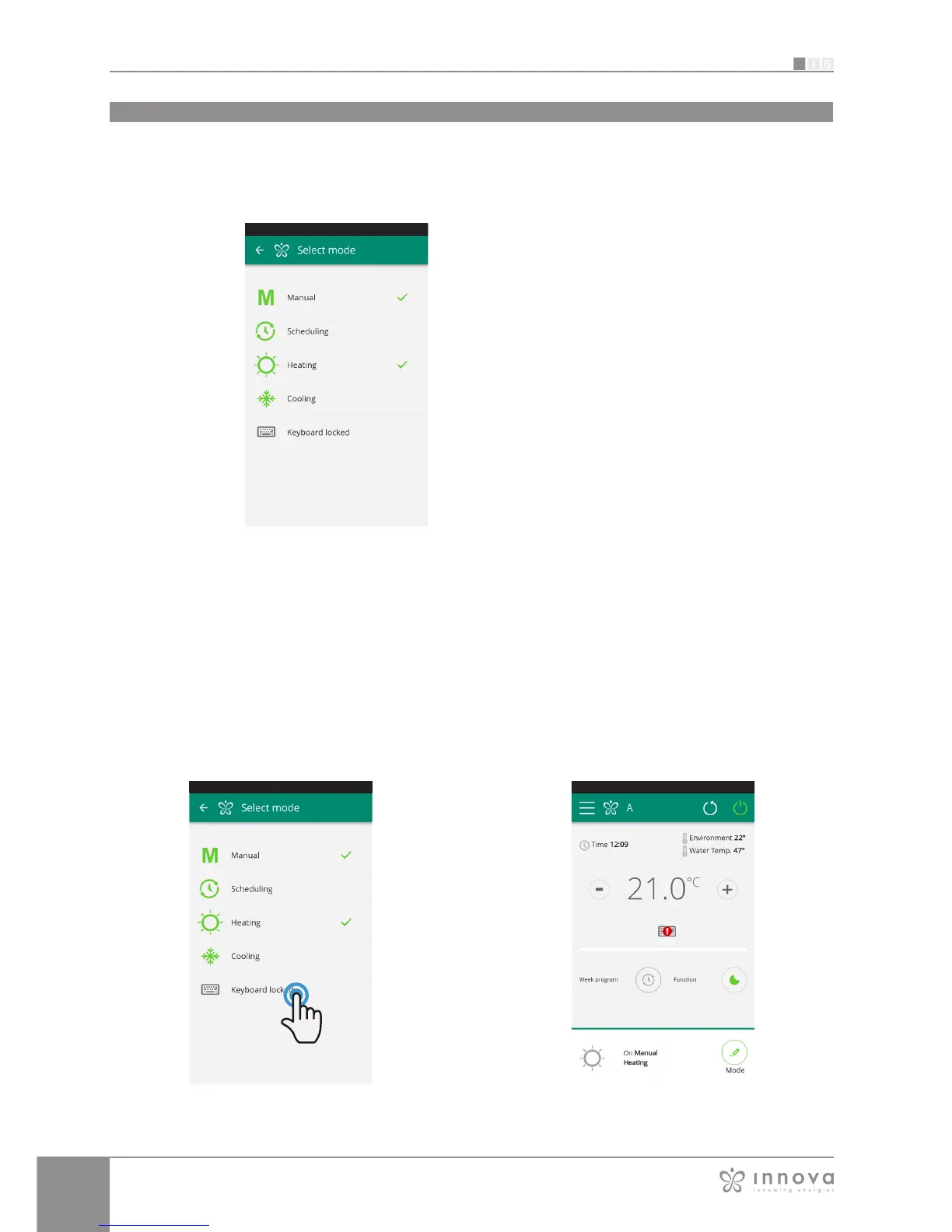
list of possible fancoils management modes
The fancoil operating mode can be
changed in several ways:
- selecting "Mode" in the general menu
- clicking on the change button at
the bottom right of the fancoil general
screen (see section 9.4 on page 32 ).
This provides access to the screen
illustrated in Figure 9-16.
Figure 9-16
From the “Mode” screen, you can enable the Keyboard
locked.
(Figura 9-17)
After the lock has been applied, a warning signal appears
on the general control Screen. (Figura 9-18)
From this moment the fancoil control display is locked,
the parameter management is possible only through
smartphone or tablet.
To return to change the fancoil settings from the display,
uncheck the “Keyboard locked” entry.
Figure 9-18Figure 9-17









 To Next Page