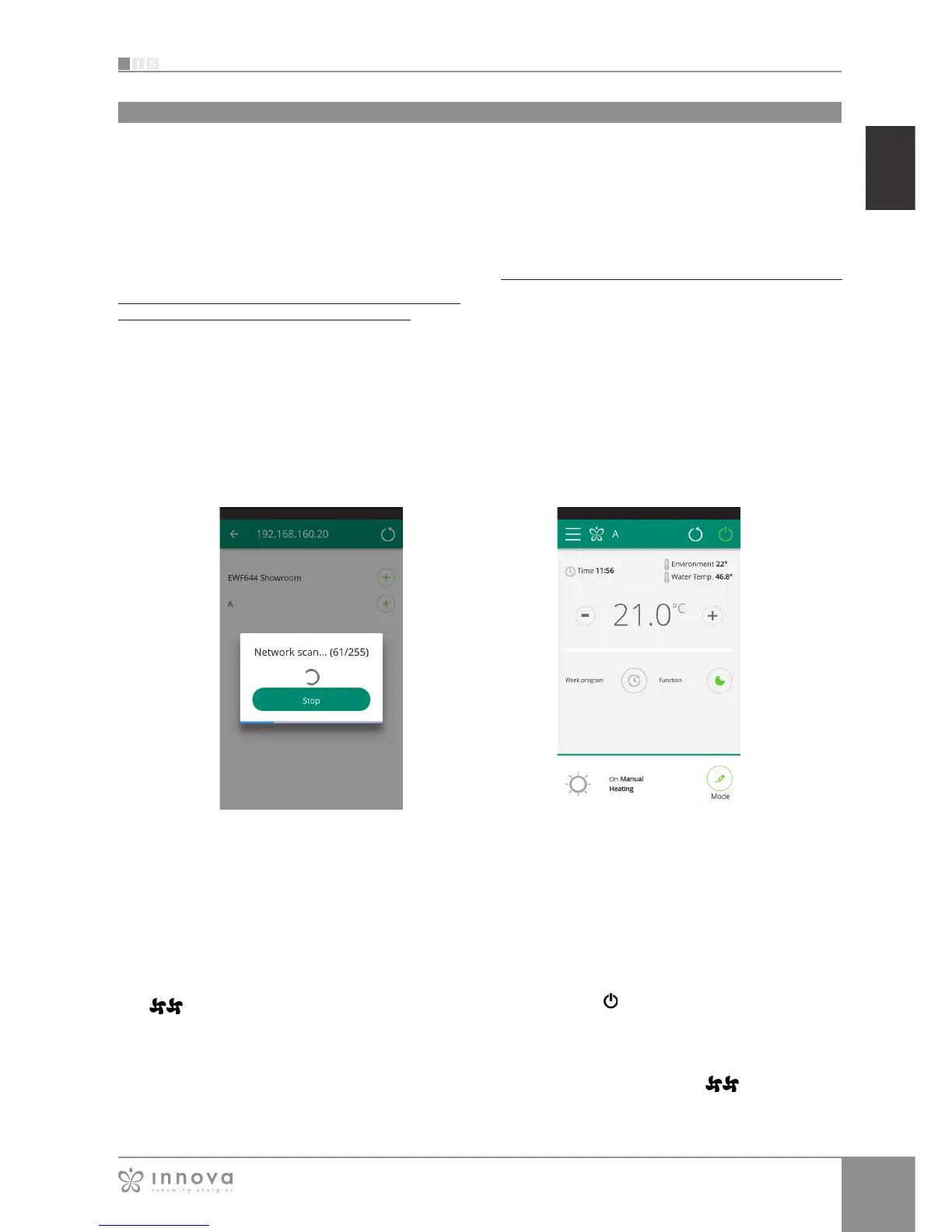
Figure 9-46 Figure 9-47
CONTROL WITH SEVERAL DEVICES
The same fancoil can be managed with several devices
(smartphone/tablet/PC).
After configuration with the first device, the machine can
be controlled with another smartphone/tablet following the
procedure described below.
First of all, you must connect to the Wi-Fi network where
the fancoil you want to control is also connected.
Install the “InnovApp Fancoils” app on the new smartphone/
tablet and proceed as illustrated in figures 9-1, 9-2 and
9-3 on page 30.
At this point, the telephone alerts that you are not
connected to the right WiFi network and to connect to the
“Fancoil”: ignore the warning, clicking on the “devices”
button right below the loading bar.
If you are connected to the WiFi network where your fancoil
is also connected, the telephone automatically scans all
the fancoils units connected to the network (Figura 9-46).
Once the device has been found, the general control
screen opens automatically, from which you can control
the fancoil with the second telephone/tablet as well.
Note: If the search does not automatically find the fancoil,
press “+”.
Control with several devices
ON, OFF and RESET OF THE WIFI NETWORK
With the “reset” function, you can resume the configuration
from the start in a few simple steps:
• With the display on, press and hold in the button
on the fancoil display for 10 seconds. When
the word “On” appears on the display, release the
button.
• If you do not touch anything for another 10", the
fancoil WiFi is active and remains visible and usable
with the last configured name.
• To reset the fancoil and return its WiFi network to
the original configuration (named "Fancoil"), press
the button again. The abbreviation “rSt” will
appear. Wait 10" so that the operation will complete
successfully. At this point, new WiFi configuration of
the fancoil is required, starting from the indications in
Figure 9-4.
• By holding the button in again , the fancoil WiFi
status switches to “OFF” mode: the WiFi transmitter
will therefore be off and no longer visible from
smartphone/tablet.









 To Next Page