EasyManua.ls Logo

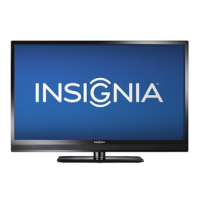
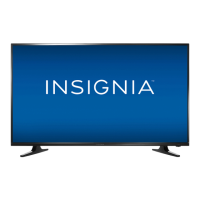
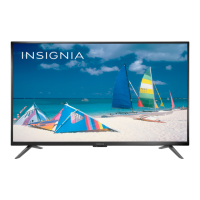
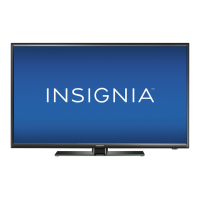
Insignia NS-42E480A13 - User Manual

Insignia NS-42E480A13
57 pages
Print Icon
To Next Page IconTo Next Page
Loading...
NS-39E480A13
NS-42E480A13
NS-46E481A13
User Guide
39"/42"/46"
1080p LED TV

Table of Contents

Other manuals for Insignia NS-42E480A13

Questions and Answers

  • C
    Cathy WilsonSep 9, 2025
    Why are some channels not displaying on my Insignia NS-42E480A13 LED TV?
    • N
      Nicholas SandersSep 9, 2025
      If one or more channels do not display on your Insignia LED TV, ensure that the channels are not blocked or hidden. If you are using a cable or satellite box, use the remote that came with that box to change channels and make sure that you have the correct input selected to view channels from the cable or satellite box. If you are using an antenna, the digital channel signal may be low.
  • R
    richard18Aug 23, 2025
    Why don't the control buttons work on my Insignia NS-42E480A13?
    • J
      Jennifer HobbsAug 23, 2025
      If the control buttons on your Insignia LED TV do not work, make sure that the Button Lock option is set to Off. If that doesn’t work, unplug the power cord, wait a few seconds, then plug the cord back in and turn on your TV.
  • R
    Robert WilsonAug 25, 2025
    Why is there good picture but no sound on my Insignia LED TV?
    • D
      Deanna JamesAug 25, 2025
      If your Insignia LED TV has a good picture but no sound, first, increase the volume and ensure that the sound is not muted. Also, make sure headphones are not connected. Verify that the correct audio mode is selected and the audio cables are securely connected. If that doesn’t work, the audio cables you are using may be bad, try a new set. Also, make sure that the antenna or cable TV is connected correctly and securely to your TV.
  • T
    Timothy BennettAug 26, 2025
    Why is my Insignia NS-42E480A13 LED TV screen dark but the sound is good?
    • N
      nicolewrightAug 26, 2025
      If your Insignia LED TV has a dark, poor, or no picture but the sound is good, try switching to another channel in case the station is experiencing problems. Ensure that the antenna or cable TV is securely connected. Adjust the brightness and make sure the correct picture mode is selected. If you're using an antenna, the digital channel signal may be low; adjust the antenna, use a highly directional outdoor antenna, or a set-top antenna with a built-in amplifier. Make sure that the video cables are connected securely to your TV and the video cables you are using may be bad, try a new set.
  • D
    davidsonsusanAug 27, 2025
    Why does my Insignia NS-42E480A13 LED TV have no color or the color is not correct?
    • F
      fbrownAug 27, 2025
      If your Insignia LED TV has no color, a dark picture, or incorrect color, try switching to another channel in case the station is experiencing problems. Adjust the color settings. Make sure the video cables, antenna, or cable TV are connected correctly and securely. If you are using an antenna, the digital channel signal may be low; adjust the antenna or use a highly directional outdoor antenna or set-top antenna with a built-in amplifier.
  • S
    Samantha BarrAug 29, 2025
    Why are there dotted lines or stripes on my Insignia LED TV screen?
    • C
      Christine RogersAug 29, 2025
      If dotted lines or stripes appear on the screen of your Insignia LED TV, make sure that the antenna or cable TV is connected correctly and securely. If you are using an antenna, the digital channel signal may be low; adjust the antenna or use a highly directional outdoor antenna or set-top antenna with a built-in amplifier. Also, ensure the video cables are connected securely to your TV and if the video cable(s) you are using may be bad, try a new set. Other devices may be interfering with your TV, try turning off one device at a time to determine which device is causing interference.
  • P
    pevansSep 18, 2025
    Why are some settings grayed out on my Insignia NS-42E480A13?
    • J
      Jonathan PhillipsSep 18, 2025
      If a setting is grayed out on your Insignia LED TV, the setting is not available in the current video input mode.
  • N
    Nicole StevensSep 19, 2025
    Why does my Insignia NS-42E480A13 cabinet creak?
    • T
      Theresa ColemanSep 19, 2025
      When the Insignia LED TV is in use, the temperature rises naturally and may cause the cabinet to expand or contract, which can cause creaking.
  • D
    denisebuckSep 7, 2025
    How to fix 'No signal' error on Insignia NS-42E480A13 LED TV?
    • L
      Lisa PhillipsSep 8, 2025
      If your Insignia LED TV displays a 'No signal' error message, press the INPUT button and ensure you've selected the correct input. If you're using a cable or satellite box, use its remote to change channels and make sure you've selected the correct input to view channels from that box.
  • C
    Claire ByrdSep 4, 2025
    How to prevent after images on Insignia LED TV?
    • J
      Julie LopezSep 5, 2025
      If after images appear on your Insignia LED TV, do not display a still image, such as a logo, game, or computer image, for an extended period of time.

Summary

Safety Information

Child Safety and Installation

Safety tips for TV placement, use, and wall mounting to prevent injury.

Important Safety Instructions

Critical warnings on electrical hazards, water, heat, LCD panel handling, and servicing.

Getting Started

Introduction and Key Features

Overview of the TV's capabilities like Motion 120Hz, Game Mode, and INlink.

Installing the Stand or Wall-Mount Bracket

Step-by-step guide for physically setting up the TV.

TV Components and Remote Control

Identification of TV parts, package contents, and remote control functions.

Initial TV Setup Wizard

Guide for first-time TV setup, including language, time, and source selection.

Connecting Devices

Connecting Power and Video Sources

Instructions for connecting various video devices like cable boxes, DVD players, computers, and antennas.

Connecting Audio Devices and USB

How to connect headphones, home theater systems, and USB flash drives.

TV Operation and Settings

Basic TV Operation

Turning TV on/off, selecting input sources, and navigating menus.

Channel and Volume Control

Methods for selecting channels, adjusting volume, and viewing channel information.

Picture and Sound Adjustments

How to customize picture quality and audio output for optimal viewing experience.

Advanced Settings Management

Covers channel management, parental controls, closed captioning, time settings, and menu customization.

Special Features

INlink and HDMI CEC Control

Managing connected HDMI CEC devices for enhanced control and automation.

USB Flash Drive Media Playback

Viewing photos, browsing files, and playing media from a USB drive.

Slideshow Customization

Options to customize photo slideshows, including repeat, shuffle, and transitions.

Troubleshooting and Maintenance

Cleaning and Maintenance

Instructions for cleaning the TV cabinet and screen.

Troubleshooting Common Issues

Solutions for problems like no picture/sound, remote issues, and signal reception.

Technical and Legal Information

Specifications

Technical details of the TV model, including dimensions and performance metrics.

Remote Control Programming

Guide to programming universal remotes to control the TV.

Legal Notices and Warranty

FCC compliance, legal notices, and details of the product's limited warranty.

Insignia NS-42E480A13 Specifications

General IconGeneral
Screen Size42 inches
Display TypeLED
Refresh Rate60 Hz
Backlight TypeLED
HDMI Ports3
USB Ports1
Smart TVNo
Built-in Wi-FiNo
Resolution1080p

Related product manuals