EasyManua.ls Logo

Insignia NS-46E480A13 - User Manual

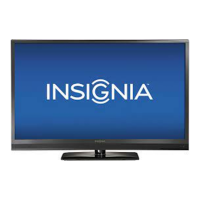
Insignia NS-46E480A13
59 pages
Print Icon
To Next Page IconTo Next Page
Loading...
NS-46E480A13
NS-55E480A13
User Guide
46"/55" LED TV

Table of Contents

Other manuals for Insignia NS-46E480A13

Questions and Answers

  • C
    Christopher BauerSep 10, 2025
    How to remove black bars on Insignia LED TV?
    • V
      vrobertsSep 10, 2025
      If the picture on your Insignia LED TV does not fill the screen and there are black bars around it, change the aspect ratio. Digital TV and movies are increasingly presented in wide screen (16:9).
  • L
    Lindsey MartinAug 23, 2025
    Why is the color off on my Insignia NS-46E480A13 LED TV?
    • J
      jason97Aug 23, 2025
      If your Insignia LED TV has no color, a dark picture, or incorrect colors, try the following: * Try another channel, as the station may be experiencing problems. * Adjust the color settings. * Make sure the video cables are connected correctly and securely to your TV. * Make sure the antenna or cable TV is connected correctly and securely. * If you are using an antenna, the digital channel signal may be low. * If you are using an antenna and the signal strength is low, adjust the antenna or use a highly directional outdoor antenna or set-top antenna with a built-in amplifier.
  • T
    Thomas GreerAug 25, 2025
    Why won't my Insignia NS-46E480A13 turn on?
    • D
      Debra DunlapAug 26, 2025
      If your Insignia LED TV has no power, check the following: * Make sure that the power cord is correctly connected to your TV and a power outlet. * Unplug the power cord, wait 60 seconds, then plug the cord back in and turn on your TV. * Other devices (for example, a surround sound receiver, external speakers, fans, or hair dryers) may be interfering with your TV. Try turning off one device at a time to determine which device is causing interference. After you have determined which device is causing interference, move it further from the TV to eliminate the interference.
  • V
    vgoodwinAug 26, 2025
    What to do if Insignia LED TV control buttons not working?
    • N
      Nancy OrtegaAug 27, 2025
      If the control buttons on your Insignia LED TV do not work: * Make sure that the Button Lock option is set to Off. * Unplug the power cord, wait a few seconds, then plug the cord back in and turn on your TV.
  • L
    Lauren JordanAug 27, 2025
    Why is there no picture or sound on my Insignia NS-46E480A13?
    • R
      Ronald LucasAug 28, 2025
      If your Insignia LED TV has no picture and no sound, try the following: * Press the power button on the TV or the remote control. * Ensure the Audio Only option is set to Off. * Check that the video cables are securely connected. * Adjust the contrast and brightness. * Confirm the power cord is plugged in. * Select the correct video input source. * Try another channel as the station may be experiencing problems. * Verify the incoming signal is compatible. * Ensure the antenna or cable TV is properly connected. * Check the closed caption settings, as some TEXT modes can block the screen.
  • D
    Donald LongAug 29, 2025
    Why is there sound not working on my Insignia LED TV?
    • J
      Jennifer ScottAug 29, 2025
      If your Insignia LED TV has a good picture but no sound, try these steps: * Increase the volume. * Make sure the sound is not muted. * Disconnect headphones, as they disable TV speakers. * Select the correct audio mode. * Check that the audio cables are securely connected. * Ensure the antenna or cable TV is properly connected. * If using an antenna, check the digital channel signal strength. * Try a new set of audio cables, as the current ones may be faulty.
  • T
    Theodore PierceSep 18, 2025
    How to prevent burn in on Insignia NS-46E480A13?
    • T
      Tony ChurchSep 18, 2025
      To prevent after images from appearing on your Insignia LED TV, avoid displaying a still image, such as a logo, game, or computer image, for an extended period of time. This can cause a permanent after-image to be burned into the screen. This type of damage is not covered by your warranty.
  • A
    Amanda AndersonSep 22, 2025
    Why does my Insignia NS-46E480A13 creak?
    • R
      roger61Sep 22, 2025
      If your Insignia LED TV cabinet creaks, it's because when the TV is in use, the temperature rises naturally and may cause the cabinet to expand or contract which can cause a creaking noise. This is not a malfunction.
  • J
    Jose JohnsonSep 7, 2025
    Why is picture quality bad on some channels on Insignia LED TV?
    • K
      Kyle AndersenSep 7, 2025
      If your Insignia LED TV has good picture quality on some channels but poor quality on others while the sound is good, then: * The problem may be caused by a poor or weak signal from the broadcaster or cable TV provider. * If you connect to cable or satellite TV without a set-top box and experience poor picture quality, you may need to install a set-top box to improve signal reception and picture quality. Contact your cable or satellite TV provider about upgrading to a set-top box.
  • L
    Lisa MorrisonSep 4, 2025
    Why is my Insignia LED TV showing static?
    • H
      heather76Sep 4, 2025
      If your Insignia LED TV screen only shows snow (noise), try the following: * Try another channel, as the station may be experiencing problems. * Make sure the antenna or cable TV is connected correctly and securely. * If you are using an antenna, the digital channel signal may be low. * If you are using an antenna and the signal strength is low, adjust the antenna or use a highly directional outdoor antenna or set-top antenna with a built-in amplifier.

Summary

CHILD SAFETY

Important Safety Instructions

Essential guidelines for safe operation and setup of the TV.

Installing the stand or wall-mount bracket

Installing the stand

Step-by-step guide for attaching the TV stand securely.

Making connections

What connection should I use?

Guide to selecting the best connection type for optimal video quality.

Connecting a cable or satellite box

Steps to connect external cable or satellite boxes.

Using the remote control

Turning on your TV for the first time

Understanding the basics

Selecting the video input source

Guide to choosing the active input source for viewing content.

Adjusting the picture

Adjusting the TV picture

Detailed steps for optimizing picture settings like brightness and contrast.

Adjusting the sound

Adjusting sound settings

How to adjust sound modes, balance, and other audio options.

Changing channel settings

Setting parental controls

Setting or changing the password

How to set or modify the parental control password.

Using closed captioning

Adjusting time settings

Using INlink

Using a USB flash drive

Troubleshooting

Video and audio

Solutions for common video and audio playback issues.

Programming universal remote controls

One-year limited warranty - Insignia Televisions

Insignia NS-46E480A13 Specifications

General IconGeneral
Screen Size46 inches
Resolution1920 x 1080
Display TypeLED
Display TechnologyLED
Refresh Rate60Hz
HDMI Ports3
USB Ports1
Audio Output20W
Smart TVNo
Built-in Wi-FiNo
Energy Star CertifiedYes

Related product manuals