EasyManua.ls Logo

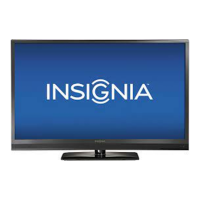
Insignia NS-46E480A13 - User Manual

Insignia NS-46E480A13
59 pages
Print Icon
To Next Page IconTo Next Page
Loading...
NS-46E480A13
NS-55E480A13
User Guide
46"/55" LED TV

Table of Contents

Other manuals for Insignia NS-46E480A13

Questions and Answers

  • J
    Jeremy SmithAug 21, 2025
    How to fix Insignia NS-46E480A13 LED TV remote control not working?
    • D
      Dana BridgesAug 22, 2025
      If the remote control for your Insignia LED TV isn't working, check these solutions: * Make sure the TV's power cord is properly connected to both the TV and the power outlet. * Ensure there are no obstructions between the remote and the TV's remote control sensor. * Point the remote directly at the remote control sensor on the TV. * Remove any plastic wrapping from the batteries. * Verify the batteries are installed correctly. * Replace dead batteries with new ones.
  • J
    justin94Sep 2, 2025
    Why are channels missing on my Insignia LED TV?
    • I
      isanchezSep 2, 2025
      If one or more channels are not displaying on your Insignia LED TV: * Ensure the channels are not blocked via parental controls. * Check that the channels are not hidden, as they may have been deleted from the channel list. You can tune to the channel by pressing the number buttons or add the channel back to the channel list. * If using a cable or satellite box, use its remote to change channels. * Make sure you have selected the correct input to view channels from the cable or satellite box. * If using an antenna, the digital channel signal may be low.
  • T
    Terry BrownSep 1, 2025
    Why does my Insignia NS-46E480A13 have sound but no picture?
    • J
      Justin NavarroSep 1, 2025
      If your Insignia LED TV has a lit screen but the picture is dark, poor, or nonexistent, while the sound is good, consider the following: * Try another channel, as the station may be experiencing problems. * Make sure the antenna or cable TV is connected correctly and securely. * Adjust the brightness settings. * Select the correct picture mode. * If using an antenna, check the digital channel signal strength. * If the signal strength is low, adjust the antenna or use a highly directional outdoor or set-top antenna with an amplifier. * Ensure the video cables are securely connected to your TV. * Try a new set of video cables, as the ones you are using may be bad.
  • K
    Kevin CunninghamAug 30, 2025
    What to do if my Insignia LED TV says no signal?
    • C
      christopher80Aug 31, 2025
      If your Insignia LED TV displays a “No signal” error message: * Press the INPUT button and select the correct input for your device or service. * If using a cable or satellite box, use its remote to change channels. * Ensure you have selected the correct input to view channels from the cable or satellite box.
  • D
    Donald LongAug 29, 2025
    Why is there sound not working on my Insignia LED TV?
    • J
      Jennifer ScottAug 29, 2025
      If your Insignia LED TV has a good picture but no sound, try these steps: * Increase the volume. * Make sure the sound is not muted. * Disconnect headphones, as they disable TV speakers. * Select the correct audio mode. * Check that the audio cables are securely connected. * Ensure the antenna or cable TV is properly connected. * If using an antenna, check the digital channel signal strength. * Try a new set of audio cables, as the current ones may be faulty.
  • L
    Lauren JordanAug 27, 2025
    Why is there no picture or sound on my Insignia NS-46E480A13?
    • R
      Ronald LucasAug 28, 2025
      If your Insignia LED TV has no picture and no sound, try the following: * Press the power button on the TV or the remote control. * Ensure the Audio Only option is set to Off. * Check that the video cables are securely connected. * Adjust the contrast and brightness. * Confirm the power cord is plugged in. * Select the correct video input source. * Try another channel as the station may be experiencing problems. * Verify the incoming signal is compatible. * Ensure the antenna or cable TV is properly connected. * Check the closed caption settings, as some TEXT modes can block the screen.
  • V
    vgoodwinAug 26, 2025
    What to do if Insignia LED TV control buttons not working?
    • N
      Nancy OrtegaAug 27, 2025
      If the control buttons on your Insignia LED TV do not work: * Make sure that the Button Lock option is set to Off. * Unplug the power cord, wait a few seconds, then plug the cord back in and turn on your TV.
  • T
    Thomas GreerAug 25, 2025
    Why won't my Insignia NS-46E480A13 turn on?
    • D
      Debra DunlapAug 26, 2025
      If your Insignia LED TV has no power, check the following: * Make sure that the power cord is correctly connected to your TV and a power outlet. * Unplug the power cord, wait 60 seconds, then plug the cord back in and turn on your TV. * Other devices (for example, a surround sound receiver, external speakers, fans, or hair dryers) may be interfering with your TV. Try turning off one device at a time to determine which device is causing interference. After you have determined which device is causing interference, move it further from the TV to eliminate the interference.
  • L
    Lindsey MartinAug 23, 2025
    Why is the color off on my Insignia NS-46E480A13 LED TV?
    • J
      jason97Aug 23, 2025
      If your Insignia LED TV has no color, a dark picture, or incorrect colors, try the following: * Try another channel, as the station may be experiencing problems. * Adjust the color settings. * Make sure the video cables are connected correctly and securely to your TV. * Make sure the antenna or cable TV is connected correctly and securely. * If you are using an antenna, the digital channel signal may be low. * If you are using an antenna and the signal strength is low, adjust the antenna or use a highly directional outdoor antenna or set-top antenna with a built-in amplifier.

Summary

CHILD SAFETY

Important Safety Instructions

Essential guidelines for safe operation and setup of the TV.

Installing the stand or wall-mount bracket

Installing the stand

Step-by-step guide for attaching the TV stand securely.

Making connections

What connection should I use?

Guide to selecting the best connection type for optimal video quality.

Connecting a cable or satellite box

Steps to connect external cable or satellite boxes.

Using the remote control

Turning on your TV for the first time

Understanding the basics

Selecting the video input source

Guide to choosing the active input source for viewing content.

Adjusting the picture

Adjusting the TV picture

Detailed steps for optimizing picture settings like brightness and contrast.

Adjusting the sound

Adjusting sound settings

How to adjust sound modes, balance, and other audio options.

Changing channel settings

Setting parental controls

Setting or changing the password

How to set or modify the parental control password.

Using closed captioning

Adjusting time settings

Using INlink

Using a USB flash drive

Troubleshooting

Video and audio

Solutions for common video and audio playback issues.

Programming universal remote controls

One-year limited warranty - Insignia Televisions

Insignia NS-46E480A13 Specifications

General IconGeneral
Screen Size46 inches
Resolution1920 x 1080
Display TypeLED
Display TechnologyLED
Refresh Rate60Hz
HDMI Ports3
USB Ports1
Audio Output20W
Smart TVNo
Built-in Wi-FiNo
Energy Star CertifiedYes

Related product manuals