EasyManua.ls Logo

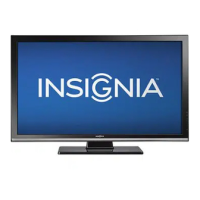
Insignia NS-42P650A11 - User Manual

Insignia NS-42P650A11
50 pages
Print Icon
To Next Page IconTo Next Page
Loading...
42" and 50" 720p Plasma TV
NS-42P650A11, NS-50P650A11
User Guide
NS-42P650A11-NS-50P650A11_09-1156_MAN_V1_English.book Page 0 Monday, January 18, 2010 11:01 AM

Table of Contents

Other manuals for Insignia NS-42P650A11

Questions and Answers

  • T
    Tommy ReyesSep 4, 2025
    Why does my Insignia NS-42P650A11 show HD but the visual quality is poor?
    • D
      Deborah ArroyoSep 4, 2025
      If the TV caption shows HD, but the visual quality is poor on your Insignia Plasma TV, it means the selected channel is a digital channel. If the broadcasting station converts an analog signal into digital and transmits the signal, the visual quality may not be perfect.
  • F
    Fred WoodsSep 18, 2025
    Why are pixels visible on the screen of my Insignia Plasma TV?
    • S
      Susan HamptonSep 18, 2025
      There may be few bright or dark pixels on the screen of your Insignia Plasma TV. These pixels have no impact on the performance of your TV.
  • K
    Katherine HunterSep 16, 2025
    How to prevent image burn-in on Insignia NS-42P650A11 Plasma TV?
    • M
      marcus73Sep 16, 2025
      To avoid image burn-in on your Insignia Plasma TV, turn on Pixel Shift. Note that image burn-in is not covered by your warranty. If the image remains in one position for too long, the image may be permanently burned into the screen.
  • D
    David EdwardsSep 14, 2025
    What does it mean when the 'Resets all settings to the default values' message appears on Insignia NS-42P650A11?
    • W
      Whitney JonesSep 14, 2025
      If the message 'Resets all settings to the default values' appears on your Insignia Plasma TV, it indicates that you pressed and held EXIT for several seconds, resetting the product settings to the factory defaults.
  • T
    Thomas JonesSep 12, 2025
    Why do the visual qualities of digital channels vary on my Insignia NS-42P650A11?
    • C
      Colleen ElliottSep 12, 2025
      If the visual qualities of digital channels vary on your Insignia Plasma TV, it may depend on the original production method (analog or digital). Digital originals have high visual quality, while analog conversions may have lower quality, often at SD (standard definition) grade.
  • A
    Anita JonesSep 12, 2025
    Why does a distorted picture appear in the corner of the screen on my Insignia NS-42P650A11 Plasma TV?
    • P
      Pamela PattersonSep 12, 2025
      If a distorted picture appears in the corner of the screen of your Insignia Plasma TV, and Screen Fit is selected in some external devices, a distorted picture may appear in a corner of the screen. This is caused by external devices, not the TV.
  • C
    Cheryl JuarezSep 9, 2025
    What causes the picture to roll vertically on Insignia NS-42P650A11 Plasma TV?
    • J
      Jacqueline BoyleSep 9, 2025
      If the picture on your Insignia Plasma TV rolls vertically, check all the connections.
  • M
    Margaret EvansSep 7, 2025
    How to improve poor sound quality on Insignia Plasma TV?
    • M
      Michelle HaleSep 7, 2025
      If you are experiencing poor sound quality on your Insignia Plasma TV, try switching to another channel or adjusting the antenna.
  • A
    Allen SheppardSep 5, 2025
    How to adjust the image size on Insignia NS-42P650A11 Plasma TV if it is too large or too small?
    • D
      donaldroseSep 5, 2025
      If the image on your Insignia Plasma TV is too large or too small, adjust the Size settings or press ZOOM to select a different aspect ratio.
  • R
    Robert GardnerAug 20, 2025
    What to do if the screen is black and the power indicator light blinks steadily on my Insignia NS-42P650A11 Plasma TV?
    • K
      Katherine RiveraAug 21, 2025
      To potentially resolve the issue of a black screen and a steadily blinking power indicator light on your Insignia Plasma TV: * If connected to a computer, ensure it's not in power-saving mode by moving the mouse or pressing a key and check cable connections. * If connected to an external device, press INPUT, turn the TV off and on again, and verify the cable connections.

Summary

CHILD SAFETY

Important safety instructions

Critical warnings and cautions for safe operation of the TV.

Safety Tips and Precautions

Tune into safety

Safety tips for TV placement and preventing tip-overs.

Wall mounting safety

Guidelines for safely mounting the TV to walls.

Safety Instructions and Precautions

Warnings for safe operation

Critical warnings regarding electrical shock, fire, and handling.

Cautions and operational advice

Precautions for environment, maintenance, and parts.

Cautions and Environmental Factors

Damage requiring service

Conditions that necessitate professional repair.

Product Setup and Installation

Installing the stand or wall-mount bracket

Guide for attaching the stand or mounting the TV.

Installing the stand

Step-by-step instructions for attaching the TV stand.

Wall Mounting and TV Components

Installing a wall-mount bracket

Detailed steps for securely mounting the TV to a wall.

TV Back Panel and Remote Control

Back panel connections overview

Description of various input/output jacks on the TV's back.

Remote control button functions

Explanation of each button on the Insignia remote control.

Remote Control Operations

Remote control button guide

Detailed function of each button on the remote control.

Remote Control Usage

Initial Connections

Connecting the power cord

How to properly connect the TV to a power source.

TV Signal Connections

Satellite and VCR Connections

Audio;Video Device Connections

Connecting an HDMI device

How to connect devices using an HDMI cable.

Advanced Component Connections

Basic TV Operations

Picture Adjustments

Adjusting the TV picture settings

Guide to modifying basic picture parameters.

Advanced Picture Settings

Adjusting picture options

Fine-tuning advanced picture settings like size, noise reduction, etc.

Picture Size and Game Mode

Sound Adjustments

Adjusting sound settings

Customizing sound modes, equalizer, and speaker output.

Channel Management

Channel Fine-Tuning and Lists

Channel List Customization

Parental Control Setup

Setting or changing the password

Establishing or modifying the parental control PIN.

Managing Parental Controls

Turning parental controls on or off

Enabling or disabling the TV's parental lock features.

U.S. TV Rating Settings

Setting U.S. TV parental control levels

Configuring ratings for broadcast TV content.

Movie Rating Settings

Setting MPAA movie ratings

Configuring parental controls based on movie ratings.

Canadian TV Rating Settings

Setting Canadian TV rating levels

Configuring parental controls for Canadian broadcast content.

Closed Captioning

Customizing Closed Captioning Styles

Time Settings

Time and Timer Settings

Wake-up Timer

TV Software and Reset Options

Resetting settings to defaults

Restoring all TV settings to factory defaults.

Maintenance and Troubleshooting

Troubleshooting common problems

Solutions for issues like poor picture, sound, or no power.

Computer Display Modes

Two-Year Limited Warranty

US and Canada markets warranty

Details of the warranty for US and Canadian customers.

Warranty coverage and terms

What is covered, duration, and limitations of the warranty.

Obtaining warranty service

Procedures for getting service or repairs under warranty.

Warranty Exclusions and Contact

Warranty exclusions

Items and conditions not covered by the warranty.

Insignia NS-42P650A11 Specifications

General IconGeneral
BrandInsignia
ModelNS-42P650A11
CategoryPlasma TV
LanguageEnglish

Related product manuals