EasyManua.ls Logo

Insignia NS-59P680A12 - User Manual

Insignia NS-59P680A12
52 pages
Print Icon
To Next Page IconTo Next Page
Loading...
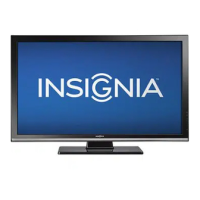
51"/59" Plasma HDTV 600Hz 1080p
NS-51P680A12/NS-59P680A12
User Guide

Table of Contents

Questions and Answers

  • E
    Emily ClarkAug 18, 2025
    What to do if the Insignia NS-59P680A12 remote control does not work?
    • S
      shannonryanAug 18, 2025
      If the remote control for your Insignia Plasma TV isn't working, first ensure there are no obstructions between the remote and the TV's sensor. Then, check if batteries are correctly inserted, matching the + and – symbols. Clean the remote's transmission window, inspect the battery terminals, and try replacing the batteries.
  • Z
    Zachary RamosAug 21, 2025
    How to fix no picture or sound on Insignia Plasma TV?
    • I
      iharrisAug 21, 2025
      If your Insignia Plasma TV has no picture or sound, try these steps: * Try another channel. * Ensure the correct video input source is selected by pressing the INPUT button. * Verify the power cord is securely connected to both the TV and a working outlet or surge protector (and that the surge protector is on). * Check the antenna connections. * Press the MUTE button to be sure the sound isn't muted. * Check the volume on connected devices like cable boxes or DVD players, and then adjust the TV volume.
  • M
    Michael DavisAug 23, 2025
    How to improve poor picture quality on Insignia NS-59P680A12?
    • A
      Andrew NorrisAug 23, 2025
      To improve poor picture quality on your Insignia Plasma TV, try switching to another channel, adjusting the antenna, and checking all wire connections.
  • B
    brittany14Aug 26, 2025
    Why is my Insignia NS-59P680A12 Plasma TV operating erratically?
    • T
      Tracy PachecoAug 26, 2025
      If your Insignia Plasma TV is operating erratically, try turning off the surge protector for a few seconds, then turn it back on, or unplug the power cord, plug it back in, and turn on your TV. Also, test the power outlet to ensure it is working.
  • D
    Denise WhiteAug 27, 2025
    How to adjust brightness on Insignia NS-59P680A12 Plasma TV if the image is too light or dark?
    • L
      Loretta ThompsonAug 28, 2025
      If the image on your Insignia Plasma TV is too light or too dark, adjust the brightness and contrast settings.
  • K
    Kristina MillsAug 30, 2025
    How do I adjust the image size on my Insignia Plasma TV?
    • D
      Daniel MorrisonAug 30, 2025
      To adjust the image size on your Insignia Plasma TV, change the Picture Size settings.
  • V
    Veronica KimSep 1, 2025
    Why does the picture roll vertically on my Insignia NS-59P680A12?
    • K
      Kathy AguirreSep 1, 2025
      If the picture on your Insignia Plasma TV rolls vertically, check all connections.
  • M
    melissasmithSep 3, 2025
    What causes digital broadcasting screen problems on Insignia NS-59P680A12?
    • B
      Brittany JohnsonSep 3, 2025
      If you're experiencing digital broadcasting screen problems on your Insignia Plasma TV, check the digital signal strength.
  • M
    matthewturnerSep 6, 2025
    Why is the visual quality poor on my Insignia Plasma TV even though the caption shows HD?
    • J
      John MosesSep 6, 2025
      The HD caption on your Insignia Plasma TV indicates a digital channel. However, if the broadcasting station converts an analog signal to digital, the visual quality may not be perfect.
  • R
    Rhonda LynnSep 8, 2025
    Why are pixels visible on the screen of my Insignia Plasma TV?
    • N
      Nicole HamiltonSep 8, 2025
      The presence of a few bright or dark pixels on your Insignia Plasma TV screen is normal and does not impact the product's performance.

Insignia NS-59P680A12 Specifications

General IconGeneral
BrandInsignia
ModelNS-59P680A12
CategoryPlasma TV
LanguageEnglish

Related product manuals