EasyManua.ls Logo

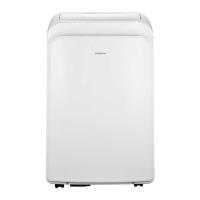
Insignia NS-AC8PWH8 - User Manual

Insignia NS-AC8PWH8
30 pages
Print Icon
To Next Page IconTo Next Page
Loading...
Before using your new product, please read these instructions to prevent any damage.
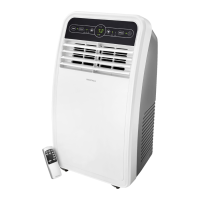
USER GUIDE
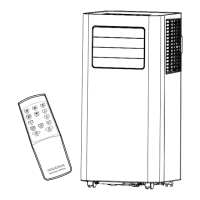
8,000 BTU Portable Air
Conditioner
NS-AC8PWH8
NS-AC8PWH8_16-1094_MAN_V1_ENG.fm Page 1 Friday, March 10, 2017 3:43 PM

Other manuals for Insignia NS-AC8PWH8

Questions and Answers

  • H
    Hailey Hayes DVMAug 3, 2025
    Why is my Insignia Air Conditioner not cooling?
    • F
      funderwoodAug 3, 2025
      Your Insignia Air Conditioner might not be cooling because airflow is restricted. Ensure no curtains, blinds, or furniture block the front of the unit. In COOL mode, decrease the temperature setting. Also, clean the air filter at least every two weeks. Allow time for the room to cool down after you first turn on the air conditioner. Finally, connect the exhaust hose and ensure it's not obstructed.
  • V
    Vanessa GonzalezAug 10, 2025
    What to do if my Insignia NS-AC8PWH8 does not start?
    • F
      fhigginsAug 10, 2025
      If your Insignia Air Conditioner doesn't start, several factors could be the cause. First, ensure the air conditioner is properly plugged into the outlet. Check your house's fuse or circuit breaker box and replace the fuse or reset the circuit breaker if needed. If a power failure occurred, wait three minutes after the power is restored before restarting the unit. Also, check the power cord for a current interrupter device and press the RESET button. If 'FL' appears on the display, drain the water collection tank. Finally, the air conditioner automatically shuts off when the room temperature is less than the set temperature. Adjust the temperature setting if needed.
  • J
    Joshua LopezAug 19, 2025
    Why does my Insignia Air Conditioner run too often?
    • M
      Michael ObrienAug 19, 2025
      If your Insignia Air Conditioner runs too often or too long, the area to be cooled may be too large for the unit. Also, make sure that doors and windows are closed.
  • D
    Donald AshleyAug 26, 2025
    Why is my Insignia NS-AC8PWH8 Air Conditioner so loud?
    • A
      Anne HartmanAug 26, 2025
      Your Insignia Air Conditioner may seem loud for the first few minutes, which is normal as the compressor starts up. Additionally, a soft, swishing noise is the sound of the liquid refrigerant flowing and is also normal.

Summary

Important Safety Instructions

Additional precautions

Important safety guidelines and precautions for safe operation and handling.

Electrical Safety

Integrated circuit breaker

Details on the power cord's integrated circuit breaker and testing procedures.

Main components

Control panel

Remote control

Setting up your portable air conditioner

Installing your air conditioner

Step-by-step guide for connecting the exhaust hose and window kit.

Using your portable air conditioner

Using the air conditioner

Explains how to operate the unit using the control panel or remote control.

Troubleshooting

Intelligent error indication

Lists error codes displayed on the unit and their meanings.

Understanding your air conditioners automatic protection

Explains built-in protection features like anti-freezing and water-full alerts.

Cleaning and maintaining your air conditioner

Insignia NS-AC8PWH8 Specifications

General IconGeneral
Cooling Capacity8000 BTU
Room SizeUp to 350 sq. ft.
Fan Speeds3
Remote ControlYes
Filter TypeWashable
Power Supply115V/60Hz
RefrigerantR410A
Noise Level52 dB
Operating ModesCool, Fan

Related product manuals