EasyManua.ls Logo

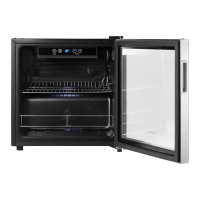
Insignia NS-BC115SS9 - User Manual

Insignia NS-BC115SS9
19 pages
Print Icon
To Next Page IconTo Next Page
Loading...
Before using your new product, please read these instructions to prevent any damage.
USER GUIDE
115-Can
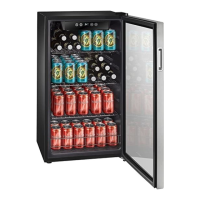
Beverage Cooler
NS-BC115SS9/NS-BC115SS9-C

Questions and Answers

  • A
    Amy RichardsonAug 4, 2025
    What to do if my Insignia Accessories cooler does not operate?
    • P
      Patrick BradleyAug 4, 2025
      If your Insignia Accessories cooler isn't turning on, make sure it's properly plugged into the outlet. Also, check your home's fuse or circuit breaker and replace the fuse or reset the breaker if necessary. In the event of a power failure, the cooler will turn off and you should wait for the power to be restored before turning it back on.
  • J
    John McleanAug 9, 2025
    Why is my Insignia Accessories cooler not cold enough?
    • Z
      Zachary SchultzAug 10, 2025
      If your Insignia Accessories cooler isn't getting cold enough, ensure the door is closed correctly. Allow some time for new beverages to cool down before checking again. You may also want to try adjusting the temperature control to a colder setting.
  • E
    edwin42Aug 16, 2025
    What to do if my Insignia Accessories cooler turns on and off frequently?
    • L
      Lisa ValdezAug 16, 2025
      If your Insignia Accessories cooler is turning on and off frequently, ensure it is in a room where the temperature is between 50°– 85° F (10°–29.4° C), or move it to a cooler location. Make sure the door is closed correctly, and clean the door gaskets. You can also try setting the control to a colder setting.
  • R
    ryanlawsonAug 22, 2025
    How to fix Insignia Accessories cooler door that does not close completely?
    • J
      Joseph MoranAug 22, 2025
      If the door of your Insignia Accessories cooler isn't closing completely, try adjusting the shelf correctly. Also, clean the door gaskets and ensure the cooler is level by adjusting the leveling feet.
  • S
    Samuel MillerAug 28, 2025
    What to do if moisture is building up in the interior of my Insignia Accessories cooler?
    • K
      Kristen MooreAug 28, 2025
      If you notice moisture building up inside your Insignia Accessories cooler, make sure that the door is closed correctly. If the problem persists, consider moving your cooler to a drier location.

Summary

IMPORTANT SAFETY INSTRUCTIONS

CAUTION

Risk of electric shock, do not open.

WARNING

Read and follow all safety instructions and warnings.

Electric Shock Hazard

Failure to follow instructions can result in electric shock, fire, or death.

Risk of child entrapment

Never allow children to play with, operate, or crawl inside the cooler.

Features

Package contents

Items included with the 115-Can beverage cooler.

Components

Control and display panel

Setting up your beverage cooler

Finding a suitable location

Guidelines for selecting the optimal placement for the cooler.

Leveling your cooler

Reversing the door

Remove the upper hinge

Procedure for detaching the upper hinge during door reversal.

Remove the door

Steps to safely remove the cooler door.

Remove the door stopper

Instructions for removing the door stopper mechanism.

Remove the lower hinge

Procedure for detaching the lower hinge during door reversal.

Attach the lower hinge

Steps to reattach the lower hinge and leveling feet.

Reinstall the upper hinge

Procedure for reattaching the upper hinge and door.

Grounding requirement

Connecting to power

Using your beverage cooler

Turning on your cooler

How to power on and initiate the cooler's operation.

Setting the temperature

Cooler Features

Lighting your cooler

How to turn the interior LED light on and off.

Using the adjustable shelves

Instructions for removing and replacing the cooler's shelves.

Filling your beer and beverage cooler

Maintaining your beverage cooler

Cleaning the interior of your cooler

Detailed steps for cleaning the inside of the beverage cooler.

Defrosting your cooler

Explanation of the automatic defrosting process.

Storing your cooler

Moving your beverage cooler

Tips on saving energy

Troubleshooting

Error codes

Explanation of error codes displayed on the cooler.

Specifications

ONE-YEAR LIMITED WARRANTY

Definitions

Key terms used within the warranty statement.

Coverage Period

Information on the duration of the warranty period.

What is Covered

Specifics on what manufacturing defects are covered by the warranty.

Obtaining Warranty Service

Instructions on how to initiate a warranty claim or service request.

Warranty Validity Area

Geographical limitations for warranty validity.

Warranty Exclusions

List of conditions and damages not covered by the warranty.

Insignia NS-BC115SS9 Specifications

General IconGeneral
BrandInsignia
ModelNS-BC115SS9
CategoryAccessories
LanguageEnglish

Related product manuals