Service Manual
18
Commercial Disposers
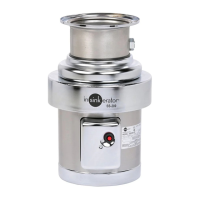
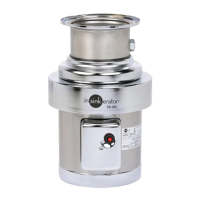
Screw
Terminal Box
Trim Band
Figure 26. Terminal Box and Trim Band
Bottom Cover and Fan
Removal
1. Remove disposer. See “Removing Disposer” on page 7.
2. Remove terminal box and trim band (Figure 26).
3. Place disposer upside down on a at surface.
4. Remove the three thru bolts, bottom cover and three spacers
(Figure 27).
5. Remove snap ring securing fan, then remove fan (Figure 28).
Installation
1. Install fan to shaft with tab on fan engaged in shaft keyway.
2. Install bottom cover with three spacers and secure with three
thru-bolts. Secure thru bolts to upper end bell.
NOTE: When positioning bottom cover, make sure two leg holes
line up with leg mounting holes on upper end bell assembly.
3. Reinstall trim band and terminal box (Figure 26).
4. Re-install disposer. See “Installing Disposer” on page 7.
Figure 27. Bottom Cover and Fan
Figure 28. Fan



 To Next Page