Software Setup:
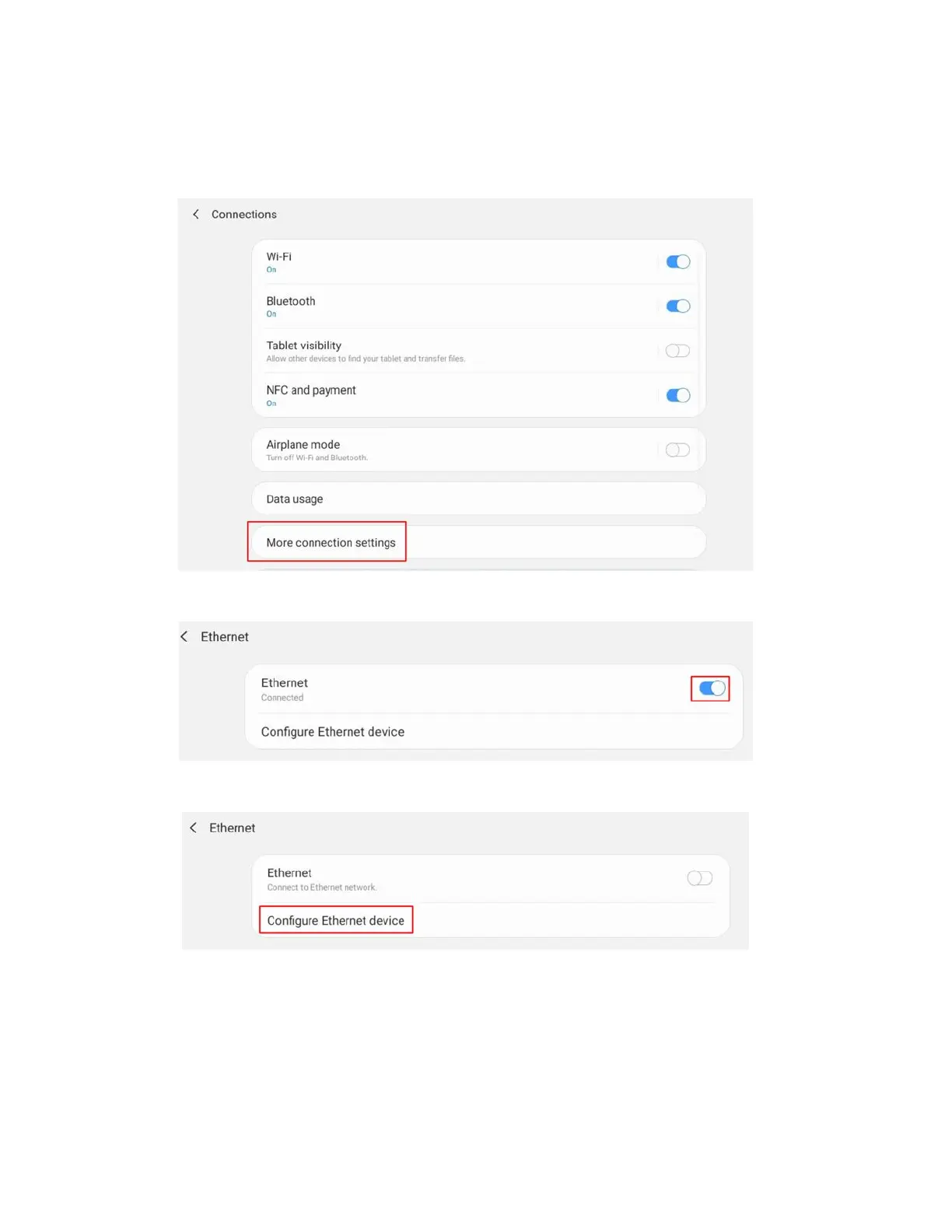
1. Open settings app on the android tablet, and navigate to the wifi settings. Click
on ‘More connection settings’.
2. If ethernet is already ‘Connected’, disconnect using the blue switch.
3. Click on ‘Configure ethernet device’
4. Click on ‘Static IP’ and enter the following credentials:
IP Address: 192.168.168.101
Netmask: 255.255.255.0
DNS Address: 192.168.168.1
Default gateway: 192.168.168.1



 To Next Page