4. Appendix
4.1. Installing QGroundControl
QGroundControl (QGC) is an open-source mission planning software for UAVs running
PX4. QGC is extremely well documented and we encourage all first-time users to review
the available user guide at: https://docs.qgroundcontrol.com/en/.
If using a Jeti DS-12 Controller:
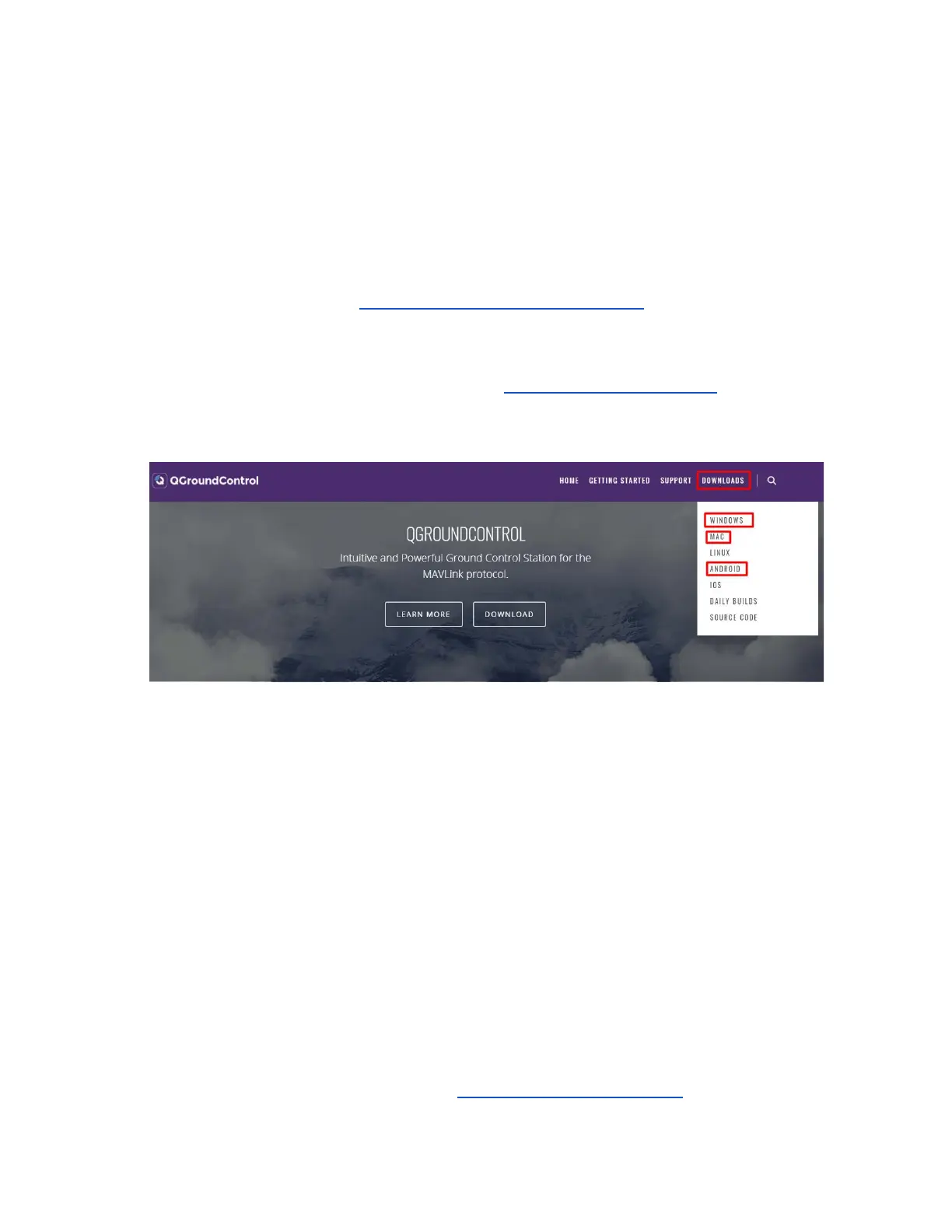
Download the QGroundControl installer from http://qgroundcontrol.com/. The download
links for PC, Mac or Android tablets can be found on the top right ‘Downloads’
drop-down of the website.
Assuming all hardware and software setup steps (Section 2.2) have been followed
correctly, the Inspired Flight UAV will automatically connect to QGC once the vehicle has
been powered on. Instructions on setting up the vehicle will be found later on.
If using a Herelink Controller:
Herelink controllers have QGroudControl preinstalled. Before powering on the controller,
always make sure the antennas are plugged in to the top, as seen in Section 1.3. Once
powered (by holding the power button), the Inspired Flight UAV will automatically
connect to QGC once the vehicle and Herelink controller are both powered on.
Note: QGC can be accessed either directly through the Herelink or through a laptop by
connecting to the Wi-Fi signal emitted by the Herelink. This signal must be 5.8GHz.
4.2. Registering Vehicle with FAA
According to national law, all unmanned aerial vehicles must be registered with the FAA
prior to flight. Register the aircraft here: https://faadronezone.faa.gov/



 To Next Page