3.3. Setting Up Ground Station (Jeti DS-12)
Note: The following instructions are for the Jeti DS-12 / Microhard setup only. If you are
using a Herelink controller, skip to the next section. Inspired Flight has tested and
recommends using QGroundControl on a PC, Mac, or Android tablet ground-station. For
instructions on installing QGroundControl, see Section 4.1 of the Appendix.
If using a PC Ground Station:
Hardware Setup:
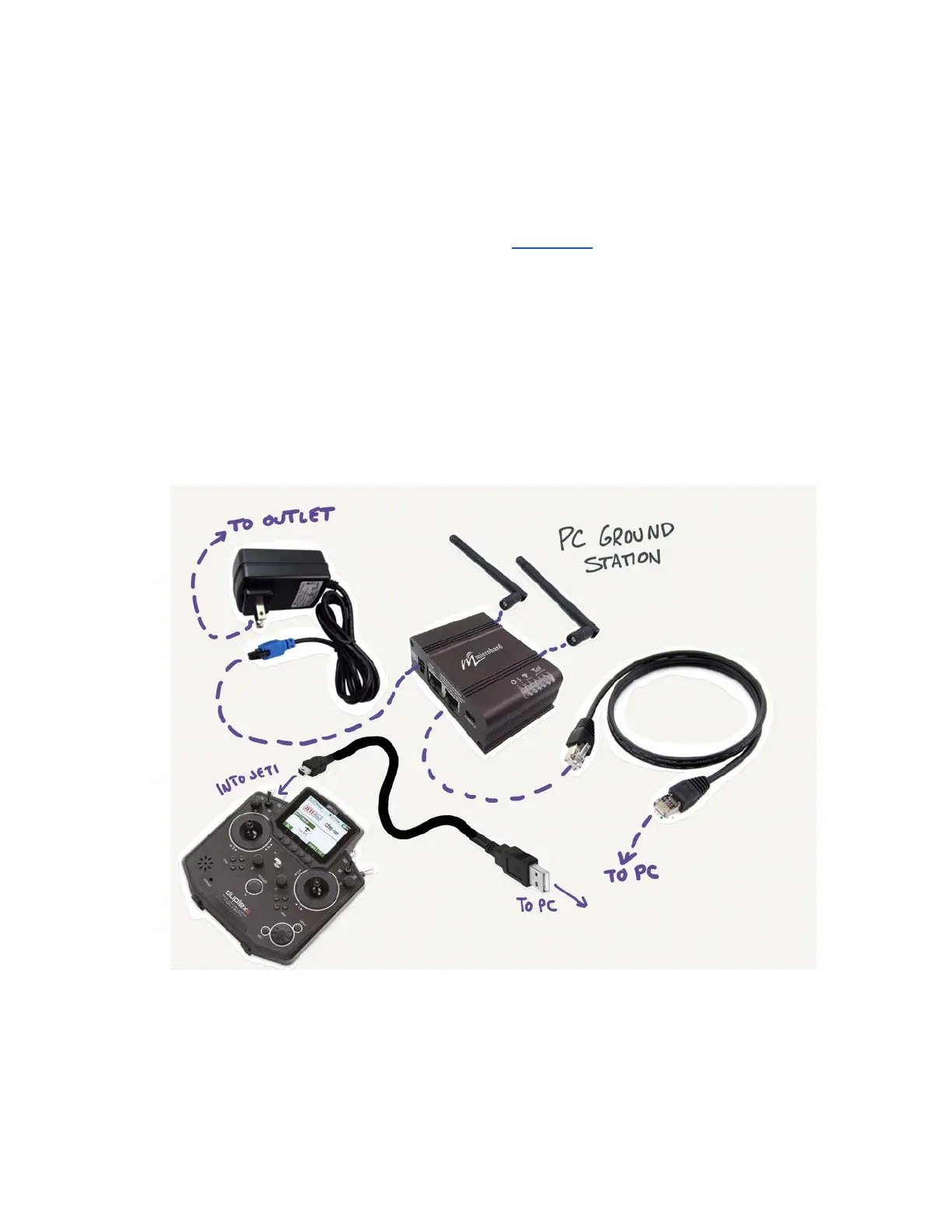
First, plug in the two antennas in the outer two coax jacks on the Microhard
module. Plug in the included ethernet cable between the PC and the ethernet
port furthest from the power port on the Microhard. Connect the USB-mini cable
between the Jeti controller and the PC. Finally, connect the Microhard to power
using the included power cable.
Software Setup:
1. Turn off VPN (if enabled) on PC.
2. Ensure your firewall settings are allowing QGroundControl to be forwarded



 To Next Page