3. Restart Windows (If VPN was disabled)
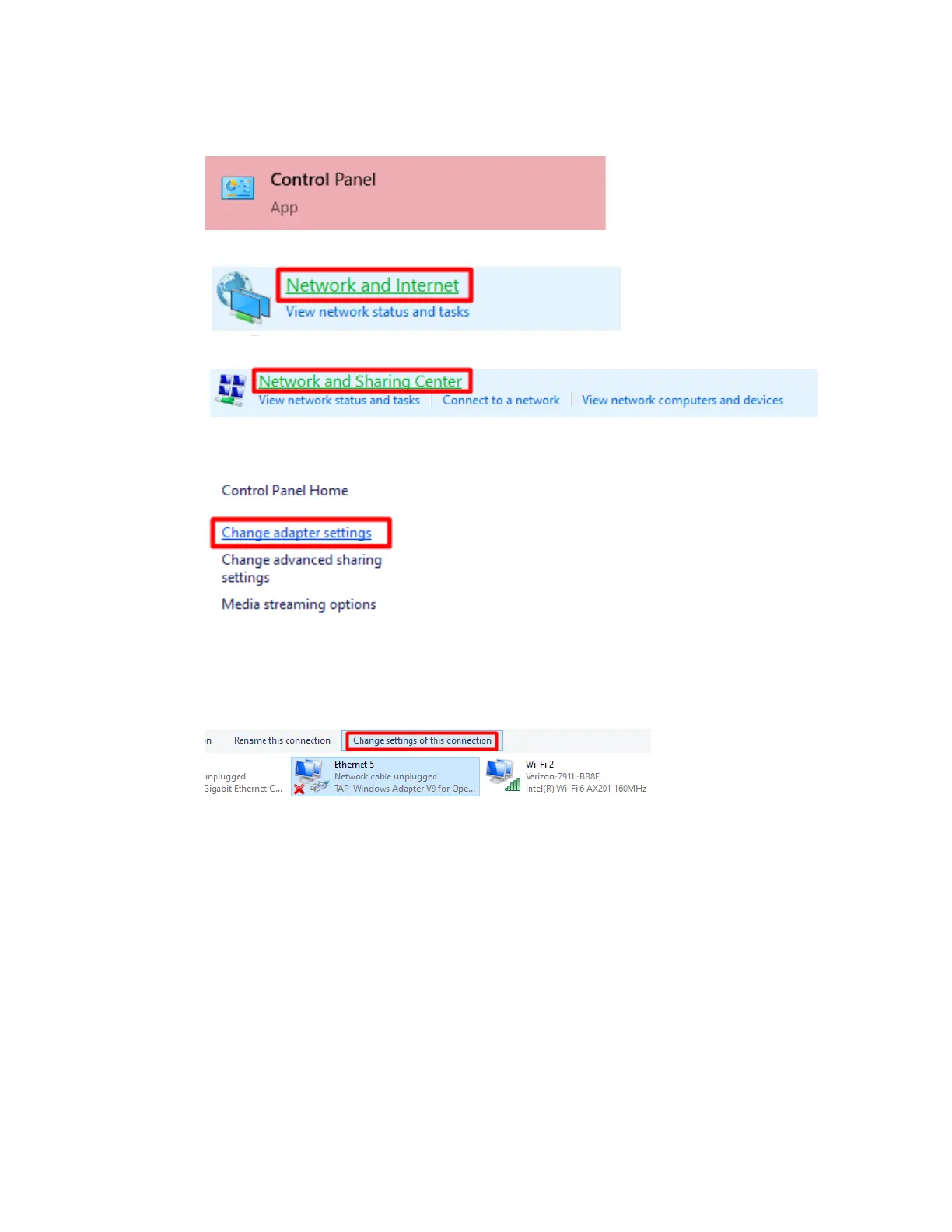
4. Open Control Panel
5. Select ‘Network and Internet’
6. Select ‘Network and Sharing Center’
7. Select ‘Change adapter settings’ on the left side bar
8. Unplug and plug in the included ethernet cable (attached to the powered
Microhard) into the PC. Highlight the one that appears and disappears. Click
‘Change settings of this connection’ (top right)



 To Next Page