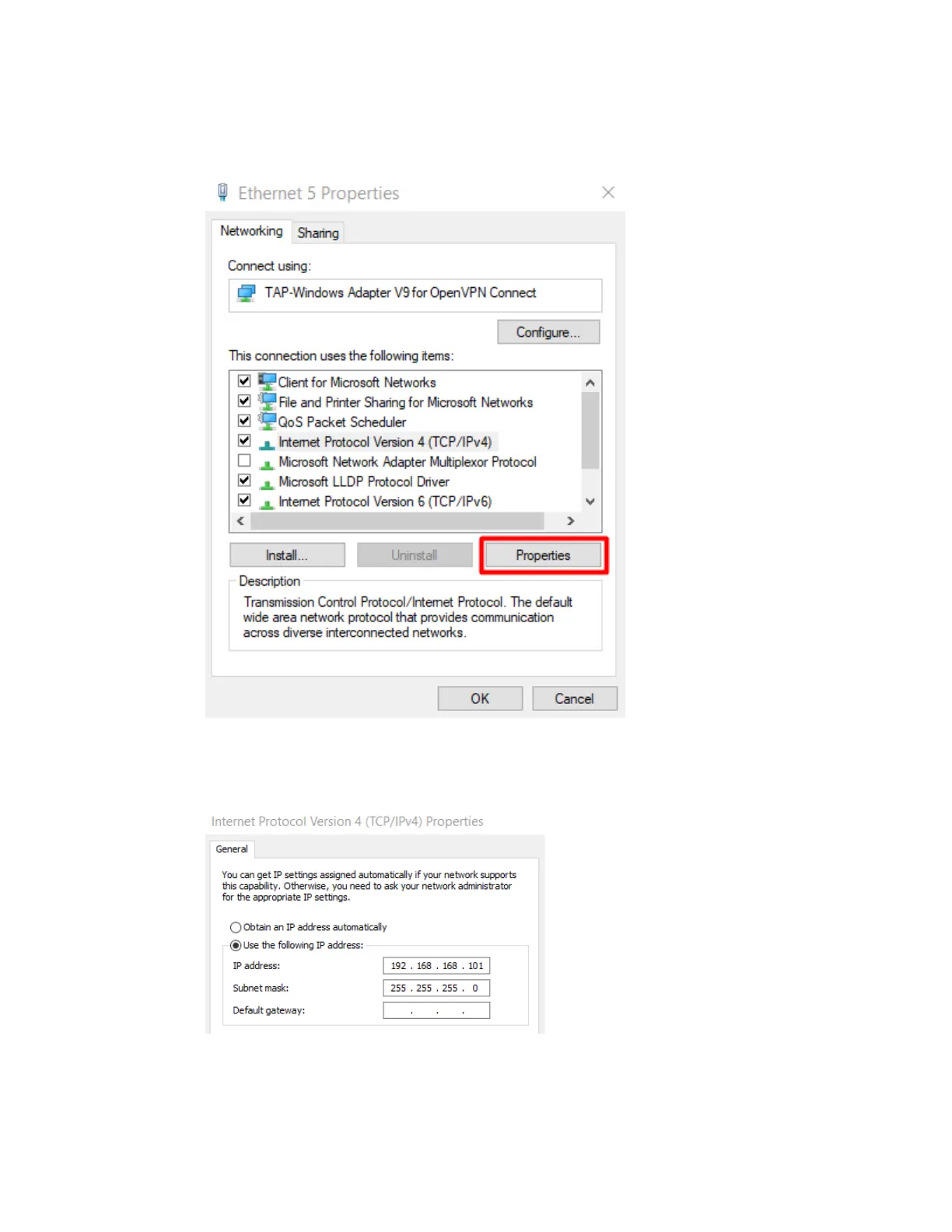
9. Highlight 'Internet Protocol Version 4 (TCP/IPv4)' and select ‘Properties’
10. Select 'Use the following IP address:'
IP address: 192.168.168.101
Subnet mask: 255.255.255.0
11. Select ‘OK’
12. Ensure all steps from ‘Hardware Setup’ section above are complete
13. The ground station is now configured to connect to the aircraft.



 To Next Page