3.4. Set-Up FPV Camera
All aircrafts come with an FPV camera preinstalled. However, only one video stream can
currently be passed through to QGC at a time, so if a Gremsy gimbal is installed on the
aircraft, please follow the steps in Section 2.5 to enable a video stream from the
prioritized payload camera.
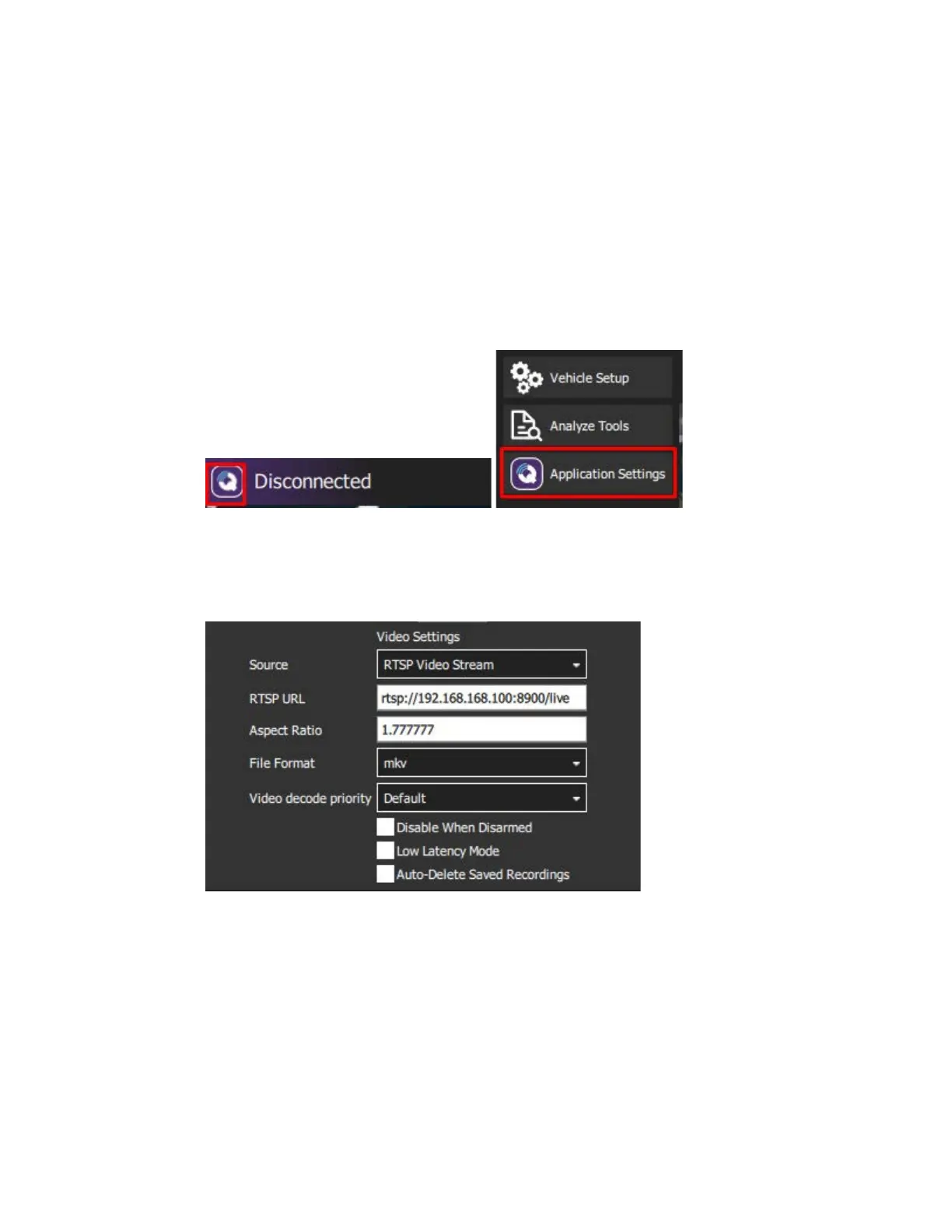
1. In QGC, click on the purple ‘Q’ button on the top left of the screen, then click on
‘Application Settings’
2. At the top of the page in the ‘Video’ section, under the ‘Source’ drop-down select
‘RTSP Video Stream’.
3. In the RTSP URL field. enter the RTSP URL: rtsp://192.168.168.100:8900/live
Once the aircraft is powered on and the camera is installed (see later instructions), the
FPV camera’s video stream will now automatically appear in QGC’s ‘Fly’ view.



 To Next Page