Waypoint Alt: Set the default altitude for the first mission item added to a plan
(subsequent items take an initial altitude from the previous item). This can also
be used to change the altitude of all items in a plan to the same value; you will be
prompted if you change the value when there are items in a plan.
Flight Speed: Set a flight speed for the mission that is different than the default
mission speed.
Mission End (Return to Launch after mission end): Check this if you want your
vehicle to Return/RTL after the final mission item.
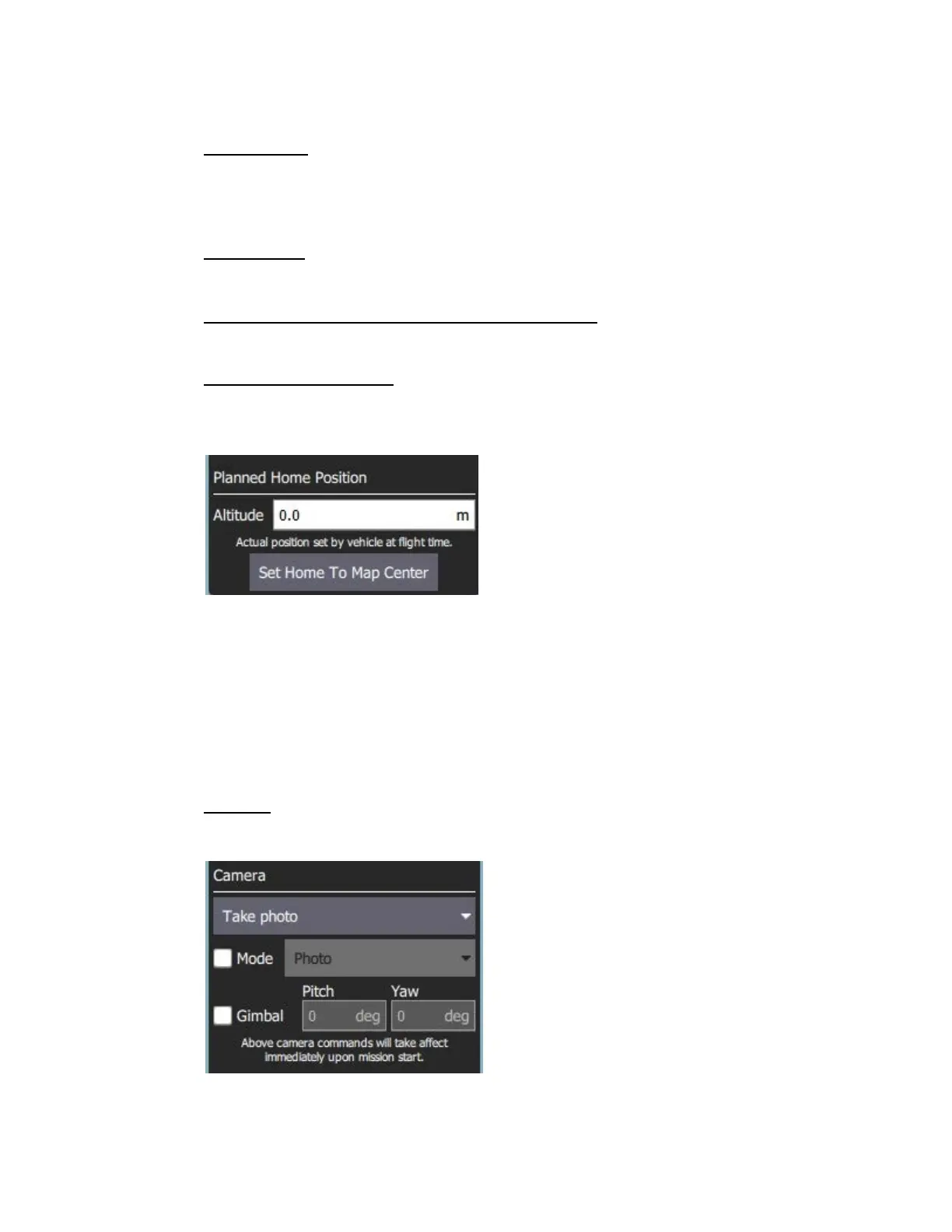
Planned Home Position: The Planned Home Position section allows you to
simulate the vehicle's home position while planning a mission. This allows you to
view the waypoint trajectory for your vehicle from takeoff to mission completion.
Note: This is only the planned home position and you should place it
where you plan to start the vehicle from. It has no actual impact on flying
the mission. The actual home position of the IF1200 is set by the vehicle
itself when arming.
The section allows you to set the Altitude and Set Home to Map Center (you can
move it to another position by dragging it on the map).
Camera: The camera section allows you to specify a camera action to take, control
the gimbal (if applicable) and set your camera into photo or video mode.



 To Next Page