CONTROL PANEL
20 | support@instantpot.com.au | 1800 251 643
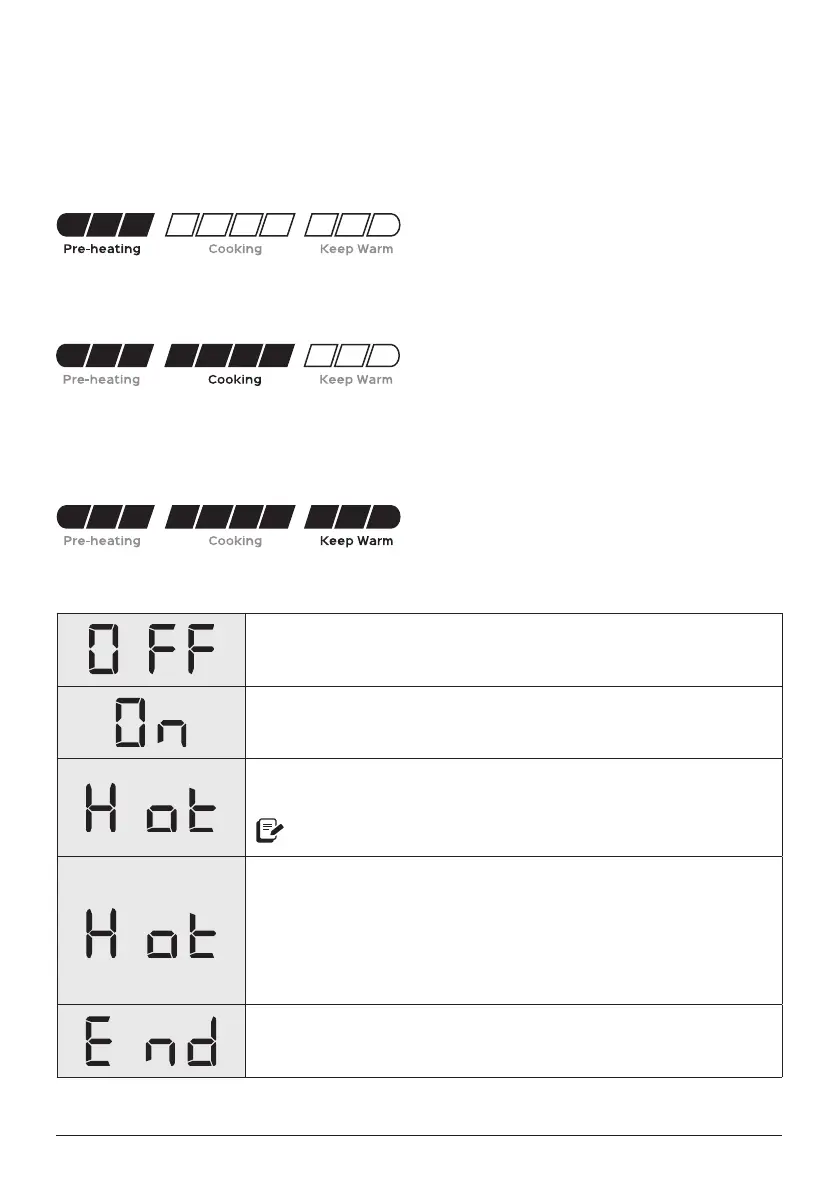
COOKING PROGRESS BAR
Pre-heating is in progress. The display shows On during the pre-heating stage to let you
know that it’s working on getting up to temperature.
Cooking is shown after the Pro Plus reaches the target pressure or temperature required
by the Smart Programme.
Keep Warm comes on automatically (unless you've turned it off) after cooking finishes
to keep your meal at serving temperatures.
Only applies to Pressure Cook, Rice, Slow Cook and Canning.
Status messages
The Pro Plus is in standby mode, ready whenever you are.
The multicooker is Pre-heating.
The inner pot has reached the perfect cooking temperature and
food can be added.
Only applies to Sauté and Sous Vide.
Display shows one of the following:
• The remaining Cooking time when a Smart Programme
is running,
• The Delay Start countdown,
• How long food has been in Keep Warm,
When cooking finishes, the display shows End until you remove
the lid or touch Cancel.
Do you see something else? See Troubleshooting for more information.













 To Next Page